AI Implementation Strategy: A Practical Roadmap for 2026

Written by
Rajni
Reviewed by
Himanshu
Last edited 18 August 2026
Expert Verified
TL;DR
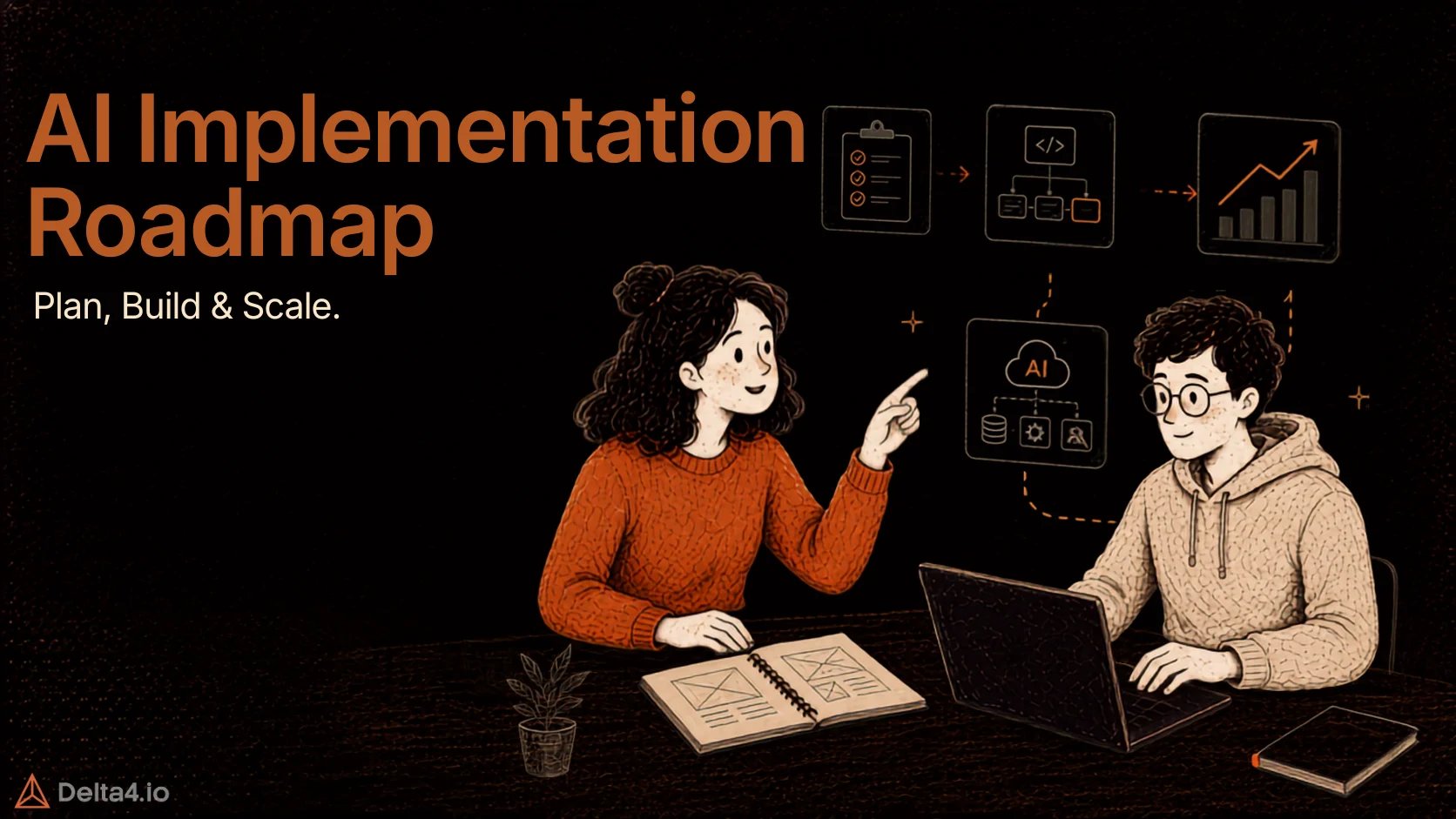
- An AI implementation strategy is a structured plan for moving AI from idea to production: assessing readiness, setting governance and metrics, running a pilot, scaling, and monitoring.
- Most AI initiatives still don’t pay off. RAND puts enterprise AI project failure above 80%, and MIT’s 2025 GenAI Divide report found 95% of enterprise generative AI pilots show no measurable profit-and-loss impact.
- The gap is rarely the model. BCG’s 10-20-70 rule puts only 10% of AI success on algorithms, 20% on technology and data, and 70% on people and process.
- AI access is the real risk, not the model. IBM’s 2025 breach report found that 97% of AI-related breaches happened at organizations without proper access controls, and the regulatory bar keeps shifting under you.
- Tools like MCP360, YourGPT, n8n, and Claude Cowork solve different layers of the implementation stack. Picking the right one for each phase matters more than picking the “best” AI tool overall.
Most companies do not lack AI ambition, they lack a plan that survives a real budget, a real IT team, and a real compliance review. Leadership sees a demo, mandates “do something with AI,” and six months later there’s a pilot that only worked in a spreadsheet.
This is a planning problem, not a tech problem. RAND Corporation’s 2024 study found over 80% of enterprise AI projects fail to deliver value — roughly double the failure rate of typical IT projects. Generative AI hasn’t helped: MIT’s Project NANDA found 95% of enterprise GenAI pilots show no measurable profit impact, despite $30–40 billion in spending.
AI is still worth the investment, it just needs a real strategy, not a demo and a deadline. This guide covers what that strategy looks like, why 2026 raises the stakes, common failure points, a five-phase framework, the governance work teams tend to skip, and the tools for each layer of the stack.
What Is an AI Implementation Strategy?
An AI implementation strategy connects a business problem to a working, monitored AI system in production — with clear ownership, success metrics, and a plan for when it breaks. It’s different from a broad “AI strategy” (which use cases matter, overall posture toward AI) — this is operational: the actual sequence of decisions from first use case to scaling and governance.
It should answer four questions upfront: What outcome are we moving, and how will we measure it? Who’s accountable if it stalls? What data, systems, and people does it touch, and are they ready? And what’s the smallest version we can prove works first?
Skip any of these, and a promising pilot becomes another failure statistic.
Why AI Implementation Matters in 2026
AI has moved from an innovation-lab experiment to a board-level priority. Gartner forecasts worldwide AI spending will hit $2.52 trillion in 2026, and most enterprises now have AI touching at least one business function.
Part of the pressure now comes from agentic AI — tools that don’t just answer questions but take multi-step actions inside your systems, a shift covered in 5 trends our AI team is excited about in 2026. Implementation today isn’t just deploying a chatbot — it’s deciding what an agent can touch, what it can do without human approval, and how you’d catch it going wrong. That’s why governance and security matter more in a 2026 plan than they did two years ago.
Common AI Implementation Mistakes
The failure patterns are consistent across every industry study referenced above. Five show up again and again.
- Starting with the technology instead of the problem. Teams pick an AI tool because it’s popular, then go looking for a use case to justify it. This produces expensive pilots with no clear owner and no metric that proves success.
- Skipping the data readiness check. An AI system trained on outdated, fragmented, or inconsistent data produces outputs nobody trusts, and trust, once lost, is hard to rebuild. RAND names this as a leading failure cause, and Gartner separately lists poor data quality as one of the top reasons generative AI projects get abandoned after proof of concept.
- Treating it as a pure IT project. AI implementation changes how people work, not just what software they use. Projects that exclude the department that will actually use the system, whether that’s support, sales, or operations, tend to produce a tool nobody adopts.
- Underinvesting in change management. This is the practical face of BCG’s 10-20-70 finding. Teams spend heavily on the model and the infrastructure, then run one all-hands demo and call training done. The people who have to change how they work every day need role-specific training, a clear escalation path for when the AI is wrong, and time to adjust.
- No defined stopping point. Pilots without predefined success criteria or a go/no-go decision date tend to drift indefinitely, consuming budget without ever reaching a scale decision. Build the “we’ll shut this down if X doesn’t happen by Y date” criteria into the plan from day one, not after six months of ambiguity.
Phases of an AI Implementation Framework

A practical implementation framework has five phases, each with its own timeframe and its own deliverable, not just a description of what to do.
Phase 1: Assess readiness and pick one use case – This is where you evaluate your current capabilities and choose a single use case that is clear, useful, and realistic to start with.
Phase 2: Set strategy, governance, and success metrics – Here, you define the direction of the AI initiative, establish decision-making rules, and decide how success will be tracked.
Phase 3: Run a scoped pilot – At this stage, you test the solution in a limited setting to see how it performs before committing to a wider rollout.
Phase 4: Scale into production and integrate – This phase is about expanding the solution into everyday operations and connecting it with the systems your team already uses.
Phase 5: Monitor, govern, and keep optimizing – In the final phase, you continuously review performance, maintain control, and refine the system to improve results over time.
Security and Risk in AI Implementation
Every phase above assumes the AI system can access real company data and, increasingly, take real actions inside real systems. That access is the real risk, not the model. IBM’s 2025 breach report found that 97% of organizations hit by an AI-related breach had no proper access controls in place, so treat a new AI agent the way you’d treat a new employee on day one, caution first, permissions later.
The AI Implementation Security Checklist
- Look before it touches anything – Start with read-only access, and only add the ability to make changes once the system has proven reliable on the smaller scope.
- Keep a person in the loop for anything serious – Money, legal matters, or customer-facing decisions should need a human sign-off until the system has earned some trust.
- Log everything it does – Not just what it says back to a user, what it actually opened, changed, or sent.
- Give your team an approved tool, not a ban – People will use AI one way or another, so pick a sanctioned option instead of leaving them to experiment with random tools on company data.
- Vet every vendor that touches your data – That includes the AI tool itself and anything it connects to.
- Decide who can shut it down, before you need to – Confirm that person can actually pull the plug quickly, not just on paper.
Tools for Practical AI Implementation
No single tool covers the entire stack. A realistic implementation draws from several categories: agentic knowledge work, coding agents, customer-facing agents, CRM-native agents, conversational design, integration layers, workflow automation, app-building platforms, multi-agent frameworks, low-code enterprise builders, cloud AI/ML platforms, retrieval infrastructure, in-warehouse AI functions, document processing, and enterprise search. The table below lists one representative tool per category, covering what’s most commonly used in 2026 implementations, along with what each is for and how to use it.
| AI Implementation Tool | Category | Purpose | Practical Implementation |
|---|---|---|---|
| Claude Cowork | Agentic knowledge-work platform | Lets non-developer teams delegate multi-step tasks (research, document drafting, spreadsheet work) to an AI agent that plans and executes on its own | Connect it to your file storage and calendar, then hand off a task like “compile last quarter’s support tickets into a summary doc” and review the output before it goes out |
| YourGPT | Customer support and sales AI agent | No-code platform for building AI agents that answer customer questions, qualify leads, and take actions across connected systems like CRM and helpdesk tools | Upload your help docs as a knowledge source, connect your live chat widget or WhatsApp channel, then set escalation rules so complex queries reach a human |
| MCP360 | MCP gateway / tool integration | Unified gateway that connects an AI agent to 100+ external tools through one configuration instead of building each integration separately | Add the gateway endpoint to your agent’s MCP config, then ask the agent to “find keyword tools” or “check competitor pricing” and it routes the request automatically |
| Claude Code | AI coding agent | Reads an existing codebase, writes and edits code, runs tests and commands, and automates recurring engineering tasks from plain-language instructions | Run it inside a project folder from your terminal, IDE, or desktop app, describe the feature or bug in plain English, and review the diff before merging |
| Salesforce Agentforce | CRM-native autonomous agent platform | Deploys autonomous agents directly inside Salesforce to qualify leads, route cases, and resolve service requests using your existing CRM data, available across Enterprise and higher editions, with some service-specific features built on top of Service Cloud | Start from a pre-built template (service resolution or sales development), connect it to Data Cloud for context, then customize the topics and guardrails rather than building an agent from scratch |
| Voiceflow | Conversational AI design and prototyping | No-code, drag-and-drop platform for designing, testing, and deploying conversational agents across chat and voice channels, popular for mapping out complex dialogue logic before it goes live | Map your conversation flow visually with drag-and-drop blocks, connect a knowledge base for FAQ-style answers, test it in the built-in simulator, then deploy to a web widget or phone line |
| n8n | Workflow automation and orchestration | Visual, node-based platform for building automated workflows that combine AI reasoning with actions across apps, APIs, and databases | Drag a trigger node onto the canvas, add an AI Agent node, then chain output nodes to update a CRM or send a message, no custom backend required |
| Dify | LLM app builder / RAG platform | Visual, low-code platform for building chatbots and RAG-based knowledge assistants on top of a company’s own documents | Upload internal docs to build a knowledge base, pick a model provider, then drag together a chat flow and publish it as an embeddable widget |
| CrewAI | Multi-agent orchestration framework | Python framework for assigning specialized roles to multiple AI agents that collaborate on a shared task | Define each agent’s role, goal, and tools in a script, group them into a crew with a shared task list, then run the script so agents hand off work to each other |
| Microsoft Copilot Studio | Low-code enterprise agent builder | Lets IT and business teams build and publish AI agents inside the Microsoft 365 ecosystem, connected to SharePoint, Teams, and 1,400+ connectors | Describe the agent’s purpose in plain language inside Agent Builder, connect the data source, then publish it directly into Teams |
| Google Vertex AI | Cloud AI/ML development platform | Google Cloud’s unified platform for building, training, and deploying custom ML models and generative AI agents at scale, now expanding into the Gemini Enterprise Agent Platform for agent orchestration and governance | Prototype and test prompts in Vertex AI Studio against a model from Model Garden, then use Pipelines or Agent Builder to move from prototype to a monitored production endpoint |
| Pinecone | Vector database / RAG infrastructure | Fully managed database that stores document embeddings and returns the most relevant matches quickly, the retrieval layer behind most RAG systems | Create an index through the API, upload embedded chunks of your documents, then query the index so the model only sees passages relevant to each question |
| Snowflake Cortex AI | In-warehouse AI functions | A managed AI layer built directly into Snowflake, running LLM-powered functions like summarizing, classifying, and extracting on data already in your warehouse using plain SQL, without moving data out | Call a Cortex function such as AI_COMPLETE or AI_CLASSIFY directly in a SQL query against an existing table, no separate infrastructure or data export required |
| Google Document AI | Document processing and extraction | Reads, classifies, and extracts structured data from documents like invoices, contracts, and forms at scale, combining OCR with Gemini-powered layout understanding | Pick a pre-trained processor for a common document type, or train a custom one with a small set of example documents, then call it via API to turn a folder of PDFs into structured data |
| Glean | Enterprise search and knowledge management AI | Indexes a company’s apps into a permissions-aware knowledge graph so employees and agents can search across all of it from one place | Connect it to your core business apps through pre-built connectors, let it build the knowledge graph, then employees ask questions in natural language |
Match the tool to the layer you’re solving, not the other way around. For customer support, most teams start with YourGPT on its own- including WhatsApp and other channels, covered in our complete guide to building an AI agent for customer service. A team already living in Salesforce may move faster with Agentforce instead, and teams that want to design the conversation logic first often prototype it in Voiceflow before wiring it into a production platform. For internal automation, most teams start with n8n or Claude Cowork, adding MCP360 once there are more than a couple of integrations to consolidate. If the use case is buried in unstructured documents or already lives in a cloud data warehouse, Google Document AI and Snowflake Cortex AI often solve more of the problem than a general-purpose agent framework would.
If you’re new to the underlying concepts, What Are AI Agents? and Model Context Protocol: A New Standard for AI-Agent Communication cover the building blocks this table assumes.
Conclusion
The organizations that get real value from AI in 2026 aren’t the ones with access to a better model. Model access is close to commoditized at this point. They’re the ones that treat implementation as a discipline: one clear use case at a time, a named owner, a defined budget, a security checklist that isn’t an afterthought, and a monitoring habit that doesn’t stop once the launch announcement goes out.
Start smaller than feels ambitious. Pick the one use case that’s high-volume, well-documented, and contained to a single team. Prove it works before you scale it, and build the access controls in from the start rather than retrofitting them once something goes wrong. The five-phase framework and the tool table above give you the shape of the plan. The discipline to actually run it, phase by phase, without skipping the boring parts, is what separates the 5% from the 80%.
If customer support is the use case pulling you toward this whole exercise, start there. It’s the most contained, most measurable first project on the list, and our guide to building that specific agent picks up exactly where this one leaves off.
Frequently Asked Questions
How long does it take to implement AI in a business?
The five-phase framework doesn’t lock you into a fixed timeline. Each phase carries its own deliverable and its own timeframe depending on scope. What actually decides speed is how contained the first use case is. A pilot scoped to one team with clean data moves through assessment, governance, and a scoped pilot quickly. A project that spans multiple departments or waits on data cleanup will stretch out no matter which tool gets picked.
What is the best AI tool for implementing customer support automation?
For customer support specifically, most teams start with YourGPT on its own before adding other tools. It connects to a knowledge base and live chat or WhatsApp channels, with escalation rules that route complex queries to a human. A team already running on Salesforce might get further with Agentforce instead, since it works directly with CRM data already in place.
What is the biggest mistake companies make when implementing AI?
The most common one is starting with the technology instead of the problem. Teams pick a tool because it’s popular, then go looking for a use case to justify it. That produces pilots with no clear owner and no metric proving they worked. BCG’s research backs this up. Only 10% of AI success comes down to the algorithm itself. The other 90% comes from data, technology, and how well the people and process side gets managed.
Which AI implementation tools should a business use in 2026?
It depends on the layer you’re solving, not a single best tool overall. For internal automation, most teams start with n8n or Claude Cowork, then add MCP360 once there are more than a couple of integrations to consolidate. For customer support, YourGPT covers the agent layer directly. Teams already deep in Salesforce or Microsoft 365 often extend Agentforce or Copilot Studio instead of adding a new platform.
What’s the easiest way to start an AI implementation project?
Start smaller than feels ambitious. Pick one use case that’s high volume, well documented, and contained to a single team, then prove it works before scaling. Customer support is usually the most contained and measurable place to start, since it’s easy to define success clearly and keep the scope to one team.

Article by
RajniAI & Tech | Senior Content Writer
Rajni is a senior content writer at Delta4 Infotech covering AI agents, automation, and no-code tools. She writes across the AI space, from chatbots and customer support to MCP and agent workflows, focused on how businesses actually put these tools to work.