5 Best AI Video Generation Tools in 2026: From Prompt to Product Demo

Written by
Taniya
Reviewed by
Himanshu
Published 03 September 2026
Expert Verified
Quick Answer
The best AI video generation tools in 2026 are CoAnimator for product demos and launch videos, ngram for fast, high-volume branded videos, and Synthesia for avatar-based training and multilingual content.
TL;DR
- Two pricing models, one real decision. Cloud tools meter output in credits or video minutes (Arcade at 50 credits per 30 seconds of AI video, Synthesia at roughly 10 minutes a month on Basic, ngram from 10 credits per second of generation). CoAnimator renders locally, so nothing is metered on either tier.
- Prompt-to-video and product demos are different products. Generative tools invent footage from a description. Demo tools rebuild your actual interface. CoAnimator, Arcade, and ngram cover both jobs, though only CoAnimator keeps the finished video as an editable project on your own disk.
Video is no longer just a marketing advantage—it is becoming the default format for businesses. Wyzowl’s 2026 survey found that 91% of businesses use video as a marketing tool, with 39% of video marketers creating product demos and 80% of people saying they have bought or downloaded an app after watching an app demo.
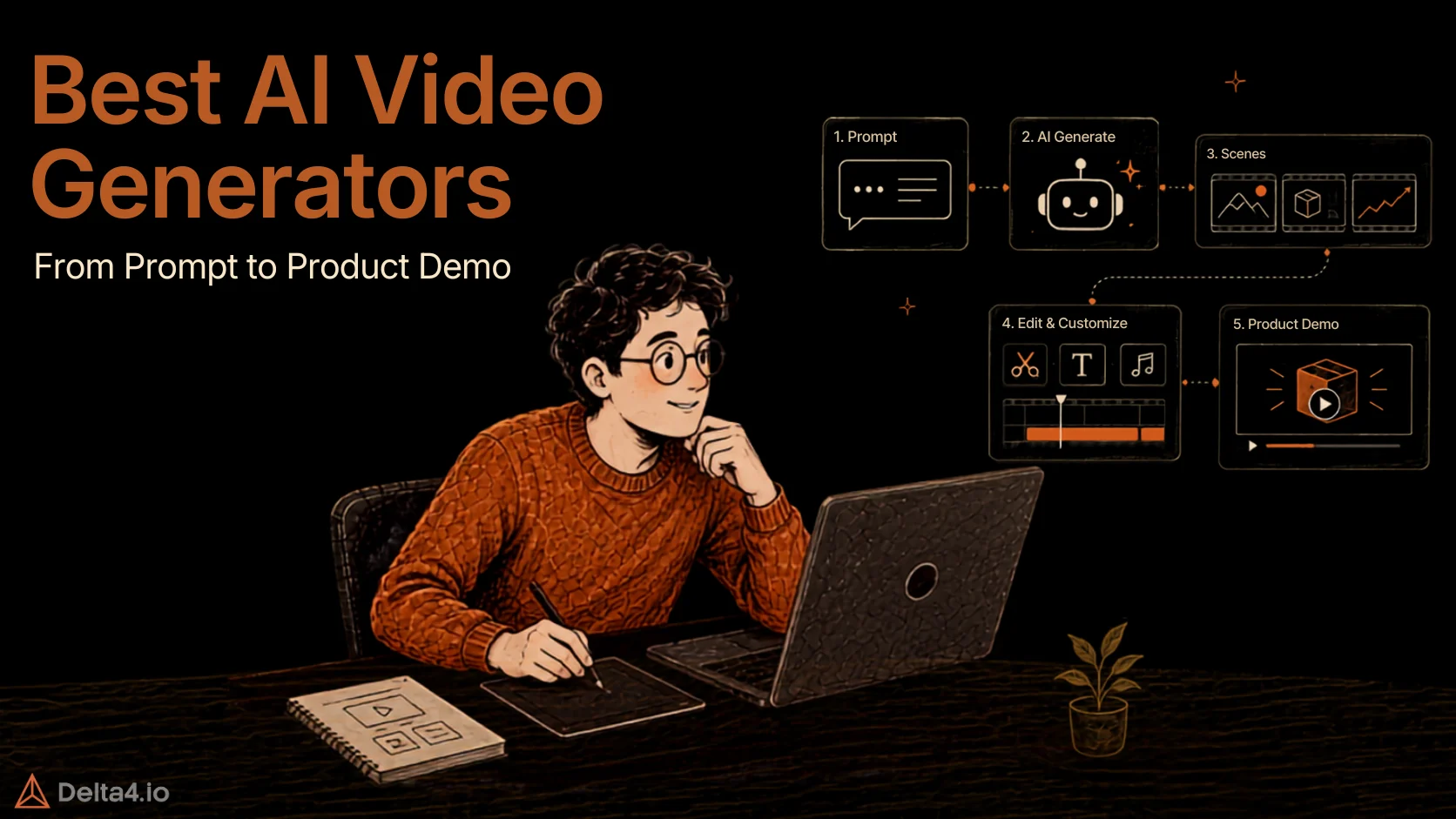
The challenge is keeping up with that demand. Product demos become outdated when the UI changes, launch videos need multiple formats, and not every team has a video editor or After Effects expertise. AI video generation is changing that workflow, letting teams turn text prompts, product URLs, PDFs, and screen recordings into videos without relying on a traditional editing timeline.
That is where these five AI video generation tools stand out, each taking a different approach to going from prompt to product demo.
What Is an AI Video Generator?
An AI video generator is a tool that creates videos from a text prompt, script, document, product URL, or screen recording, reducing the need for manual video editing. In 2026, AI video generators generally fall into four categories: text-to-video tools that create scenes from prompts, AI avatar platforms that turn scripts into presenter-led videos, AI video capture tools that polish screen recordings, and agentic video studios that build scenes based on plain-language instructions.
The term “AI video generator” covers very different use cases. A tool designed to create cinematic AI videos may not be able to recreate a product interface, while a tool built for AI product demos may not generate realistic footage from scratch. The right choice depends on the type of video you need to create.
How Do AI Video Generators Work?

Four mechanisms cover most of the market, and knowing which one a tool uses tells you what it’s actually good for.
- Text-to-video generation. The model starts with random noise and removes it step by step until coherent frames emerge, working in a compressed mathematical encoding of the frames rather than raw pixels — what makes video generation practical at all. This is how prompt-to-video output gets made, and why it burns credits fast.
- AI avatars and voice synthesis. A script drives a rendered presenter and a synthetic voice, then captions and translations are generated from the same text. Cost is metered in video minutes because output length maps directly to compute. This is Synthesia’s lane.
- AI video capture and editing. The tool works from your existing screen recordings, product URLs, or PDFs, automatically adding effects, captions, zooms, and narration. This is what ngram does at volume, with no timeline required.
- Agentic video creation. An AI agent reads your source material, writes a script and storyboard, then arranges scenes, zooms, captions, and narration itself — scene by scene, from plain-language instructions. Nothing is hallucinated into the frame because your recordings and screenshots are the footage. This is CoAnimator’s approach.
Product demos almost always want the fourth mechanism. You need your real interface on screen, correctly labelled, in the order a buyer would click through.
How We Evaluated These AI Video Generation Tools
- Output you can actually ship. Watermark rules, export resolution, and commercial rights on the free tier, checked on the live pricing page.
- Cost per finished video, not per seat. A credit-metered plan and a flat licence behave differently once you produce ten videos a month instead of two.
- Maintenance after launch. How much work a UI change creates. A tool that reopens the project beats one that needs a full re-record.
- Fit for product and marketing teams. Demos, launch videos, tutorials, and changelog updates, rather than social clips or film work.
- Pricing verified live. Every figure below came from the vendor’s own page on 02 September 2026. Nothing was estimated.
Interactive demo builders are included where they also export video. Pure screen recorders like Loom and Tella are not, since they sit in the SaaS product demo video tools category instead.
Best AI Video Generators in 2026 Compared at a Glance
| Tool | Best For | Prompt-to-Video Generation | Product Demos | Motion Graphics / 3D |
|---|---|---|---|---|
| CoAnimator | Engineering led teams creating editable product demos and videos with AI agents | Yes, a coding agent authors scenes from your description | Strong, projects stay editable and re-render on demand | Strong, kinetic type, charts, WebGL 3D |
| Arcade | Interactive demos with short AI video attached | Yes, credit-metered text-to-video and visuals | Strong, capture-based walkthroughs | Moderate, animated visuals and b-roll, no 3D |
| ngram | Turning docs, URLs, and recordings into branded video at volume | Yes, from prompt, doc, URL, deck, or recording | Strong, screen recording and doc-to-demo | Yes, motion graphics and animated data charts |
| Synthesia | Avatar-led training and multilingual explainers | Script-to-video with AI avatars | Moderate, via the AI Screen Recorder | Yes, via its AI Motion Graphics tool |
| Supademo | Click-through interactive demos rather than linear video | No | Strong, guided and HTML demos | No |
What Are the 5 Best AI Video Generation Tools in 2026?
1. CoAnimator: Best for Product Demos That Survive a UI Change

CoAnimator is an agentic AI animation studio that lets AI coding agents such as Claude Code, Codex, Gemini, or Antigravity build and edit product demo videos from a plain-language description. The video is structured as ordinary project files, so updating a demo after a UI change works like any other code edit rather than a full re-shoot. Where the rest of this list assumes a marketer working in a browser, CoAnimator assumes an engineer, or an agent, working from a repository.
Key features
- Create videos by describing. A product demo, launch video, or tutorial takes shape on the stage scene by scene, and you redirect at any moment.
- Edit videos by describing. Say the look you want, and effects, captions, and overlays land on your recording.
- Always-editable projects. Come back weeks later, change one scene, and re-render. Nothing is ever baked in, and project files are git-friendly.
- Agent agnostic. Claude Code, Codex, Gemini, Antigravity, OpenClaw, or any custom agent that can read files and run shell commands.
coaCLI. Headless rendering from scripts, CI pipelines, or autonomous agents like Hermes and OpenClaw. Set it up once and changelog videos generate themselves.- Cross-platform. Works on macOS, Windows, and Linux. Linux support is the part nothing else here offers.
Best for: Teams with engineers already in the workflow who want demos that keep pace with the product.
Pricing: Free. Runs through existing coding-agent access with local rendering.
Trade-off: Setup is fairly technical, which can be a steep climb for non-technical teammates.

“Wow, this tool creates videos so quickly! It saves tons of time and makes the whole video creation process super easy.”
2. Arcade: Best for Pairing an Interactive Demo With Short-Form Video

Arcade is an AI-powered interactive demo and video creation platform for turning product captures into guided, engaging experiences. It captures your product through a Chrome extension, desktop app, or Figma plugin, then builds a click-through demo with hotspots, callouts, and AI voiceover. Its Creator Studio layer adds AI-generated video and visuals from the same brand kit, which is why it belongs in a video roundup rather than only a demo one.
Key features
- Interactive demos with branching paths, CTAs, and embedded forms
- AI text-to-video and visual generation, plus AI voiceover through its Avery assistant
- AI translations and advanced viewer insights on Growth
- MP4 and GIF export once you are on a paid tier
- Arcade MCP included from the free plan
Best for: Product marketing teams that want a self-serve demo on the landing page and short video cutdowns from the same capture.
Pricing: Freemium. Free covers 1 demo and 1 video. Growth starts at $42.50 per seat a month.
Trade-off: 800 credits equals roughly eight minutes of AI video a month per seat. Heavy video output means top-ups.

“I like that Arcade is really well thought out and takes into consideration what users are actually looking for. It does AI videos better than most for SaaS products specifically. It’s easy to use and easy to get around. They’re continuously improving it, and it’s a great product. I think it’s the best interactive demo platform I’ve reviewed, and it really accelerates go-to-market strategies. The initial setup of Arcade was easy peasy.”
3. ngram: Best for Turning Docs and URLs Into Video at Volume

ngram is an AI video generation platform for turning product source material into finished videos. It accepts source material other generators cannot read directly. Paste a product page, a PRD, release notes, a deck, or drop in a messy screen recording, and its agent plans a script and storyboard, then assembles the video with voiceover, captions, smart zooms, and motion graphics. You approve the storyboard before anything renders, which is where most of the review time gets saved.
Key features
- URL, doc, PPT, screenshot, and screen-recording inputs
- Storyboard review before render, edited in plain language rather than on a timeline
- Animated data charts generated when your script contains numbers
- Brand kits, cloned voices, and custom avatars on paid tiers
- Video hosting with engagement analytics, quizzes, and hotspots on Ultimate
- Integrations with Zapier, n8n, and an MCP server for agent-driven jobs
Best for: Teams shipping a video for every feature launch, help-centre article, and changelog entry without a video editor on staff.
Pricing: Freemium. Free tier gives 600 one-time credits (no recurring monthly allowance). Basic runs $23.20 a month billed annually, or $29 a month billed monthly.
Trade-off: Web-only, and workspace seats are capped at 3 even on Ultimate.
“We liked how easy it was to turn existing content into a basic video without starting from scratch. Being able to use things like product descriptions or simple notes and get a structured script and visuals saved time, especially for quick turnaround tasks. It’s straightforward to use and doesn’t require much setup, which made it practical for testing ideas or putting together simple content quickly.”
4. Synthesia: Best for Avatar-Led Training and Multilingual Explainers

Synthesia is an AI video platform for creating presenter-led videos from scripts. It turns a script into a video of an AI presenter, with 160+ languages and voices available on every plan. Its AI Screen Recorder extension now brings product walkthroughs into the same editor, though the platform’s centre of gravity remains L&D, onboarding, and compliance content rather than marketing demos.
Key features
- 9 avatars on Basic, 125+ on Starter, 180+ on Creator, and 240+ on Enterprise
- Personal avatars and voice cloning, with 3 on Starter and 5 on Creator
- AI dubbing with voice and accent preservation, plus lip sync
- Interactive CTAs, branching, and quizzes for training content
- SCORM export and 1-click translation into 80+ languages on Enterprise
- SOC 2 Type II, ISO 42001, and GDPR compliance
Best for: Learning and development, HR, and enablement teams producing policy, onboarding, and training video in many languages at once.
Pricing: Freemium. Free includes 10 minutes a month. Starter begins at $18 a month.
Trade-off: Minutes are the hard limit, and a talking head is the wrong lead for a product walkthrough where the interface should carry the frame.

“Synthesia.io have an awesome solution for creating professional video presentation for training, marketing, and all other types of videos you want to do. I love how you can create a text manuscript, then try different AI avatar (very lifelike) to get the exact type of video you are looking for. But you also need to know how to create a successful video, and Synthesia Academy is exactly what you need to learn this. Highly recommended!”
5. Supademo: Best for Click-Through Demos Rather Than Linear Video

Supademo is an interactive product demo platform for creating guided walkthroughs of your product. It builds guided interactive demos from screenshots, screen captures, or HTML clones of your product. Buyers click through at their own pace instead of watching. Video recording and 4K MP4 export exist, so one capture serves both the interactive walkthrough and a linear clip, but generation is not part of the product.
Key features
- Guided screenshot demos on every tier, HTML cloning and sandbox demos on Growth
- AI voiceovers, AI translations, and AI voice cloning on Growth
- Branching, dynamic variables, and embedded forms and calendars
- Lead and company analytics with CRM sync to HubSpot, Salesforce, and Marketo
- AI Demo Agent add-on that runs voice-led discovery calls in 50+ languages
- SOC 2 Type 2 on every plan, including free
Best for: Sales and customer success teams that want prospects exploring the product rather than watching it, with lead capture attached.
Pricing: Freemium. Free covers 1 creator and 5 demos. Scale starts at $38 per creator a month.
Trade-off: No prompt-to-video generation, and the jump from Scale to Growth for HTML cloning is steep for a small team.

“Really great value for the cost. Supademo is a really helpful platform for both internal and external product demos and guides.”
Which AI Video Generator Is Best for Product Demos?
There is no single best AI video generator for every product demo. The right choice depends on what you need the demo to do:
- CoAnimator — Best for product launch videos and demos that need frequent updates. Its project-based workflow lets you re-render the same demo when your UI changes instead of rebuilding the video from scratch.
- ngram — Best for creating product demos at scale. It can turn product documentation, URLs, and recordings into branded videos, making it useful when you need multiple demos or frequent content updates.
- Arcade — Best for interactive product demos. Instead of simply showing the product, Arcade lets viewers explore the workflow themselves, making it a strong option for sales demos and product education.
- Supademo — Best for click-through product walkthroughs. It is designed for interactive demos where users can follow and explore product flows rather than watch a traditional video.
- Synthesia — Best for presenter-led product explainers. AI avatars and voiceovers make it useful when a product demo needs a human-style introduction, explanation, or multilingual delivery.
The difference becomes important after the first demo is published. A product UI rarely stays still, and a video that takes weeks to update can quickly become outdated. CoAnimator is particularly useful here because the video remains an editable project rather than a locked MP4, allowing teams to update the workflow and re-render it as the product changes.
For high-volume content, ngram makes more sense when the goal is producing many branded demos quickly. If the goal is to let prospects interact with the product, Arcade or Supademo is a better fit than a traditional video generator. And when the demo needs an AI presenter or multilingual narration, Synthesia is the stronger choice.
The best product demo tool, then, is not necessarily the one with the most impressive AI-generated footage. It is the one that matches how your product is demonstrated, updated, and consumed by your audience.
Conclusion
AI video generation is moving toward a prompt-to-production workflow, where the real value is not simply generating a video but getting a production-ready video out while it still matters.
The strongest tool depends on what you need to create. CoAnimator fits teams producing product demos and launch videos, while ngram works well for high-volume branded videos and Synthesia for avatar-led training and explainers. The right choice is less about which tool produces the most impressive output and more about how well it fits your team’s workflow, content volume, and update cycle.
That matters because video can become outdated almost as quickly as the product itself. A UI change can make a demo stale, while weeks spent waiting for edits can push a launch video past its moment. AI video generators can shorten that gap, making it easier to create, update, and publish videos without starting the production process from scratch.
The real shift is from “How quickly can we generate a video?” to “How quickly can we turn an idea into a production-ready video?” For motion graphics and animated explainers alongside your demo stack, Best AI Animation Generator in 2026 covers the adjacent category.
Frequently Asked Questions
What is an AI video generator?
An AI video generator is a tool that creates videos from a text prompt, script, document, product URL, or screen recording, cutting out most manual editing. The category splits into four types: text-to-video tools that invent scenes from prompts, AI avatar platforms that turn scripts into presenter-led videos, capture tools that polish screen recordings, and agentic studios that build scenes from plain-language instructions. The right pick depends on what you’re making.
Which AI video generator is best for product demos?
CoAnimator is the strongest fit for product demos that need to stay current, since its project-based workflow lets you re-render a scene instead of rebuilding the whole video after a UI change. Beyond that, the right pick depends on the job: Arcade suits interactive, click-through demos, ngram fits teams producing branded demos at volume, and Synthesia works when a presenter and multilingual voiceover matter.
Is there a tool that can update an AI-generated product demo when the UI changes?
Yes. Most generators hand you a locked video file, so any UI change means a full re-record. CoAnimator instead keeps every demo as project files, scenes, timeline, and narration, so when the interface changes you edit and re-render just that scene rather than starting over. That project-based workflow is what separates it from tools built purely around one-shot generation.
Which AI tool can turn a product capture into an interactive demo and video?
Arcade is built for exactly this. It captures your product through a Chrome extension, desktop app, or Figma plugin, then turns that capture into a guided, click-through demo with hotspots and callouts, while its Creator Studio layer generates short-form AI video from the same brand kit. That combination, one capture producing both an interactive demo and a video export, is what sets it apart from single-format tools.
Can Claude Code make a product demo video?
CoAnimator is built to pair with Claude Code for exactly this: point the agent at the app and it writes the scenes, timeline, and narration for a demo from a plain-language description, then renders locally as editable project files rather than a locked clip. Claude Code alone can plan a demo’s structure, but it doesn’t render video without a studio like this behind it.
Which AI video generator is best for creating many demos quickly?
For volume, ngram is built around this: it turns product documentation, URLs, and recordings into branded video, reviewing a storyboard before anything renders so most of the editing time gets saved. It’s a stronger fit than credit-metered generators when a team needs many demos or frequent updates without a dedicated video editor on staff.
Can you edit an AI-generated video after it is created?
With most AI video generators, no, the output is a finished file with no source to reopen, so a change means regenerating from a new prompt. CoAnimator works differently: it keeps projects as editable files even after render, nothing is baked in, so you can come back weeks later, change one scene, and re-render just that part instead of the whole video.

Article by
TaniyaPeople & AI at Workplace
Taniya writes at the intersection of people and AI at Delta4 Infotech. From the people-and-culture side of the business, she covers how AI agents, automation, and new tools are reshaping hiring, onboarding, and the way teams work — always keeping people at the center.