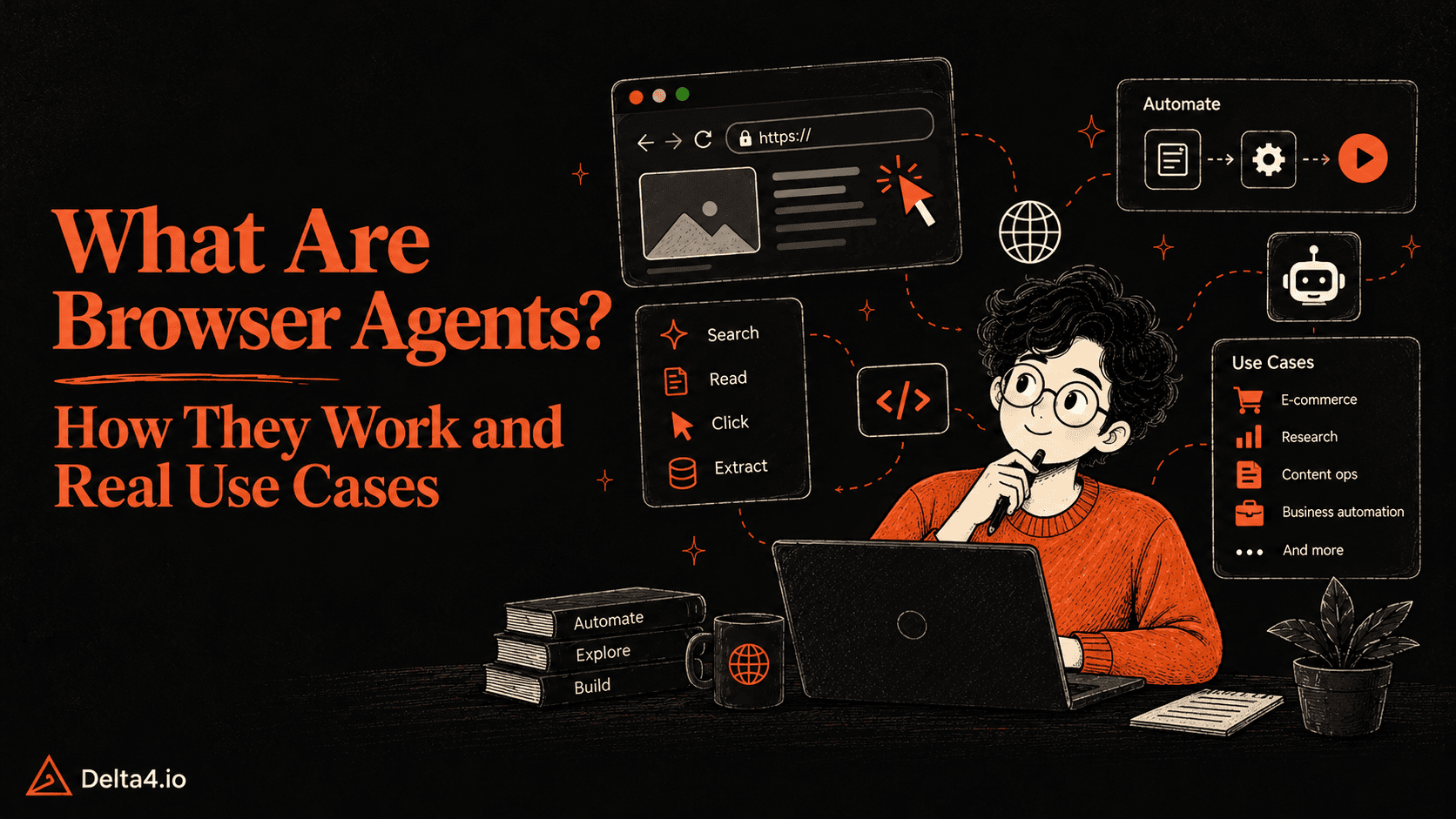
A browser agent is an AI that uses a web browser for you. Describe a goal in plain language, and it opens pages, reads them, clicks, types, and checks each result until the job is done. It helps most on sites with no API, such as price research, form filling, and dashboard pulls. Keep a person in charge of anything you cannot undo.
TL;DR
How they work: They loop through observe, decide, act, and verify, reading pages through the DOM, the accessibility tree, or screenshots.
Tools: Built-in browser assistants, developer frameworks, cloud browsers, and enterprise services. The market moves fast: OpenAI retired its Atlas browser in August 2026, less than a year after launch.
Agent or script: Agents suit pages that change. A script is usually cheaper, faster, and more reliable when the workflow is stable.
Accuracy: HAL-verified results on a live-website benchmark top out near 42 percent, while newer developer-reported scores reach 79 to 97 percent. The gap is the reason to test on your own tasks.
Risks: Prompt injection, wrong clicks, bot detection, and unwanted purchases. Check for an API or MCP server first, and start with a read-only task.
How do browser agents work, and when are they worth the risk? This guide covers what they are, how they work, the tools to try in 2026, how they compare with scripts, six documented use cases, what benchmarks show about accuracy, the risks to plan for, and how to build a simple agent with guardrails.
What Are Browser Agents?
A browser agent is an AI system that operates a web browser for you, using the web the way a person does. It opens pages, reads them, clicks buttons, types into fields, scrolls, and switches tabs, so a goal written in plain language gets done on real websites. Browser agents are one kind of AI agent, and the web browser is the tool they use.
Three points explain what that means in practice.
Related terms. An AI browser or agentic browser is a browser with an agent built in, such as Chrome with auto browse. The agent is the worker, and the AI browser is the workplace.
Why the browser. Plenty of business software has no API, the official back door that lets one program talk to another. Legacy portals, admin consoles, and invoice systems often offer only a web page. Where an API or an MCP server covers the job, an agent can call it directly without clicking through pages.
How it gets in. An agent built into your own browser, such as Claude in Chrome, works with the logins you already have. Agents running in a hosted cloud browser start with a clean slate, so access has to be set up deliberately, which is safer but takes more work.
How Browser Agents Work
Browser agents pair an AI model with browser automation. Instead of running a fixed sequence of commands, they look at what is on the page, decide what to do next, and drive the browser to do it. Most follow a loop of observe, decide, act, and verify.
A run starts with a task in plain language, such as “Visit three project management software websites, compare their pricing plans, and prepare a summary.” The model works out what information it needs and may split the job into smaller steps. Then the loop begins.
Observe. The agent opens a page through a browser automation tool and reads it, using one or more of the methods in the table below.
Decide. The model picks the next action from your goal and the current page. If the layout is not what it expected, it reads the new page and tries another route instead of following a fixed sequence.
Act. The browser-control layer carries out the action with tools such as Playwright, Selenium, or computer-use APIs: clicking, scrolling, typing, switching tabs, and pulling out page information.
Verify. The agent checks that the action worked. After clicking a pricing link, it confirms the right page opened before collecting plan details. If a step fails, it may retry, try another approach, or ask a person for help. When the task is done, it returns the findings with source links.
Verification by the agent is not proof. Browser Use’s documentation notes that a success flag is only the agent’s own report and tells developers to check important external actions independently.
Method
What the agent reads
Strength
Weakness
DOM
Page elements: buttons, links, forms, text
Precise, and cheap per step
Large and noisy on complex pages
Accessibility tree
Interactive elements with their roles and labels
Compact and structured
Only as good as the site’s labeling
Screenshots
The visible interface, interpreted by a vision model
Works on canvases and unusual interfaces
Usually costs more per step, and clicks can land on the wrong coordinates
Many agents combine all three, using text for precision and a screenshot when the text is not enough. Microsoft’s open-source Playwright MCP server, built on the Model Context Protocol, lets a model drive a browser through accessibility snapshots.
Browser Agent Types and Tools to Try in 2026
Browser agents come in a few forms, depending on how much control they give you and who runs the browser. The categories overlap, and many products straddle two.
Category
Examples
Best for
Access in 2026
Watch for
Built-in browser assistants
Claude in Chrome, Chrome auto browse, ChatGPT desktop app and Chrome extension, Copilot Actions in Edge
People who want to delegate tasks without code
Claude in Chrome: every paid Claude plan, Chrome only. Chrome auto browse: US desktop, Google AI Pro and Ultra. Copilot Actions: opt-in US preview in Edge
Plan, region, and browser limits change often
Visual (computer-use) agents
Computer-use models and APIs
Interfaces with no usable page structure
Through model APIs
Slower and costlier per step, and clicks can miss
Developer frameworks
Browser Use (Python), Stagehand (TypeScript), Playwright MCP
Teams building custom agents
Open source; Browser Use also offers a hosted cloud
You own testing, guardrails, and upkeep
Cloud browsers
Browserbase, Browser Use Cloud, Amazon Bedrock AgentCore Browser
Running agents at scale, off your own machine
Usage-based; Browserbase bills by browser hour
Sessions start without your logins, and bot checks can still block them
Enterprise agent services
Amazon Nova Act
Repetitive production workflows in a browser
AWS service, generally available since December 2, 2025, launched in US East (N. Virginia)
Tied to AWS; check current regions and pricing
Hybrid setups
Playwright or API calls for fixed steps, an agent for the variable ones
Production workflows
Built in-house or on a framework
Needs design work up front
Nova Act is worth a note because it shows the hybrid idea in a product. AWS describes it as combining natural-language instructions with deterministic Python code, and it can hand a task to a human supervisor when needed.
Plan for tools that change
Atlas shows how quickly this market moves. OpenAI launched it in October 2025, then announced on July 9, 2026 that it was deprecating Atlas and set August 9, 2026 as the date it stops working. The agent features moved into the ChatGPT desktop app, which has a built-in browser with tabs, downloads, and login support, and into a ChatGPT extension for Chrome. Claude in Chrome went the other direction: Anthropic made it generally available on August 26, 2026, and it can now act without approval on every step, with a classifier checking each action against the original request.
The practical lesson is to keep the task description, the allowed sites, and the output format outside any one vendor’s product, so the agent underneath can be swapped without rebuilding the process.
Browser Agents vs Traditional Browser Automation
Browser agents did not replace the scripts that testers and developers have used for years. Both drive a real browser, and the difference is who picks the next step. A Playwright or Selenium script follows predefined instructions, while a browser agent lets a model choose each move.
Factor
Browser agents
Traditional automation (Playwright, Selenium)
Who picks each step
The model, from what is on the page
The script, in the same order every run
When pages change
May adapt, which is the real draw
Often needs script updates; AWS describes script-based automation as resource-intensive to maintain when sites change often
Predictability
Variable, so results need verification
More predictable for stable workflows
Cost per run
Model and browser costs
Usually lower for simple tasks
Best fit
Variable, multi-step tasks: pages differ, the route changes between runs, or the task spans several sites
Repetitive, well-defined tasks: pages rarely change, steps never vary, and the job runs often
The decision flow near the end of this guide puts these choices in order.
Six Real Browser Agent Use Cases
Vendors keep pointing to the same handful of jobs. Every example below is one a vendor lists for its own product, so read them as documented uses, not promised results.
1. Research, price comparison, and data pulls
Anthropic lists competitor research for Claude in Chrome: visiting sites and pulling pricing, features, and positioning. Chrome auto browse can compare products and search for deals, and in Google’s demo it added items to a cart while staying within budget and applying discount codes. The agent does the tab-hopping, and you keep the judgment.
Dashboards work the same way. Anthropic lists opening an analytics dashboard, extracting the numbers needed, and compiling a summary. Bulk extraction across a whole site is a different job: a crawler or fetch API handles it more cheaply, and an agent earns its cost on pages that need clicks, logins, or judgment.
Keep a human on: the final numbers, before they go into a report or a decision. Spot-check a sample against the source.
2. Filling forms and repeat data entry
Google lists form filling, appointment scheduling, expense reports, and license renewals among the tasks for Chrome auto browse. AWS positions Nova Act for repetitive UI workflows, with a human escalation path when the agent is unsure.
Keep a human on: the submit button. Review what the agent filled in before anything is sent.
3. Working inside tools that have no API
This is the clearest case for an agent, because the browser is the only door. Anthropic positions Claude in Chrome for internal dashboards, legacy systems, and vendor portals, using the logins already in the browser.
Keep a human on: the account itself. Use a dedicated low-privilege account whenever a task needs a logged-in session.
4. Calendar, inbox, CRM, and Drive admin
Anthropic’s listed examples include reading a calendar and pulling context from email threads to flag meetings that need prep, matching call attendees to Salesforce contacts to draft activity logs, listing promotional emails for review before bulk deletion, and sorting a Google Drive to flag duplicates and old files.
Keep a human on: every delete and every record created. In each of these examples, you approve before anything is created or removed.
5. Travel, dining, and shopping
Google’s examples for Chrome auto browse include getting quotes from plumbers and electricians, managing subscriptions, and comparing products across stores. Google also tells users that they remain responsible for purchases and mistakes made during automated sessions.
Keep a human on: payment. Chrome auto browse hands control back to you for purchases and for saved credentials in Google Password Manager.
6. Testing websites and web apps
Frameworks such as Stagehand build on Playwright and add natural-language steps and self-healing actions, which suits tests that break when a page changes. Claude in Chrome pairs with Claude Code, so a developer can build in the terminal and check the result in the browser, including console errors and page structure.
Keep a human on: the test environment. Point the agent at a staging site with test data, not production.
Tools and Technologies Behind Browser Agents
Browser agents combine AI models with browser automation tools to understand webpages, make decisions, and complete tasks. The AI decides what to do next, while the browser-control tools carry out actions such as clicking buttons, entering text, and navigating pages.
Several technologies work together to make this possible:
Browser Automation Frameworks: Tools such as Playwright and Selenium control web browsers through code. They can locate elements, fill forms, click buttons, and navigate websites. On their own, they typically follow predefined instructions rather than independently deciding how to complete a task.
Large Language Models (LLMs): Models provide the reasoning layer behind browser agents. They interpret user requests, analyze webpage information, and determine the next action. For example, an LLM might decide which product page to open when comparing prices across multiple websites.
AI Browser Frameworks: Tools such as Browser Use and Stagehand connect AI models with browser interactions. They help developers build agents that can navigate websites, extract information, and perform multi-step workflows without manually scripting every interaction.
Computer-Use APIs: These allow AI models to interact with graphical interfaces using screenshots and actions such as clicking, typing, and scrolling. They are useful when agents need to operate websites through their visible interfaces rather than relying entirely on HTML elements.
Cloud Browser Infrastructure: Platforms such as Browserbase provide remotely hosted browser environments for executing automated tasks. They help applications manage browser sessions and run workflows without depending on a user’s local machine.
Risks of Browser Agents and How to Control Them
The freedom that makes a browser agent useful is the same freedom that makes it risky. It can read any page and press any button, including pages a stranger built to trick it.
Risk
What it looks like
Controls vendors document
Prompt injection
A page, email, or document hides instructions meant for the AI. Google’s examples include posting private info publicly and sending Gmail to an outside service.
Training the model to refuse, scanning for injection patterns, and confirmations before sensitive actions
Wrong actions
Clicking the wrong link, ordering without permission, adding the wrong quantity, or reporting a task done when it is not
A plan to review before starting, confirmations, a take-over button, and a stop button
Reach into your accounts
A local agent can use every site you are signed in to
Site-by-site permissions in Claude in Chrome, admin allowlists and blocklists, no Incognito use in Chrome auto browse, or a fresh browser profile in Edge
Data sharing and storage
Gemini can share your information with a site while completing a task. Edge keeps screenshots of the pages Copilot works on for up to 30 days
Review your task history and delete conversations. Edge deletes the screenshots when you delete the conversation
Speed and accuracy
Latency can be too slow for human-directed work, and the model can make mistakes or hallucinate coordinates
Use agents for tasks where speed is not critical, and review action logs
Vendors do publish numbers. In Anthropic’s red-team tests of Claude in Chrome, 23.6% of deliberate attacks worked before safeguards and 11.2% worked after. On a separate set of four browser-specific attack types, safeguards cut the success rate from 35.7% to 0%. In a later test of Claude Opus 4.5 against an adaptive attacker with 100 attempts per environment, the rate was 1%, and 1% still counts as meaningful risk because no browser agent is immune.
How to Build a Simple Browser Agent
Building a browser agent does not require training a model. An existing language model plus a browser automation framework is enough to navigate sites, find information, and return a result.
The example below uses Browser Use, an open-source Python library, to compare public pricing pages for three tools. It is a fair test for an agent because each site lays out its plans differently, so a fixed script would need custom selectors for all three. A task that reads one known URL does not need an agent at all, since a plain HTTP request and a model call would be cheaper.
Step 1: Set up the environment
Create a Python 3.12 environment, install the library, and download the browser it controls:
pip install uv
uv venv --python3.12
source .venv/bin/activate
uv pip install browser-use
uvx browser-use install
On Windows, activate the environment from the Scripts folder inside .venv. Then create a .env file with BROWSER_USE_API_KEY for the ChatBrowserUse model. The Browser Use docs also list Google, OpenAI, and Anthropic models as options. Keep keys in environment variables, never in the code.
Step 2: Define the task, the output, and the limits
Give the agent a specific instruction instead of a broad request, restrict it to public, read-only actions, and fence it to the domains it may visit. A Pydantic schema makes the agent return fields that can be validated instead of free text.
Step 3: Run the agent
importasyncio
fromurllib.parseimporturlparse
frombrowser_useimportAgent,Browser,ChatBrowserUse
fromdotenvimportload_dotenv
frompydanticimportBaseModel
load_dotenv()
classPlan(BaseModel):
name: str
price_per_user_per_month_usd: float|None
source_url: str
classToolPricing(BaseModel):
tool: str
plans: list[Plan]
classReport(BaseModel):
results: list[ToolPricing]
TASK=(
'Open the public pricing pages for Trello, Asana, and ClickUp. '
'For each tool, list every paid plan with its monthly price per user '
'(use null if no price is shown) and the URL of the page where you read it. '
'Read only. Do not sign in, start a trial, or click any checkout or sign-up button.'
The code sets two hard limits: the browser refuses pages outside the allowed domains, and the run stops after 30 steps. It also uses structured output and a failure cap. Parameter names match Browser Use 0.13, so check the docs if your version differs, and add the further limits it lists, such as step timeouts, before running anything on a schedule.
Step 4: Test and verify the results
Confirm the output matches the schema and that every source URL sits on an expected domain, as the script does.
Open each pricing page and compare a sample of prices by hand. Live pricing pages change, so treat the output as a draft until checked.
Run the task three to five times and compare. Inconsistent answers point to a task description that is too loose.
For production use, add timeouts, step limits, activity logs, and validation before accepting any result.
Should This Task Go to a Browser Agent?
Use the cheapest tool that can do the job, and keep a person in charge of anything a mistake could not undo. The flow below turns that into three questions.
[embed: node/ec93e7a8-5918]
Start at the top: an API or MCP server first, a script second, and an agent only when the pages vary, with a person approving every step that cannot be undone.
Two more checks apply before any run:
Can you check the output cheaply? If not, do not automate the task yet.
What does a run cost compared with doing it by hand? Measure it over ten runs, not one.
Frequently Asked Questions
What is a browser agent?
A browser agent is an AI system that operates a web browser for you. It opens pages, reads them, clicks, types, and scrolls, so a goal written in plain language gets done on real websites, including ones that have no API.
How do browser agents work?
They repeat an observe, decide, act, and verify loop. The agent reads the page through the DOM, the accessibility tree, or screenshots, a model picks the next action, and a browser-control tool such as Playwright carries it out. The agent then checks the result before moving on, and if a step fails it can retry, try another route, or ask a person for help.
How are browser agents different from Playwright or Selenium scripts?
A script runs predefined steps, while a browser agent lets a model choose each step from what is on the page. Agents suit pages that vary, and scripts suit stable workflows because a deterministic script can be cheaper, faster, and more reliable. Hybrid setups use scripts for predictable steps and an agent for the parts that need interpretation.
What are browser agents used for?
Vendors document jobs such as price and competitor research, form filling, work inside tools that have no API, calendar and inbox admin, travel and shopping, website testing, and pulling numbers from dashboards. Each works best with a person checking the result before anything is sent, bought, or deleted.
How accurate are browser agents?
Less accurate than demos suggest, and the answer depends on who ran the test. On Online-Mind2Web, a benchmark of 300 tasks on 136 live websites, the best HAL-verified entry scored 42.33 percent (HAL leaderboard, May 27, 2026 sample, 2025-era agents). Newer developer-reported scores reach 79 to 97 percent, but none is labeled independently verified and the judges differ. Test on your own tasks before relying on one.
Are browser agents safe to use?
Not without safeguards. Hidden instructions on a web page can steer an agent. In Anthropic’s 2025 pilot tests of Claude in Chrome, 23.6 percent of deliberate attacks worked before safeguards and 11.2 percent after. Its August 2026 results on newer models are far lower, but an independent test shows success rising with repeated attempts. Start with read-only tasks, use a low-privilege account, and keep human approval on purchases, messages, and deletions.
Can browser agents get past CAPTCHAs and bot detection?
Not reliably, and they should not try to evade these checks. Anti-bot systems often block legitimate agents. Signed-agent standards such as Web Bot Auth help on sites that support them, but not every site does. For anything that recurs, use the site’s API or plan a human step.
Which browser agents can I try today?
Claude in Chrome is available on every paid Claude plan, in Chrome only. Chrome auto browse is available on desktop to Google AI Pro and Ultra subscribers in the US. ChatGPT’s agent features now live in the ChatGPT desktop app and a Chrome extension, and Edge offers Copilot Actions as an opt-in preview in the US. Developers can build their own with open-source tools such as Browser Use and Stagehand, or use a service such as Amazon Nova Act. Availability changes often, so check each vendor’s page first.
What happened to ChatGPT Atlas?
OpenAI announced on July 9, 2026 that it was deprecating Atlas, and the browser stopped working on August 9, 2026. Its browser-agent features moved into the ChatGPT desktop app and a ChatGPT extension for Chrome. ChatGPT conversation history is separate from Atlas browser data.
Conclusion
Choose the task before the tool. The best first job for a browser agent lives entirely in the browser, has no API behind it, and leaves nothing that cannot be undone. A price check, a dashboard pull, or a test run on a staging site fits that description.
Run it a few times while watching, read the activity log, and fill in the pilot scorecard from the benchmark section, because published benchmark scores depend heavily on who ran the test and how it was judged. Tools can be retired within months, so keep the task description and the allowed sites in one place that any agent can pick up. Pick one browser-only chore from your own week and run it with approvals switched on.
Rajni is a senior content writer at Delta4 Infotech covering AI agents, automation, and no-code tools. She writes across the AI space, from chatbots and customer support to MCP and agent workflows, focused on how businesses actually put these tools to work.