10 Best MCP Servers for AI Agents in 2026

Written by
Rajni
Reviewed by
Himanshu
Published 03 August 2026
Expert Verified

TL;DR
- MCP servers connect AI agents to real tools like GitHub, Slack, and databases through one open protocol, instead of custom code for every API. This guide ranks the best MCP servers and gateways for 2026.
- Your best pick depends on the job. GitHub MCP Server works for coding agents, MCP360 or Composio work as an MCP gateway to 100+ tools instead of ten separate installs, and TrueFoundry fits when governance matters more than breadth.
- The MCP ecosystem passed 10,000 active servers by December 2025, but not every MCP tool is safe by default. A malicious npm package quietly BCC’d every email it sent to an attacker in September 2025, so check the security section before connecting anything to production data.
Most teams building AI agents hit the same wall. The model can reason well, write good plans, and hold a conversation. It just cannot do anything outside its own text box. It cannot open a GitHub PR, check a Slack channel, or pull last week’s numbers from your database.
That gap used to mean writing a custom integration for every tool, then rewriting it when you switched AI clients. Model Context Protocol removes that step. One server, built once, works with Claude, Cursor, ChatGPT, or any other MCP-compatible agent.
The catch is that there are now thousands of these servers, of wildly different quality, and picking the wrong one can cost you either your afternoon or your customers’ data. This guide ranks the ones actually worth your time in 2026, explains what each one is good at, and walks through how to pick between a single-purpose server and a full gateway like MCP360.
What Is an MCP Server?
An MCP server is a program that lets an AI agent connect to and use external tools, apps, and data through the Model Context Protocol. It gives the agent a standard way to reach things like GitHub, Slack, a database, or a browser, without a developer building a separate custom integration for every single connection.
Before MCP, connecting an agent to multiple tools meant building and maintaining a different integration for each tool and each AI app. Model Context Protocol (a standard Anthropic released in November 2024) fixes that by giving everyone a common connection standard. Build it once, and any AI app that supports MCP can use it.
In simple terms, an MCP server gives an AI agent the tools and information it needs to actually do a task, not just talk about one. It works a lot like a USB-C cable, one standard plug that fits any device built to accept it, which is exactly what makes AI agent integrations easier to build, manage, and scale.
How Does an MCP Server Work?

MCP defines three roles. The host is the application your agent runs inside, like Claude Desktop or a custom agent runtime. The client is the piece inside that host that talks to servers. The server is the program exposing the actual tools.
Each server can expose three kinds of primitives:
- Tools: actions the agent can trigger, like creating a file or running a search
- Resources: data the agent can read, like a file or a database record
- Prompts: reusable templates the server hands to the client
Servers run over one of two transports. Some run locally on your machine (stdio), managed automatically by your AI client. Others run remotely over a network endpoint (streamable HTTP), which is how most gateway-style platforms, including MCP360, reach an agent.
When your agent connects, it negotiates capabilities with the server, gets back a structured list of tools, and calls them the same way a developer calls a typed function in code. No custom parsing, no bespoke API client.
Why AI Agents Use MCP Servers
Three reasons show up again and again once teams move past the demo stage.
- They replace one-off integration code– Instead of your engineering team maintaining a custom Slack connector, a custom Notion connector, and a custom database connector, each with its own auth flow and its own bugs, one server per service (or one gateway covering all of them) handles that layer.
- They give agents current, external context– A model’s training data goes stale the day training ends. An MCP server connected to your ticketing system, your CRM, or a live web search tool gives the agent facts from right now, not facts from whenever it was trained.
- They let agents act, not just describe– A model that can only suggest “you should update the Jira ticket” is less useful than one that updates the ticket itself. MCP servers are the layer that turns suggestions into actions, which is also exactly why the security section below matters.
Still mapping out what actually counts as an AI agent versus a plain chatbot? Our guide on what AI agents are and how to build one covers the basics first.
How We Ranked the Best MCP Servers
Five factors decided this list, in order of weight.
- Real-world adoption – GitHub stars, install counts, and how often a server shows up as the default recommendation across independent guides.
- Breadth versus focus – Some entries do one job extremely well (Playwright for browser control). Others cover 100 or more tools behind one connection (MCP360, Composio). Both earn a spot, ranked for what they are best at.
- Production readiness – Auth model, observability, and whether the vendor documents its own security posture rather than leaving it to community trust.
- Setup friction – Minutes to a working connection, not days of configuration.
- Pricing transparency – Whether the actual cost of running the server at scale is published or hidden behind “contact sales.”
10 Best MCP Servers for AI Agents in 2026
1. GitHub MCP Server
GitHub’s official server is usually the first one developers install, and for good reason. It gives an agent full access to repository management: creating and reviewing pull requests, searching code, managing issues, reading files, and navigating branches. With 29.8k+ GitHub stars, it is the most widely adopted server in this list by a wide margin.
Key capabilities
- Create, review, and comment on pull requests
- Search code and navigate repository structure
- Manage issues and labels
- Read file contents across branches
Pros
- Free and officially maintained by GitHub
- The default choice most other guides also recommend first
- Deep, well-documented tool coverage for repo work
Cons
- Single-purpose. You will still need separate servers for anything outside GitHub.
- Built for one developer connecting their own account, not for embedding inside a customer-facing product.

“GitHub – automate repo tasks and code reviews.”
2. Playwright MCP

Microsoft’s Playwright MCP server gives an agent control of a real browser. It uses Playwright’s accessibility tree rather than screenshots, which makes it faster and considerably more reliable at clicking the right element. With 35.5k+ stars, it is the standard answer whenever a team needs headless browser control without writing automation scripts by hand.
Key capabilities
- Navigate, click, type, and fill forms on real pages
- Take full-page or element-level screenshots
- Run multi-step end-to-end test scenarios
- Execute JavaScript inside the browser context
Pros
- Accessibility-tree interaction is more reliable than screenshot-based automation
- Free, open source, actively maintained by Microsoft
- Works well alongside coding agents for catching UI bugs before a human does
Cons
- Narrow scope. It automates a browser and nothing else.
- Local execution adds setup steps compared to a hosted gateway.
3. MCP360
MCP360 is a unified gateway that connects an agent to 100+ pre-built tools and any custom MCPs a team builds, through a single connection instead of one install per service. Where GitHub MCP and Playwright MCP each do one job, MCP360 sits closer to Composio and Zapier MCP in this list: a hosted layer meant to replace a stack of individual server installs.
Key capabilities
- 100+ production-ready tools across categories like keyword research, SERP tracking, domain and web lookups, and web scraping
- A no-code Custom MCP Builder that turns any REST API into an MCP tool, with support for JavaScript or Python when logic gets more complex
- Native compatibility with Claude, Cursor and Windsurf, n8n, OpenAI’s agent builder, and YourGPT
- REST API access for teams that want to call the same tools outside an MCP client
- SOC 2 Type II, ISO 27001, and GDPR compliance, per MCP360’s own security page
Pros
- Setup is a copy-paste config, not a per-tool install
- The custom builder covers internal APIs and legacy systems that no public server will ever ship
- Credit-based pricing (see the comparison table below) makes cost per workflow easy to estimate
Cons
- As a hosted gateway, you are trusting MCP360’s infrastructure and auth handling rather than running the connection yourself, the same tradeoff every hosted gateway in this list carries
- Some of the 100+ tools skew toward SEO and marketing data, so a team needing deep coverage in an unrelated vertical should check the tool catalog first

“MCP360 hits a blind spot that’s crushing so many crypto projects, scattered tools, endless integrations, and wasted dev hours just to get workflows talking to each other”
4. Composio

Composio is a hosted catalog that puts roughly 1,000 pre-built toolkits behind one MCP endpoint, spanning services like GitHub, Slack, Gmail, Jira, and Salesforce. Authentication for the supported apps is handled through Composio’s own dashboard.
Key capabilities
- One MCP endpoint covering roughly 1,000 apps
- Managed OAuth, so you skip building auth flows per service
- Framework adapters for LangChain, CrewAI, and the OpenAI Agents SDK
Pros
- Large catalog reachable in minutes
- No OAuth plumbing to write yourself
Cons
- Tools are closed source and cannot be customized to your product’s exact intent
- End users authorize through Composio’s own consent screen, not your brand
- In May 2026, Composio disclosed a security incident in which an attacker reached its sandbox execution layer and exfiltrated roughly 5,241 API keys and 5,001 GitHub OAuth tokens, about 0.3% of active connections. Worth reading a full breakdown before connecting production data.

“I can connect any apps to my AI agents to automate real world tasks.it saves a lot of time in integration, so engineers can work on core product.”
5. Zapier MCP

Zapier built its name on no-code automation, connecting one app’s trigger to another app’s action without any code. Zapier MCP hands that same library to an AI agent as callable tools, so it can trigger any of 9,000+ connected apps itself, mid-conversation, instead of a human building a Zap ahead of time.
Key capabilities
- MCP access to Zapier’s existing library of app integrations
- Fast setup through Zapier’s existing authentication layer
- “Actions” can be selectively exposed rather than granting blanket access
Pros
- Unmatched breadth of connected apps
- Minimal setup if you already have a Zapier account
Cons
- Task-based pricing means high agent call volume gets expensive fast
- Built for one person automating their own accounts, not for embedding inside a customer-facing product with per-user auth
6. Notion MCP

Notion’s server exposes pages, databases, and blocks to an agent, letting it search documentation, create pages, and update structured data inside Notion.
Key capabilities
- Search across pages and databases
- Create and update pages
- Query structured data stored in Notion databases
Pros
- Easy setup, officially maintained
- Turns a static wiki into something an agent can actually query and edit
Cons
- Only useful if your team already lives in Notion
- Like Slack, broad write access here needs the same scoping discipline as any tool that can edit shared company data
“The Notion MCP connection worked initially. However, after approximately 10-15 successful operations, all subsequent Notion API calls started failing”
7. Docker MCP Gateway

Docker’s approach treats MCP servers like any other containerized workload. Each server runs in its own container with its own CPU and resource limits, and every image in the Docker MCP Catalog is built and digitally signed by Docker, with a Software Bill of Materials (SBOM) attached for full transparency.
Key capabilities
- Sandboxed execution for every connected MCP server
- Docker Compose orchestration for spinning up multiple servers at once
- Signed container images to verify what you are actually running
Pros
- Strong isolation reduces blast radius if one server is compromised
- Familiar workflow for any team already using Docker and Kubernetes
Cons
- Requires container orchestration knowledge, a real barrier for non-DevOps teams
- Less built-in observability for MCP-specific traffic compared to a purpose-built MCP gateway
8. Slack MCP
Task-based pricing means high agent call volume gets expensive fast
Slack’s MCP server lets an agent read messages, search channels, send messages, and manage threads. Because so much internal company knowledge lives in Slack threads, it is one of the most commonly installed servers on this list.
Key capabilities
- Search and read message history across channels
- Send messages and manage threads
- Summarize channel activity on request
Pros
- Free, officially supported, easy setup
- Immediately useful the moment it is connected, since most teams already have Slack history worth mining
Cons
- Single-purpose, same as GitHub MCP
- Read access to message history is powerful and should be scoped carefully, not granted broadly by default
“Fetch messages with pagination by date (d1, 7d, 1m) or message count & search messages in channels, threads, and DMs using various filters like date, user, and content.”
9. Firecrawl MCP

Firecrawl’s server turns any webpage into clean, structured data an agent can actually use, stripping out navigation and ad markup. With 6.5k GitHub stars and 13+ exposed tools, it covers scraping, crawling, search, and even autonomous multi-step research.
Key capabilities
- Scrape single pages or crawl entire sites into markdown or structured JSON
- Search the web and extract content from results in one call
- Run an autonomous research agent that plans its own browsing across multiple sources
- Interact with pages directly, clicking and filling forms via natural language
Pros
- Free tier available, paid plans starting at $16/month per Firecrawl’s own pricing
- One of the broadest single-purpose toolsets in this list, 13+ tools from one server
Cons
- Focused on web data specifically, not a general integration gateway
- Autonomous research features can consume meaningful API credits on complex tasks
“Firecrawl turns any URL to clean markdown in seconds and is the go to for RAG pipelines, Apify has 3000+ ready made scrapers for basically any website that exists, Crawl4AI is free open source with 61k GitHub stars.”
10. TrueFoundry MCP Gateway

TrueFoundry positions its gateway as the governance layer for teams that already manage LLM infrastructure and do not want a second, disconnected system for MCP tools. It reports sub-3ms latency under load, handled with in-memory authentication rather than database lookups, a figure that is TrueFoundry’s own published benchmark.
Key capabilities
- Unified control plane for both LLM traffic and MCP tool traffic
- Containerized MCP server deployment with centralized orchestration
- Guardrails, fallback mechanisms, and load balancing built in
- Unified observability and billing across AI workloads
Pros
- Strong observability and audit trail for regulated or enterprise environments
- One platform for both model traffic and tool traffic reduces operational fragmentation
Cons
- Enterprise-oriented pricing and setup, likely more than a small team needs
- Latency and throughput figures come from TrueFoundry’s own benchmarks, worth validating against your own workload before committing
Quick Comparison: Best MCP Servers for AI Agents
| Server / Platform | Type | Best For | Pricing (verify before publish where marked) |
|---|---|---|---|
| GitHub MCP Server | Single-app | Coding agents, PR workflows | Free, open source |
| Playwright MCP | Single-app | Browser automation, QA | Free, open source |
| MCP360 | Gateway | Broad tool access, no-code custom tools | Free tier, then $16 to $399+/mo by credits (verified live, Aug 2026) |
| Composio | Gateway | Internal automation, fast setup | Free (20K calls/mo), $29/mo (200K calls), $229/mo (2M calls), custom Enterprise (verified live, Aug 2026) |
| Zapier MCP | Gateway | Broadest app catalog | Task-based, tied to Zapier plan (unverified this session) |
| Notion MCP | Single-app | Wiki/knowledge base agents | Free, tied to Notion’s own plan |
| Docker MCP Gateway | Infrastructure | Containerized isolation | Free (Docker), infra costs vary |
| Slack MCP | Single-app | Internal comms context | Free, tied to Slack’s own plan |
| Firecrawl MCP | Single-app | Web scraping and research | Free tier, paid from $16/mo |
| TrueFoundry MCP Gateway | Gateway | Enterprise governance | Free Developer plan (50K requests/mo), $499/mo Pro, $2,999/mo Pro Plus, custom Enterprise (verified live, Aug 2026) |
How to Choose the Right MCP Server for Your AI Agent
Start with what your agent actually needs to touch, not with the longest tool list you can find.
- If your agent lives inside one tool, like a coding assistant that only needs GitHub, or a QA agent that only needs a browser, a single-purpose official server is the right call. It is free, well maintained, and adds nothing you do not need.
- If your agent needs to reach many services, the right AI integration platform saves real time over installing servers one by one. MCP360 and Composio suit internal tools and fast prototyping, where you configure once and move on. Docker’s approach suits teams that already think in containers and want isolation as the default, not an add-on.
- If your agent ships inside a product your customers use, the calculus changes. Nango’s own research on this found that in a fall 2025 survey of several hundred teams, fewer than 10 kept generic MCP servers in production once they hit real customer volume. Official single-app servers and most catalog-style gateways assume one developer connecting their own accounts. A customer-facing agent needs per-user authentication under your own brand, which most public servers were never built to support.
- If governance and audit trails are the priority, a platform like TrueFoundry that folds MCP traffic into the same observability stack as your LLM traffic will save more time than a bigger tool catalog ever will.
Whatever you land on, treat a single tool that claims to cover everything as a red flag rather than a feature. No one platform covers every tool well. Pick what covers what you actually need, and add a second if a real gap shows up later.
Are MCP Servers Secure?
MCP servers can be secure, but how safe they are depends on which server you pick, what permissions you give it, and how well you set it up. An MCP server can connect an AI agent to your email, files, databases, customer records, or other business tools, so it deserves the same care you would give any outside software with access to systems that matter.
Recent incidents show what happens when that care gets skipped. In September 2025, a popular MCP package on npm shipped a bad update that quietly BCC’d every email it sent to an attacker, for weeks, before anyone caught it. In May 2026, Composio disclosed that an attacker reached its sandbox execution layer and exfiltrated roughly 5,241 API keys and 5,001 GitHub OAuth tokens, about 0.3% of active connections. Neither incident means you should avoid MCP servers altogether. It means every server needs a real review before it touches sensitive data or a live system.
A few simple habits cover most of the risk:
- Start with read-only access, and add write access only once you have watched how the agent actually behaves.
- Give the agent only the permissions the task needs, nothing more.
- Use a separate API key built just for this connection, never a reused production credential.
- Stick to official servers or ones with a strong track record, rather than an unreviewed community fork.
- Connect only the servers your workflow actually needs. Every extra one is one more way in.
- Check what a server sends back, not just what it claims to do. A server that pulls in web pages can carry hidden instructions inside that content.
The MCP protocol does not make every server safe on its own. That part is still on you. Before you connect any MCP server, whether it is a single tool or a full MCP gateway like the ones covered in this guide, check exactly what data it can reach and what actions it is allowed to take.
Conclusion
The best MCP server for your AI agent is not the one with the most tools. It is the one that solves the specific problem in front of you right now. A coding agent gets more value from the GitHub MCP Server on day one than from a 100-tool platform it will never fully explore.
As your AI agent grows and needs access to more tools, you can add more MCP servers or use an MCP integration platform such as MCP360 or Composio to manage multiple AI agent integrations. The goal was never to connect as many MCP tools as possible. It is to give your agent access to the right ones for the job.
Treat permissions as part of that decision, not an afterthought. Before any MCP server touches customer data or a system that matters, check what it can see and what it is allowed to do. Get that right, and the rest of the tool list takes care of itself.
Frequently Asked Questions
What is an MCP server?
An MCP server is a program that lets an AI agent connect to and use external tools, apps, and data through the Model Context Protocol. Instead of a developer building a separate custom integration for every tool, the agent talks to any MCP server using the same standard, so it can read files, query databases, or trigger actions in real apps like GitHub or Slack.
What’s the best MCP gateway, MCP360 or Composio?
There isn’t one answer since it depends on what you need. MCP360 is built for no-code setup and includes a custom builder that turns any REST API into an MCP tool, which Composio’s closed catalog doesn’t offer. Composio covers a larger 1,000-plus toolkit catalog with managed OAuth. Pick MCP360 if you want to build custom tools yourself, or Composio if you want the biggest catalog reachable in minutes.
What is an MCP gateway?
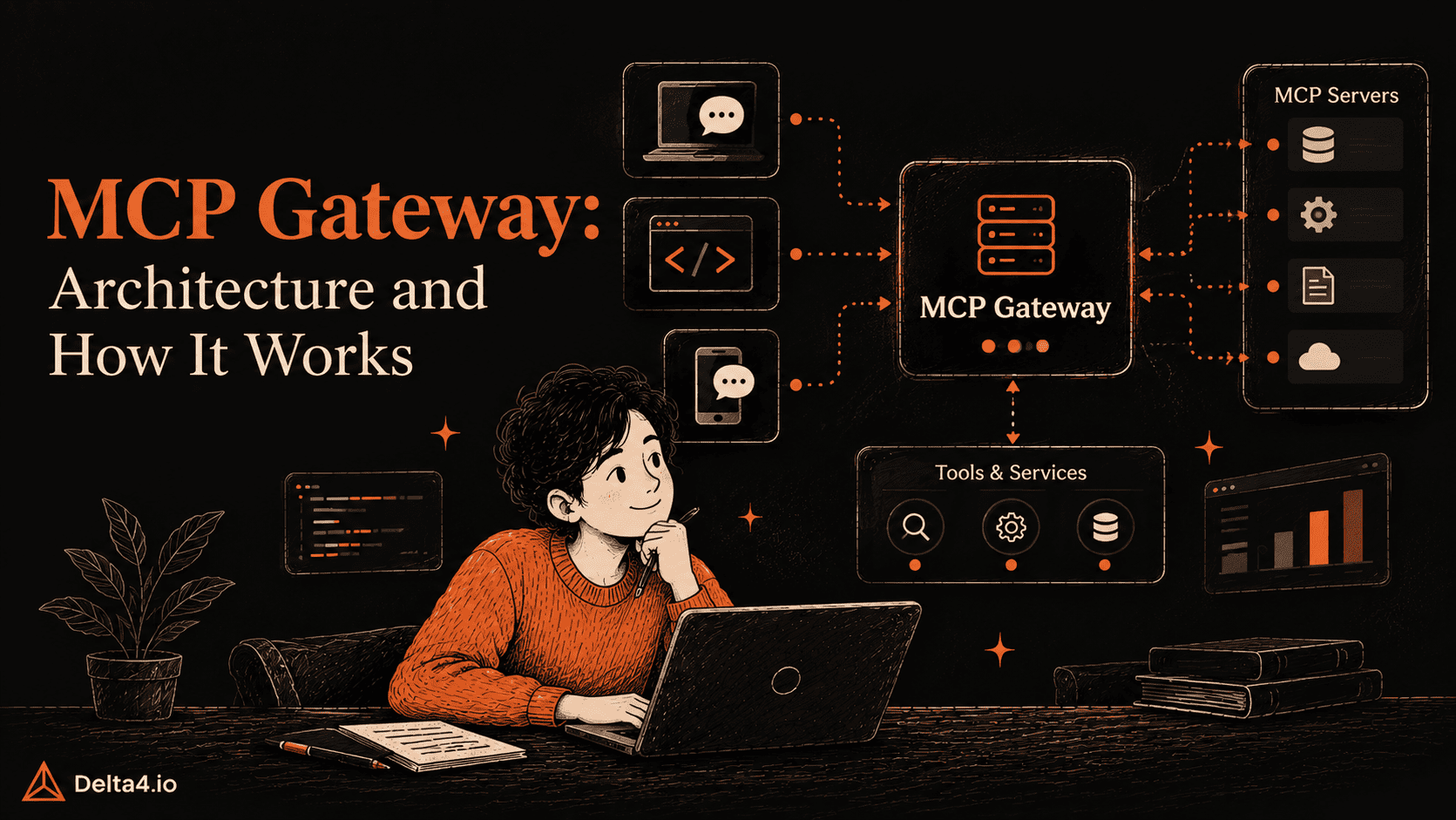
An MCP gateway is a hosted layer that sits in front of many tools at once, instead of one server per tool. Connect to it once and reach 100 or more services through a single endpoint. MCP360, Composio, and Zapier MCP all work this way. Gateways trade a bit of control for setup speed, which suits teams that would rather not install and maintain a dozen separate servers.
What’s the difference between an MCP server and an MCP gateway?
A single MCP server, like GitHub MCP Server, does one job well and connects to one tool. An MCP gateway, like MCP360, sits in front of many tools and exposes them through one connection instead of a dozen separate installs. Pick a single server when your agent only needs one tool. Pick a gateway once it needs to reach several services at once.
Are MCP servers safe to connect to my AI agent?
They can be, but safety depends on which server you pick and what permissions you give it. A malicious npm package in 2025 quietly BCC’d every email it sent, and Composio disclosed a breach in 2026 that exposed thousands of tokens. Start with read-only access, use dedicated API keys, and prefer official or well-reviewed servers like MCP360, which is SOC 2 Type II, ISO 27001, and GDPR compliant.
Is MCP360 free to use?
Yes. MCP360 has a free forever tier with 100 credits a month and one project, no credit card required. Paid plans start at $16 a month for 2,000 credits and scale up to $333 a month for 100,000 credits on the Advanced plan. Credits are the same unit shown in the dashboard, so it’s straightforward to estimate cost per workflow before upgrading.
Which is the most cost-effective hosted gateway?
Among hosted gateways, MCP360 and Composio are the most cost-effective for most teams. Both start with a free tier and enter paid plans around $16 to $29 a month for light production use. Zapier MCP can get expensive fast since every tool call draws from your existing task quota. TrueFoundry costs the most upfront, with paid plans starting at $499 a month, built for teams that need enterprise governance more than a low bill.

Article by
RajniAI & Tech | Senior Content Writer
Rajni is a senior content writer at Delta4 Infotech covering AI agents, automation, and no-code tools. She writes across the AI space, from chatbots and customer support to MCP and agent workflows, focused on how businesses actually put these tools to work.