n8n Review 2026: Is It the Best Open-Source Automation Tool?

Written by
Himanshu
Reviewed by
Rohit Joshi
Last edited 04 August 2026
Expert Verified

TL;DR
- n8n is a fair-code, open-source workflow automation platform. Self-hosting is free, n8n Cloud starts at €20/month (verified July 2026), and it holds a 4.7/5 rating across 283 verified G2 reviews.
- It supports the Model Context Protocol as both a client and a server, letting its AI Agent node call external MCP tools and letting n8n workflows themselves be exposed as MCP tools for agents like Claude.
- It’s a strong pick for technical teams comfortable managing infrastructure, though several serious security flaws were disclosed and patched between January and March 2026, a reminder that self-hosted instances need hardening beyond the default install. Non-technical teams are usually better served by Zapier or Make.
This review works through what n8n actually is, what changed in the 2.0 release, where real users report friction, what it costs today, and how it stacks up against Zapier, Make, Activepieces, and Power Automate. It also covers something most reviews skip: n8n’s security track record in 2026, and how n8n’s native MCP support compares to routing through a dedicated gateway.
What Is n8n?
n8n is an open-source workflow automation platform built around a visual, node-based editor. You connect trigger nodes, like a webhook or a schedule, to action nodes, like sending a Slack message or calling an API, and n8n runs the workflow automatically whenever the trigger fires.
It is fair-code licensed, so you can self-host it for free with no execution limits, and you can mix no-code building with JavaScript or Python wherever you need more control. Founded in Berlin in 2019, n8n has since raised $240 million in total funding and reached a $5.2 billion valuation following a May 2026 strategic investment from SAP, and has 198,000+ GitHub stars.
n8n Features : What is New in 2026
Before getting to what changed in 2026, it’s worth naming the features that have made n8n a strong pick well before this year’s release. These are the capabilities most reviews are actually praising when they call n8n “flexible”:
- Visual, node-based editor that doesn’t lock you out of code – Drag and drop pre-built nodes for the standard path, then drop in JavaScript or Python inside a Code node whenever a pre-built node falls short.
- 400+ native integrations plus a generic HTTP Request node – If a service doesn’t have a dedicated node, the HTTP Request node can call almost any API with a public endpoint, so a missing integration rarely blocks a workflow the way it can on more closed platforms.
- Full self-hosting on the free Community Edition – No execution caps, no per-node fees, and no license cost, which is the main reason technical teams choose n8n over hosted-only competitors when data control matters.
- Sub-workflows and reusable logic – Large automations can be broken into smaller, callable, independently testable pieces instead of one sprawling canvas, which keeps complex workflows maintainable as they grow.
n8n shipped version 2.0 in December 2025, and it’s worth being precise about what that release actually was. According to n8n’s own launch post, 2.0 is a security, reliability, and performance release, not primarily a features release. The headline changes:
- Task Runners enabled by default – Code node executions now run in isolated environments rather than the main process, closing off a class of sandbox-escape risk.
- Publish/Save workflow model – Saving a workflow no longer pushes changes to production automatically. A separate Publish action does that, which prevents accidental live edits.
- Environment variable access blocked from Code nodes by default, along with the ExecuteCommand and LocalFileTrigger nodes being disabled unless explicitly re-enabled.
n8n’s AI capabilities themselves are built on a mature LangChain integration that predates 2.0, with node categories for models, memory, chains, tools, and vector stores.
How the AI Agent node works
The AI Agent node is the feature most reviewers mean when they praise n8n’s AI agent support. You can connect it to a Model sub-node (OpenAI, Anthropic, Google, or a self-hosted model through Ollama), a Memory sub-node for conversation context, and Tool sub-nodes that define what the agent can do. This can include calling an external MCP server through the MCP Client Tool node covered below. Add a Vector Store sub-node, and the agent can also reason over your own documents.
That flexibility is powerful, but it can mean more setup for customer support use cases. Features such as human escalation, bot handoff, and contact creation must be built node by node. That is where a purpose-built platform like YourGPT can be a better fit. YourGPT’s AI Studio takes the opposite approach. It’s a no-code chatbot builder with pre-built actions for that exact job, so support and sales teams ship a working AI agent without touching a Code node. It’s a narrower tool than n8n, built for one job instead of every job. If a no-code chatbot builder for support or lead generation is the actual need, not general workflow automation, AI Studio earns a place on the shortlist.
n8n Pros and Cons
Pulled from 283 verified reviews on G2, which sit at a 4.7/5 average.
What users consistently like:
- Full control over data and infrastructure through self-hosting, without giving up the visual builder
- The AI Agent node, which several reviewers name as the reason they chose n8n over Make or Zapier
- Handling complex logic natively (loops, branching, sub-workflows) without workarounds
- Docker-based upgrades that reviewers describe as smooth, even with AI workflows running

“I love the flexibility of the self-hosted version. It allowed our team to automate sensitive customer data workflows without sending that data to a third-party cloud, which was a dealbreaker for us on other platforms.”
What users consistently flag:
- A steep learning curve for anyone coming from simpler tools, especially around expressions and advanced logic
- Debugging complex workflows is time-consuming, and error messages are often too generic to point at the actual failure
- Logging into most services requires a fixed setup per connection, which some reviewers find limiting when managing several accounts for the same service
- Cost jumps meaningfully once you move off self-hosting and onto n8n Cloud at scale
n8n Pricing: Plans and Costs
n8n pricing starts at $0. The self-hosted Community Edition is free with unlimited executions, and paid n8n Cloud plans start at €20/month for the Starter tier. Pricing below is from n8n’s official pricing page, verified July 2026. n8n bills by full workflow executions, not by individual step or task, which is the main structural difference from Zapier.
| Plan | Price (billed annually) | Executions/month | Hosting | Best for |
|---|---|---|---|---|
| Community Edition | Free | Unlimited | Self-hosted | Developers, solo builders |
| Starter | €20/mo | 2,500 | n8n Cloud | Getting started |
| Pro | €50/mo | 10,000 | n8n Cloud | Small teams in production |
| Business | €667/mo | 40,000 | Self-hosted | Companies under 100 employees |
| Enterprise | Custom | Custom | Cloud or self-hosted | Compliance and governance needs |
A few details worth knowing before you budget:
- Every plan, including Starter, now includes unlimited users and unlimited active workflows, a change n8n rolled out to remove per-workflow caps.
- Companies under 20 employees can apply for the Start-up Plan, which cuts the Business plan price by 50%.
- The Community Edition has no execution cap and no license fee. Your only real cost is the server, which most reviewers put at $5 to $20/month for a small team.
- Pricing displays in EUR on n8n’s official page at the time of this review. Confirm your regional currency at checkout, since some third-party sources report the same plans in USD at a slightly different headline number.
n8n Security Risks and How to Reduce Them
n8n stores passwords and API keys for every service it connects to, which makes it a target if left unpatched. 2026 has been an active year for security fixes.
The most serious issue (CVE-2026-25049), found in February 2026, let a logged-in user break past n8n’s normal restrictions and steal every stored password. It affected both self-hosted setups and n8n Cloud, and n8n patched it quickly. Two more rounds of serious fixes followed over the following weeks, most recently in March 2026.
None of this is unusual for a fast-growing platform used by this many companies. It does mean you should keep n8n updated to the latest version, turn on two-factor login, and if you self-host, never leave your instance open to the internet without a login in front of it.
n8n MCP Server: Connecting n8n to AI Agents
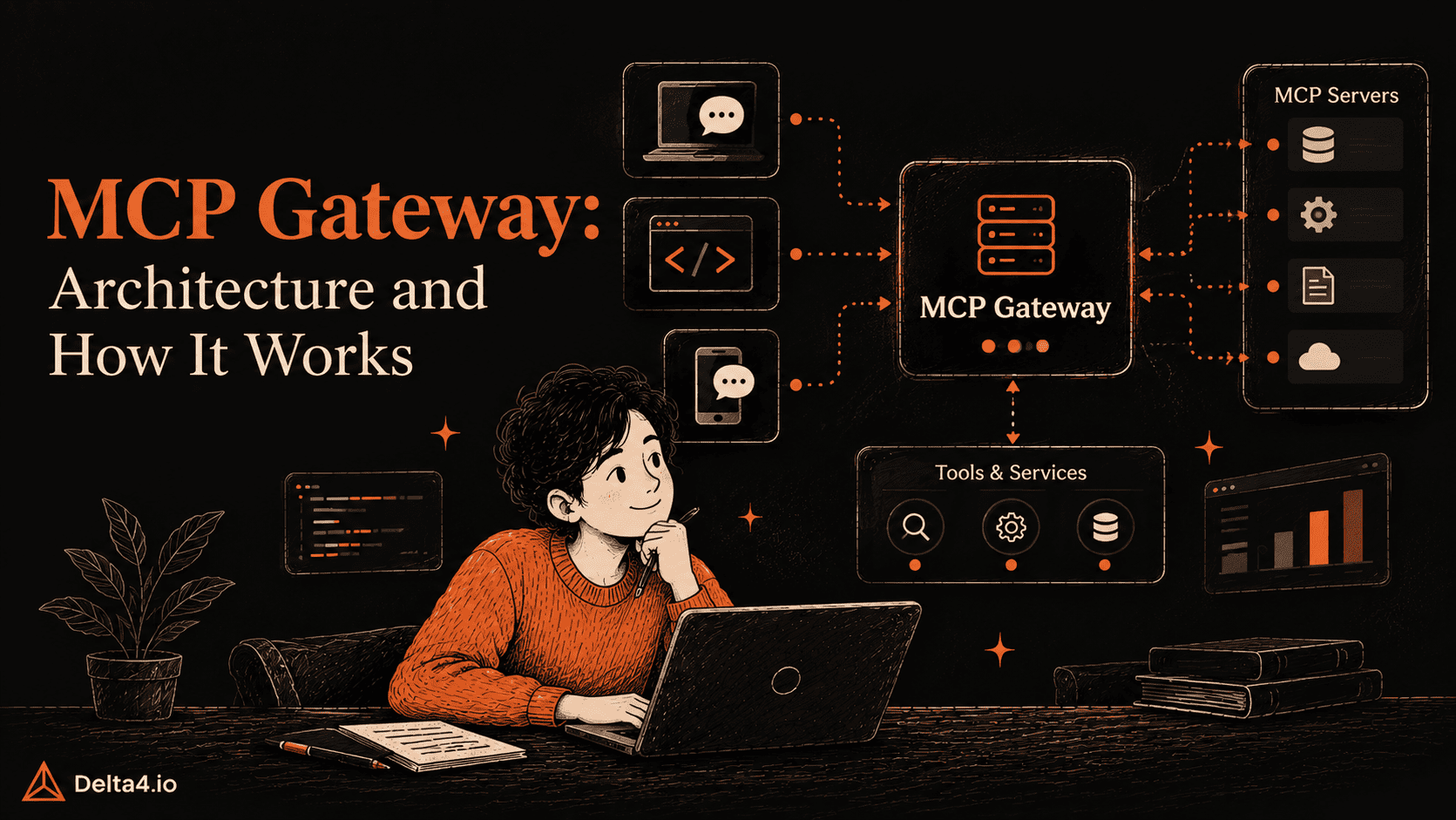
The Model Context Protocol standardizes how AI agents discover and call external tools, replacing one-off API integrations with a shared protocol. n8n supports MCP in both directions:
- As an MCP client, the MCP Client Tool node connects your n8n AI Agent to an external MCP server. The agent discovers what tools are available at runtime and calls them without you hardcoding an API wrapper.
- As an MCP server, the MCP Server Trigger node exposes your own n8n workflows as callable tools, so external agents like Claude Desktop, Cursor, or Windsurf can trigger a workflow directly from their own interface.
The practical limitation is that each MCP Client Tool node in n8n points at one MCP server. If your agent needs to reach a dozen different tools, that’s a dozen separate node configurations and credential sets to maintain inside the workflow.
This is where a gateway approach fits. MCP360 addresses exactly this gap – a unified MCP gateway that connects AI agents, including n8n, to 100+ tools and custom MCPs through a single endpoint. Instead of wiring up a separate MCP Client Tool node per service, you point one node at MCP360 and search or execute across every connected tool from there. It complements n8n’s native MCP support rather than replacing it, and it earns its place specifically once the number of tools your agent needs grows past what’s practical to configure one connection at a time.
Is n8n the Best Open-Source Automation Tool?
“Best” depends on who is asking. Based on everything covered above, here is how that answer splits.
Choose n8n if:
- Someone on your team can manage a self-hosted server, or you are fine paying for n8n Cloud
- Your workflows involve AI agents or MCP-connected tools, where n8n’s native support goes further than the alternatives above
- You run high-volume, multi-step workflows, where execution-based pricing costs less than Zapier’s per-task billing
- Data control matters enough that self-hosting is worth the setup effort
- You want a platform backed by real enterprise deployments and an active community, not just a smaller newer tool
“n8n is an incredibly affordable automation tool with powerful capabilities. The self-deployment option on Hostinger Cloud is cost-effective and gives you complete control. The visual workflow builder is intuitive, and it supports extensive integrations. Great tool for automation-heavy projects”
Look elsewhere if:
- No one on your team is comfortable debugging expressions, JSON, or a self-hosted server
- You want a working automation within the hour, since Zapier is built for that kind of speed
- Your team wants a visual builder without n8n’s learning curve, where Make sits as the middle ground
- Your automations are simple and low-volume, where n8n’s extra flexibility adds setup effort you don’t need
- You need a no-code chatbot builder for customer support or sales, not general automation, where YourGPT’s AI Studio and other AI chatbot platforms get you to a working AI agent faster than assembling one from n8n’s AI Agent node
- n8n’s own reviewers confirm this split. It scores highest from exactly the audience it is built for, and lower once you step outside that audience. That is the honest answer: n8n is the best open-source automation tool for technical teams, not for every team.
Top n8n Alternatives
- Zapier – The largest app library, with 9,000+ integrations. Free for 100 tasks a month, then $19.99/month billed annually for 750 tasks. Fastest to set up, but bills per completed task, so cost climbs quickly on multi-step workflows.

“Zapier: Still the easiest for simple API-to-API stuff. But the cost per task is insane once you scale.”
- Make – A visual, flowchart-style builder. Free for 1,000 credits a month, then paid plans starting at $12/month billed annually for 10,000 credits. More logic depth than Zapier, without n8n’s learning curve.
“Make – The interface is worth trying, the visual builder helps you understand what’s happening instead of just hoping it works. Price point’s better too once you’re past hobby-tier usage.”
- Activepieces – The closest open-source peer to n8n. MIT-licensed, more permissive than n8n’s license, free to self-host, with native MCP support built in and a gentler learning curve than n8n.
“Activepieces – cleaner, simpler, MIT licensed, unlimited executions”
- Power Automate – Microsoft’s automation platform, priced from $150 per bot a month for unattended workflows. Makes the most sense for teams already inside Microsoft 365 and Azure.
n8n remains the only one of the four that pairs free self-hosting with execution-based pricing, which is why it tends to come out cheaper for complex, multi-step automation once you are past the free tier.
Conclusion
n8n earns its reputation as the most flexible open-source automation platform for technical teams in 2026. The execution-based pricing model, genuine self-hosting freedom, and native MCP support give it real advantages over Zapier, Make, Activepieces, and Power Automate for anyone building AI-native workflows. The tradeoffs are equally real: a learning curve that shows up repeatedly in verified reviews, and a 2026 security track record that means self-hosted instances need active patching and hardening, not a one-time setup. If you have the technical capacity to run it properly, n8n’s free Community Edition is worth testing before you commit to a paid plan. If you don’t, it’s worth evaluating honestly against the alternatives above before you commit engineering time to the switch.
Frequently Asked Questions
Is n8n free?
Yes. The self-hosted Community Edition is completely free with no execution caps and no license fee, so your only cost is server hosting, usually $5 to $20 a month for a small team. n8n Cloud is the paid option, starting at €20/month for the Starter plan with 2,500 executions. Most teams that want full control choose the free self-hosted route instead.
Is n8n open source?
Not exactly. n8n calls itself fair-code, not open source in the strict sense. The source code is visible and free to self-host, but the license includes a Commons Clause that restricts reselling n8n as a competing hosted service. For everyday use, running workflows, extending nodes, and self-hosting for your own team, it behaves like open source. Reselling it as your own product is where the license draws the line.
How much does n8n cost?
n8n Cloud runs from €20/month for the Starter plan (2,500 executions) up to €667/month for Business (40,000 executions), all billed annually, with a custom Enterprise tier above that. Self-hosting the Community Edition costs $0 in license fees. You only pay for the server, typically $5 to $20/month for a small team. The right choice depends on whether you would rather pay for convenience or manage the infrastructure yourself.
Is n8n safe to use?
Mostly, if you keep it updated. n8n had a rough security stretch in 2026, with several critical flaws disclosed between January and March, including one that let a logged-in user steal every stored credential on both self-hosted and cloud instances. n8n patched each one quickly. The real risk sits with unpatched self-hosted instances left exposed to the internet. Keep n8n current, enable two-factor login, and you are working from a solid security baseline.
Can n8n build AI agents and connect to MCP tools?
Yes. The AI Agent node connects to a model, memory, and tool sub-nodes, and it supports the Model Context Protocol as both a client and a server, so it can call external MCP tools or expose n8n workflows as tools for agents like Claude. Building that agent logic by hand takes real setup work though. For teams that specifically need a customer support or sales chatbot rather than general automation, a purpose-built tool like YourGPT’s AI Studio gets there with less assembly.
What are the best n8n alternatives?
Zapier is the easiest to set up and has the largest app library, but it bills per task, so costs climb fast on multi-step workflows. Make offers similar visual simplicity with a gentler learning curve than n8n and credit-based pricing. Activepieces is the closest open-source peer, MIT-licensed and free to self-host with native MCP support. Power Automate makes sense mainly for teams already inside Microsoft 365. Which one wins depends on your technical comfort and budget, not a single best answer.
Is n8n better than Zapier?
For technical teams, usually yes. n8n’s execution-based pricing costs less than Zapier’s per-task billing once workflows get complex, and self-hosting is free with no execution limits. Zapier wins on speed and simplicity, with a larger app library and a setup you can finish in minutes without touching code. If you want a working automation within the hour and don’t have engineering support, Zapier is the safer pick. If you want control and lower long-term cost, n8n wins.

Article by
HimanshuHead of Growth & Engineering
Himanshu is Head of Growth & Engineering at Delta4 Infotech, writing about AI agents, MCP, and no-code automation from a go-to-market view. He covers how teams evaluate, adopt, and get real value from AI tools, translating what the tech does into what it means for a business.