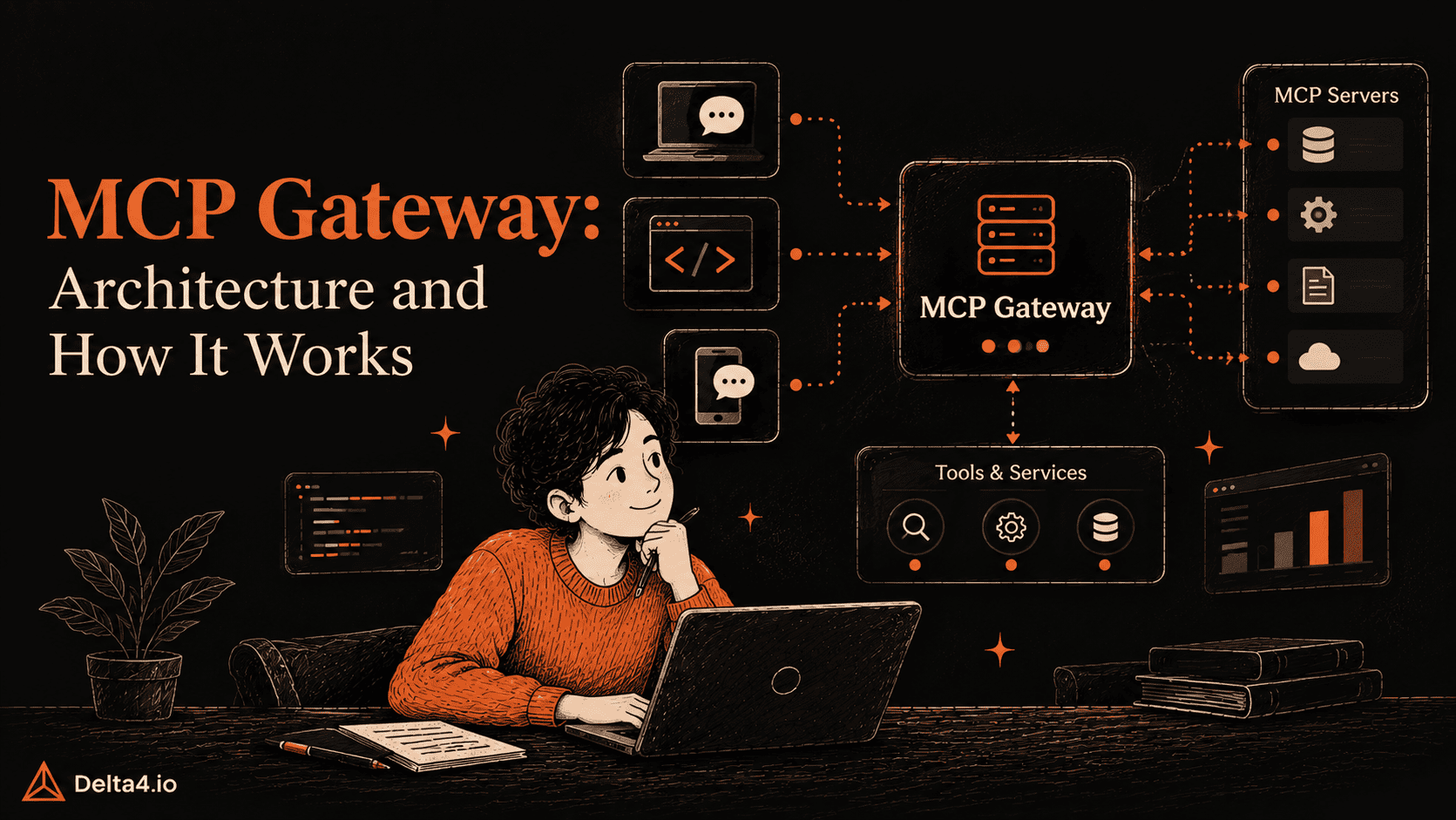
An MCP gateway puts one controlled checkpoint between your AI agents and the MCP servers they call. Every tool call goes to it first, and it checks who is calling, applies your rules, attaches the right credentials, forwards the call and records what happened. For a team that shares tools, that gives you two things you do not have with direct connections: a single audit trail that answers which agent called which tool, under whose credentials and with whose permission, and the ability to refuse a risky call before any server sees it. It pays off once several agents, users or teams share tools. With one developer, one client and a few read-only local servers, a config file is enough.
TL;DR
A gateway has five parts: a proxy, a server registry, a policy engine, a credential vault and an audit log.
A tool call passes through six steps, and the gateway can refuse it at steps 2, 3 or 4, before any server sees it.
The MCP specification revision 2026-07-28 removed protocol sessions and made Mcp-Method and Mcp-Name request headers mandatory on Streamable HTTP. A gateway can now route and rate-limit without parsing the body, and tools that need memory use explicit IDs instead of sessions.
A gateway lowers context cost only if it controls which tool definitions the model sees. Client-side tool search can do the same job with no gateway at all.
MCP has moved from a developer experiment to shared infrastructure quickly. The protocol’s maintainers report close to half a billion monthly downloads across their four Tier 1 SDKs, and teams that began with one assistant and one local server now connect agents to many servers, some run by other parties. A direct connection used to be a private decision. Once agents act for many users, it becomes a governance question: who may call what, with whose credentials, and how would you know afterwards?
A gateway is the usual answer, and it is easy to adopt too early or to choose badly. This guide is for developers, platform engineers and security reviewers who have to decide whether to add one, design it or evaluate a product. By the end you should be able to tell whether your setup needs a gateway, trace a tool call through its five components and six steps, adapt the design to the 2026-07-28 specification, and judge a candidate against an eleven-point checklist. We also report what we measured ourselves, including the latency cost of the checks and the token cost of exposing many tools, and we mark where our evidence is thin. If you are new to the protocol itself, our earlier introduction to the Model Context Protocol covers the basics.
MCP Gateway Explained: How It Differs from Servers and Proxies
An MCP gateway is a layer between MCP clients and MCP servers. The clients live inside hosts such as a coding assistant (Cursor, Windsurf), a workflow tool (n8n) or an agent you build yourself. They talk to the gateway instead of to each server, which gives you one central point in place of a web of direct connections. The servers behind it range from a GitHub integration to an internal tool your team built. Our earlier roundup of MCP servers covers some popular ones.
Four terms get mixed up, so here is how they differ.
Term
What it does
MCP server
Gives access to one system’s tools, data and prompts
MCP proxy
Passes MCP traffic along, often to reach a server that only runs on one machine
MCP gateway
Fronts many servers, knows who is calling and which tool they want, and applies rules to each call
API gateway
Manages general API traffic with routes, identities and API rules, without necessarily understanding MCP tool lists or tool names
Treat the API gateway and the MCP gateway as partners. Keep the API gateway for REST and GraphQL services and add the MCP gateway where agents call tools. Because the MCP gateway reads MCP messages, it can show one agent a shorter tool list or limit a single tool instead of a whole endpoint.
When Do You Need an MCP Gateway?
You need a gateway when someone has to control or account for tool use across more than one person, agent or server. Catalog size alone is a weaker reason. MCP’s design has a host run one client per server connection, so the protocol itself gives you no single place to check identity, set limits or keep a log. A gateway adds that place.
Use this rule: if any row marked “Yes” below describes you, plan for a gateway. If only the last row applies, try client-side tool search first.
Situation
Gateway?
Why
One developer, one client, read-only local tools
Usually not
A local connection works, and there is nothing to govern
Several users, each with their own OAuth sign-in
Yes
Per-user tokens and per-user rules need a home
Agents that can write, delete or send
Yes
You need per-call limits and a record of every action
A customer or auditor asks where credentials are stored, or you need one audit trail
Yes
The answer otherwise lives in every client and server log
Data must stay in specific regions
Yes, per region
Run one gateway in each region, or self-host
One user, read-only, but a very large tool catalog
Not for control
The problem is context cost, covered in the context-cost section
MCP Gateway Architecture: Five Core Components and Two Planes
A gateway is built from five components, and each one answers a question that every tool call raises. This article follows the five-part model in Composio’s gateway architecture article and orders the parts the way a call meets them. Neither the MCP specification nor any standard defines a gateway or these controls, and both Composio and Tyk sell gateways, so read the split as one common way to organize the work and the controls as recommendations.
Question
Component
What it does
Who is calling?
Proxy
Accepts the connection and checks the caller’s API key, signed token (JWT) or OAuth token. Also owns timeouts, retries and circuit breaking for servers that keep failing
Where does this go?
Server registry
Lists the servers, their tools and how to reach them. It holds information and carries no traffic, so it also lets the gateway reject a tool that does not exist
Is this allowed?
Policy engine
Decides which tools an agent can see and whether this call, with these inputs, may run. Also applies rate limits and quotas
Whose credentials does the server get?
Credential vault
Stores each user’s tokens for upstream servers and attaches the right one to the outgoing request
What happened?
Audit log
Records the user, tool, action and result, including denied calls
Two planes decide where those parts run. The data plane handles live traffic: tool lists, tool calls, sign-in checks, routing and caching. The control plane holds configuration, rule updates and analytics, and stays out of the request path. Tyk’s documentation describes this split for its gateway. We recommend building the control plane to be consistent first and fast second, because a rule change that applies to half the gateway nodes is worse than one that arrives a few seconds late.
How one tool call moves through a gateway
One invented call shows the whole flow, from request to audit record, followed by the same agent being refused. The hostname, tool name and ticket ID are illustrative.
A customer service agent asks a helpdesk MCP server to close a ticket. It first asks for its tool list with tools/list, and the gateway returns only the tools this agent may use. Tyk calls this filtered discovery. Because the list depends on who asks, the gateway should mark it cacheScope: "private" so a shared cache never hands one user’s list to another. Hiding a tool is not enforcement, though. The caching rules in the specification tell servers not to rely on cacheScope alone for access control, and a gateway should likewise check every call at step 4.
The call then goes through six steps, one for each question and one for the request itself.
Request. The agent sends tools/call to the gateway. The Accept header lists both JSON and event streams because the reply can be either.
Validate (who is calling?). The gateway checks that MCP-Protocol-Version, Mcp-Method and Mcp-Name match the body, which is the source of truth. A mismatch gets HTTP 400 and a HeaderMismatch error with code -32020. A missing or older protocol version header should be rejected instead of trusted, because only the newer versions define the header and body check. If Mcp-Name arrives in the =?base64?...?= form used for names that are not plain ASCII, decode it before comparing. Then check the caller’s token, which must have been issued for the gateway itself.
Resolve (where does this go?). The registry maps /v1/helpdesk to the helpdesk server and confirms that close_ticket exists there. An unknown server or tool stops here.
Policy (is this allowed?). The policy engine checks whether this agent may use close_ticket with these inputs and whether it is inside its rate limit. A refused call stops here.
Credentials and upstream call (whose?). The vault finds this user’s connected account and decrypts the upstream token, ideally in an isolated environment. The proxy forwards the call with that token attached. The raw token never returns to the agent or the model.
Record and respond (what happened?). The gateway writes the user, tool, action and result to the audit log, hides sensitive fields if configured, and returns the answer.
Retries need care at step 5. Since 2026-07-28, a broken response stream loses the in-flight request, and the client must re-issue it as a new request with a new request ID. The gateway therefore cannot tell whether the first attempt reached the server. Retry automatically only calls that are safe to repeat, such as reads, and let a destructive call like close_ticket fail visibly instead of running twice.
How an MCP Gateway Blocks Unauthorized Tool Calls
Suppose the same agent tries delete_ticket. Step 4 checks the rules. In the rule below, which is an illustration and not any product’s syntax, the agent may use three helpdesk tools and nothing else.
agent: support-bot
default: deny
on_policy_error: deny
allow:
-server: helpdesk
tools:[search_tickets, add_comment]
-server: helpdesk
tools:[close_ticket]
arguments:
ticket_id:{pattern:"^T-[0-9]+$"}
limits:{calls_per_minute: 30 }
The gateway replies with an error. The vault is never used, the helpdesk server never sees the call, and the audit log records the denial.
{"jsonrpc":"2.0","id":8,"error":{"code":-32010,"message":"Tool delete_ticket is not permitted for this agent"}}
The code is an invented example. The specification reserves -32020 to -32099 for itself and leaves -32000 to -32019 to implementations, but existing SDKs already use some codes in that lower range, so check yours before choosing one.
Two lines in the rule matter most. default: deny means a tool nobody listed is refused, and on_policy_error: deny tells the gateway to refuse a call it cannot decide, which is called failing closed. This is also why permissions belong in the gateway and not in the prompt. A crafted prompt can change what the agent asks for, but not what the gateway allows. It can still push the agent to misuse a tool it may call, so keep the allowlist narrow. A refusal at step 2, 3 or 4 is the main reason to run a gateway at all.
Authentication and OAuth: two token boundaries
A gateway handles two different kinds of token, and the central rule is that neither one stands in for the other.
Client to gateway. From the client’s side, the gateway is the MCP server, so it should accept only tokens issued for the gateway itself. The caller proves who it is with an API key, a signed token or OAuth.
Inside the gateway. The policy engine turns that identity into permissions: which tools the caller can see and which calls may run.
Gateway to upstream. The vault supplies a separate token for the upstream server and the user. The client’s own token is never forwarded.
When the gateway signs in to upstream servers as an OAuth client, three requirements from the 2026-07-28 revision apply. They come from the changelog and the client registration page of the specification.
Registration. Dynamic Client Registration is deprecated in favor of Client ID Metadata Documents. With these, the gateway’s client_id is an HTTPS URL that points to a JSON document the gateway hosts, listing at least its ID, name and redirect URIs. Dynamic registration remains for servers that do not support the newer method, and clients are told to try pre-registered credentials first, then metadata documents, then dynamic registration.
Issuer checks. When an authorization response includes the iss parameter, the client must validate it against the recorded issuer before redeeming the code. This closes a mix-up attack between authorization servers.
Credentials per issuer. Persisted client credentials must be keyed by the authorization server’s issuer and never reused with a different one. For a gateway serving many users across many upstream servers, that means keying the vault by user, upstream server and issuer.
One shared OAuth client for all users invites the confused deputy problem, covered in the security section. Keep the two tokens separate at every step, and the audit log can always show whose credentials reached which server.
MCP Specification 2026-07-28: Key Changes for MCP Gateways
The 2026-07-28 revision, published on 28 July 2026, removes the initialize handshake and the Mcp-Session-Id header, so no request depends on an earlier one. Each row below comes from the official changelog, the announcement or the Streamable HTTP page, and the last column is our reading of what it means for a gateway.
Change
What it means for a gateway
No protocol sessions
MCP itself no longer needs sticky routing, which pins a user to one server, or a shared store for session data. Tools that need memory use explicit handles that the server mints and the model passes back as ordinary arguments. The gateway confirms who is calling, and the server decides what that caller owns
Self-describing requests
Protocol version and client capabilities travel in _meta on every request, and client info is recommended. A client can call server/discover, which every server must implement, to learn versions, features and identity first
Routing headers
Mcp-Method is required on every POST and Mcp-Name on tools/call, resources/read and prompts/get. The headers copy the body and never replace it, so the gateway must reject a mismatch. A server can also mirror chosen tool parameters into Mcp-Param-* headers, which a gateway can use for routing or limits
Cache hints
tools/list, prompts/list, resources/list, resources/templates/list and resources/read results carry ttlMs and cacheScope. Public results can be shared and private ones cannot. The changelog does not list tools/call results
Multi round-trip requests
Sampling, elicitation and roots requests no longer ride a held-open stream. The server returns an input_required result and the client retries the original call with the answers attached. A gateway sees each leg as an ordinary request, so it can check and log each leg separately
Tracing
The specification documents traceparent, tracestate and baggage keys in _meta. A gateway should pass them along unchanged
No stream resumption
Resumable streams are removed. Change notifications move to subscriptions/listen, a long-lived response stream the gateway must keep open.
Two eras in the wild
A client that supports both eras tries a modern request first and falls back to initialize only if the 400 reply is not a recognized modern error. A gateway may need to speak both
The revision also deprecates Roots, Sampling and Logging, which keep working for at least twelve months, and moves Tasks out of the core protocol into an official extension. The common thread is that each request now carries what a gateway needs to route, limit and log it, without relying on an earlier request.
Deployment patterns and performance
A gateway can run as one central proxy, as regional copies, as a sidecar or inside the application. The choice affects delay, isolation and operations.
Pattern
Where it runs
Best for
Main cost
Central proxy
One shared cluster for all agents
Most organizations
One more hop, and a shared failure point
Regional (federated)
Separate gateways per region or business area
Multi-region setups and data residency rules
Rules must be kept consistent across copies
Sidecar
Next to each server or agent, often on Kubernetes
Setups that need isolation per workload
Many instances to configure and update
In-process
Inside the application itself
Latency-critical, high-frequency calls
Every application must embed and update it
We would start with one central gateway and spread out only when delay or data residency rules force it.
A central gateway is also a single point of failure, because an outage blocks every tool behind it. Run more than one instance.
Streaming needs two details. Under the 2026-07-28 specification, closing a response stream cancels the request, so the gateway must pass a client disconnect on to the server or the work keeps running unseen. The specification also tells servers to send X-Accel-Buffering: no on event streams so that proxies such as nginx do not hold messages back, so check that your gateway and any proxy in front of it do not buffer them.
What a gateway costs in latency
A gateway adds a network hop and a policy step, and filtering or caching tool lists can remove calls and prompt tokens in return. Published latency numbers are hard to compare, so we measured the pieces ourselves in a small test.
We wrote a reference gateway in Python (aiohttp) that performs the six steps in this article: header and body validation, an HS256 token check, a registry lookup, an allowlist with an argument pattern and a token-bucket rate limit, an AES-GCM decryption standing in for the vault, forwarding with the upstream token, and a buffered audit write. It is a test harness, not a product. A stub upstream answers close_ticket instantly. We sent 2,000 sequential calls per round for 7 rounds after a 500-call warm-up, interleaving the setups within each round. Everything ran over loopback on one CPU core shared by the client, the gateway and the upstream (Python 3.12.3, 28 October 2026). The table shows the median across rounds, in milliseconds.
Setup
p50
p95
p99
Direct to upstream
0.29
0.43
0.61
Gateway, pass-through only
0.79
1.10
1.72
Gateway, all six steps
0.93
1.27
2.24
Gateway, call denied at step 4
0.36
0.53
0.81
At the median, the extra hop cost about 0.50 ms and the six steps added about 0.14 ms on top, for 0.65 ms over a direct call. A denied call cost only 0.07 ms more than a direct call, because the upstream was never contacted. In this setup the checks were cheap and the hop was the larger share.
That result has firm limits. The registry, policy rules and vault were in memory, the upstream did no work, and there was no network, so one round trip to a remote policy engine or secrets store would add more than all six steps together. Treat the table as evidence about where time goes in a minimal gateway, not as a forecast for any product.
Published figures vary far more than one setup would suggest, and they predate the stateless specification. Tetrate reports that Envoy AI Gateway added roughly 160 to 390 ms to a simple echo-tool call in a December 2025 benchmark, and that benchmark varied the encryption of session information, which 2026-07-28 removes. TrueFoundry’s comparison article cites 7 to 12 ms at 200 to 370 requests per second for its own gateway and about 1 to 3 ms for Envoy AI Gateway 1.0. These are vendor-published, and they measure different things. Benchmark any candidate with your own rules switched on, over your own network and with your own tools, and measure both the delay per request and the time to finish a whole task, since a model’s reasoning step usually takes seconds.
MCP Gateway Security: Key Risks and How to Prevent Them
An MCP gateway protects tool access and also becomes a target, so it needs its own threat model.
The case for central sign-in is strong. Two measurement studies found that most remote MCP servers lack OAuth, although their samples and methods differ:
The preprint Exposed by Design (arXiv 2608.00150, submitted 31 July 2026) confirmed 640 internet-facing production servers and dynamically audited 414. Of those 414, 91.8 percent (380) lacked OAuth. Across the 640, it counted 687 tool instances that expose shell execution with no authentication requirement. Some servers used static bearer tokens, which it describes as often predictable or empty.
Read both as signals, not as a census. Both cover only servers reachable over HTTP, and the first reports that 41.6 percent of confirmed servers disappeared within three days, which suggests many were experiments.
Gateways are targets as well as shields. On 21 May 2026, Composio disclosed an incident in which an attacker gained a foothold in an internal agentic tool that monitored infrastructure, used it to reach the automated systems that repair connector errors, and then registered malicious tool definitions inside the sandbox where tool calls run. That let the attacker execute code in the sandbox. Composio reported that the leaked connections were about 0.3 percent of active connections, including 5,001 GitHub connections, and separately identified 5,241 API keys in an auxiliary cache as potentially exposed. It also said the attacker first compromised the Gmail OAuth token of an employee. We cite it because Composio disclosed it openly, and its lessons apply to any gateway:
Keep the systems that watch separate from the systems that act. P0 Security’s analysis makes a similar case for separate trust zones.
Authorize each action that touches customer credentials on its own.
Keep an audit trail clear enough to show, from outside the platform, what kind of escalation happened.
Treat registering a tool definition like deploying code, with a review. This one is our addition.
A gateway that handles third-party access also inherits attacks that the MCP specification documents, namely token passthrough, the confused deputy problem and server-side request forgery (SSRF). The specification’s security best practices cover the first three rows below. The last three rows are our recommendations, informed by the incident above.
Risk
What goes wrong
How to reduce it
Token passthrough
The gateway forwards a client’s token to another server, which skips the check that the token was meant for it and blurs the audit trail. The authorization security considerations forbid it
Accept only tokens issued for the gateway, and attach separate upstream credentials from the vault
Confused deputy
A gateway that uses one static OAuth client with a third-party authorization server lets a malicious client obtain sign-in codes without the user’s consent
Ask for consent per client and match redirect addresses exactly
SSRF
A malicious server or metadata document tricks the gateway into requesting internal addresses during sign-in discovery
Require HTTPS, block private address ranges and send outbound requests through a controlled egress proxy
Failing open
A timeout lets a destructive call through, or a call runs with no log
Block writes and deletes when policy or logging is down, and buffer audit writes
Altered tool definitions
A server edits a tool description after approval, or someone registers a new one, to steer the model
Require review for new and changed definitions, and compare them on every connection
Credential concentration
The vault holds every user’s upstream tokens, so one breach exposes all of them
Use envelope encryption, give clients a proxy-execute path instead of an API that returns tokens, and restrict who can reach the vault
Two limits are worth keeping in mind. Rules decide what an agent may do, not what the model believes after reading a tool result, so scanning of tool output for injected instructions is an extra layer and not a substitute for narrow permissions. And no checklist replaces the baseline: minimal permissions, an isolated vault and an append-only audit log.
MCP Gateway: Build vs Self-Host vs Buy
You can build a gateway in-house, self-host an open-source one or buy a hosted service. Decide on four things: who holds the credentials, where calls run, whether rules apply to each call and its inputs or only to each server, and who maintains the result when the specification changes.
Option
Examples named in the sources
Fits when
Watch for
Build on a proxy
Nginx or Envoy plus your own rules, identity and audit
You have one or two integrations and engineers who can own the stack
Composio’s view is that a basic proxy is quick to build and the months go into rules, identity integration, input inspection and audit systems. That is a vendor’s view, but it matches where the work in this article sits
Self-host open source
Docker MCP Gateway, IBM ContextForge, Microsoft MCP Gateway, Obot, agentgateway, Bifrost
You need control over where calls run and where credentials are kept
You own upgrades, including spec changes, and you must check each project’s license and maintainer
Hosted or platform gateway
Tyk, Composio, MCP360
You want the parts without building your own rules engine, vault and audit store
The vendor holds your credentials, which makes it part of your threat model
The open-source projects differ more than the shared label suggests:
Docker’s gateway, part of the MCP Toolkit in Docker Desktop, runs each MCP server in an isolated container.
IBM ContextForge, listed under the Apache 2.0 license, federates MCP servers, A2A agents and REST or gRPC APIs behind one endpoint.
Microsoft’s MCP Gateway is a reverse proxy for Kubernetes, and its documentation now describes stateless per-request routing.
Obot adds a curated catalog of approved servers.
Agentgateway is a Rust proxy hosted by the Linux Foundation that has joined the Agentic AI Foundation, and Bifrost also carries model traffic.
We took the Docker, Obot and Bifrost descriptions from a comparison published by Bifrost’s maker, so treat them as starting points and read each project’s own documentation.
Session handling deserves a direct question. Some of these projects were designed when MCP had sessions. Agentgateway’s documentation, for example, still describes session fan-out across servers, and Envoy AI Gateway packs upstream session information into the session ID. The 2026-07-28 revision removes protocol sessions, so ask each project how it handles that revision and whether it can speak both eras.
Ask every vendor two more questions before anything else, as Composio’s vendor checklist also advises by putting credential flow and policy depth first. Are rules applied to each call and its inputs, or only to each server? And where are upstream tokens stored, and can anyone, including the vendor’s staff, read them back?
Context cost: gateway search versus client-side tool search
Tool definitions are the main way a gateway can lower token use, and two designs do it. A gateway can expose a small search-and-execute surface in place of the full catalog, or the client itself can search tools on demand. Anthropic’s tool search is the second kind. The same article describes a setup of five servers and 58 tools that used about 55K tokens on definitions before the conversation started, and in a 50-plus tool example it reports a drop from about 77K tokens to about 8.7K with tool search, no gateway involved. A gateway therefore earns its place on control first and context second.
How a search-and-execute gateway works
MCP360 is a hosted gateway that uses the first design, and we tested its pattern. A client connects to one hosted endpoint that reaches built-in tools and custom MCP servers, which are built from your own REST APIs in its Custom MCP Builder. It identifies callers by API key and falls back to OAuth 2.0 when no key is supplied, applies rate limits and keeps audit logs. Discovery runs through two meta-tools, search and execute. The agent searches for what it needs, reads the inputs and then runs the tool, so definitions stay out of the context window until they are used.
Because MCP360 is hosted, you rely on its infrastructure and its handling of authentication instead of running the connection yourself. Every hosted gateway makes that trade, and the two vendor questions from the previous section apply to it too.
What our token test showed
We ran Claude Code 2.1.293 in headless mode with Claude Haiku 4.5 and tool search switched off, against six official reference MCP servers over stdio. Counts are the tokens the API reported, minus the 2,212 that a run with no MCP servers uses. The gateway rows come from a local stand-in that copies MCP360’s two tool definitions and forwards calls to the same six servers. We did not test the hosted service itself.
Setup
Tokens before the first message
Prompt tokens on a file-counting task
Six servers connected directly (73 tools)
13,425
31.7K per run
Two-tool search-and-execute surface
895
16.3K to 20.0K per run
The one filesystem server the task needed, connected directly
not measured
10.5K per run
The two-tool surface cut the up-front cost by 93 percent and the task cost by 37 to 49 percent. It still cost more than connecting the one server the task needed, because the agent tried execute with guessed tool names before it searched, which added two or three model calls.
This is three runs of one task on one model. It shows the mechanism and does not benchmark production. With tool search off, read the 93 percent as the cost of loading everything up front, since client-side tool search narrows that gap from inside the client. We did not measure latency, task success, the hosted service, or a run with tool search on, and a fair comparison needs all four.
Our advice follows from that. Connect one known server directly. When an agent may need any of many tools, put a search step in front of the catalog, whether through a gateway’s meta-tools or your client’s own tool search, and measure the result on your own tasks.
Implementation checklist
Use these eleven checks to evaluate a gateway or to review your own build. A gateway that passes all of them is ready for a pilot in our judgment, and any gap is worth closing before real users depend on it.
Supports the 2026-07-28 revision and older MCP versions, or states which it supports.
Rejects requests whose headers and body disagree, decodes Base64-encoded Mcp-Name values before comparing, and rejects missing or older protocol version headers.
Returns a private tool list per caller and still checks every call.
Denies by default and applies permissions per tool and per input, not only per server.
Accepts only tokens issued for the gateway, and keeps each user’s upstream tokens in an isolated vault keyed by user and issuer.
Logs denied calls as well as successful ones, with sensitive fields hidden.
Blocks writes and deletes when policy or logging is down.
Retries only calls that are safe to repeat.
Passes tracing headers along, and passes client disconnects on to the server.
Runs with redundancy, with rate limits per agent and in the regions your data rules require.
Reviews new and changed tool definitions before the model sees them.
Frequently Asked Questions
Do I need a gateway if I only use one MCP server?
Usually not. One developer, one client and read-only tools work fine with a direct connection. Add a gateway when several users bring their own OAuth sign-ins, when agents can write or delete, or when someone asks you for a single audit trail.
Is a gateway still useful now that MCP sessions are gone?
Yes. The 2026-07-28 revision removes protocol sessions, not the need to know who is calling, what they may do, whose credentials a server receives and what happened. It does make a gateway simpler to run, because requests are self-contained and can be routed on the Mcp-Method and Mcp-Name headers.
Does a gateway slow down tool calls?
It adds a network hop and a few checks. In our loopback test, all six steps added about 0.65 ms at the median over a direct call, and checks that call a remote policy engine or secrets store would add a round trip each. Published figures vary widely, so measure with your own rules and network.
Can a prompt injection get past the gateway’s rules?
A crafted prompt can change what the agent asks for, but it cannot change what the gateway allows, as long as the rules are enforced in the gateway and not in the prompt. It can still push an agent to misuse a tool it is allowed to call, so keep each allowlist narrow.
Can I use my existing API gateway instead?
Partly. An API gateway can authenticate callers and rate-limit routes, but it does not necessarily understand MCP tool lists or tool names, so it cannot show one agent a shorter tool list or limit a single tool. Keep it for REST and GraphQL traffic and add MCP-aware rules where agents call tools.
Should the gateway pass the user’s token to the upstream server?
No. The MCP specification forbids token passthrough. The gateway should accept only tokens issued for itself and attach a separate upstream credential from its vault.
Conclusion
An MCP gateway is worth adding when you need to control or account for tool use, and the safest way in is one agent with a short allowlist. Send that agent through the gateway, read the denied calls after a few weeks, and widen or trim the allowlist wherever the denials show it was too narrow or too broad. Review the allowlist again whenever a tool, a server or a specification version changes.
The ground is still moving under gateways. The 2026-07-28 revision is final, but it deprecates Roots, Sampling and Logging, which keep working for at least twelve months, and it deprecates Dynamic Client Registration, which remains for compatibility until a future version removes it. Tasks and MCP Apps arrive as extensions. A gateway that drops fields or methods it does not recognize could break them. That is our inference and not something the specification states, so build version and extension tests in from the start.
This week, start by listing every MCP server your agents use and noting who owns each server’s credentials. Then run the eleven checks above against your current setup or a candidate gateway, and pick one agent for a pilot with an allowlist that starts from default: deny.
We checked the specification details, vendor statements and study figures in this article on 28 October 2026, and ran the latency test the same day. Recheck them when a specification version, a product or a benchmark changes.
Rajni is a senior content writer at Delta4 Infotech covering AI agents, automation, and no-code tools. She writes across the AI space, from chatbots and customer support to MCP and agent workflows, focused on how businesses actually put these tools to work.