18 Best AI Tools for Business Automation in 2026

Written by
Himanshu
Reviewed by
Rohit Joshi
Published 21 September 2026
Expert Verified
Quick Answer
The best AI tools for business automation in 2026 depend on which part of the business you’re automating, not one universal winner. Claude and ChatGPT lead for writing, research, and coding. Canva and CoAnimator lead for design and video. ElevenLabs leads for voice. YourGPT leads for customer support automation. MCP360 leads for connecting agents to the tools a business already runs. Zapier and Make lead for stitching everything together.
TL;DR
- AI tool spend is shifting from single-purpose apps to agents that take action across systems, not just generate text or images.
- Pricing models vary wildly across categories, per-seat, per-credit, per-task, and per-resolution all coexist, and comparing sticker prices alone is misleading.
- Several well-known tools quietly merged or rebranded in 2025-2026 (Grammarly’s parent company became Superhuman, Coda became Superhuman Docs), worth knowing before you shop by an old name.
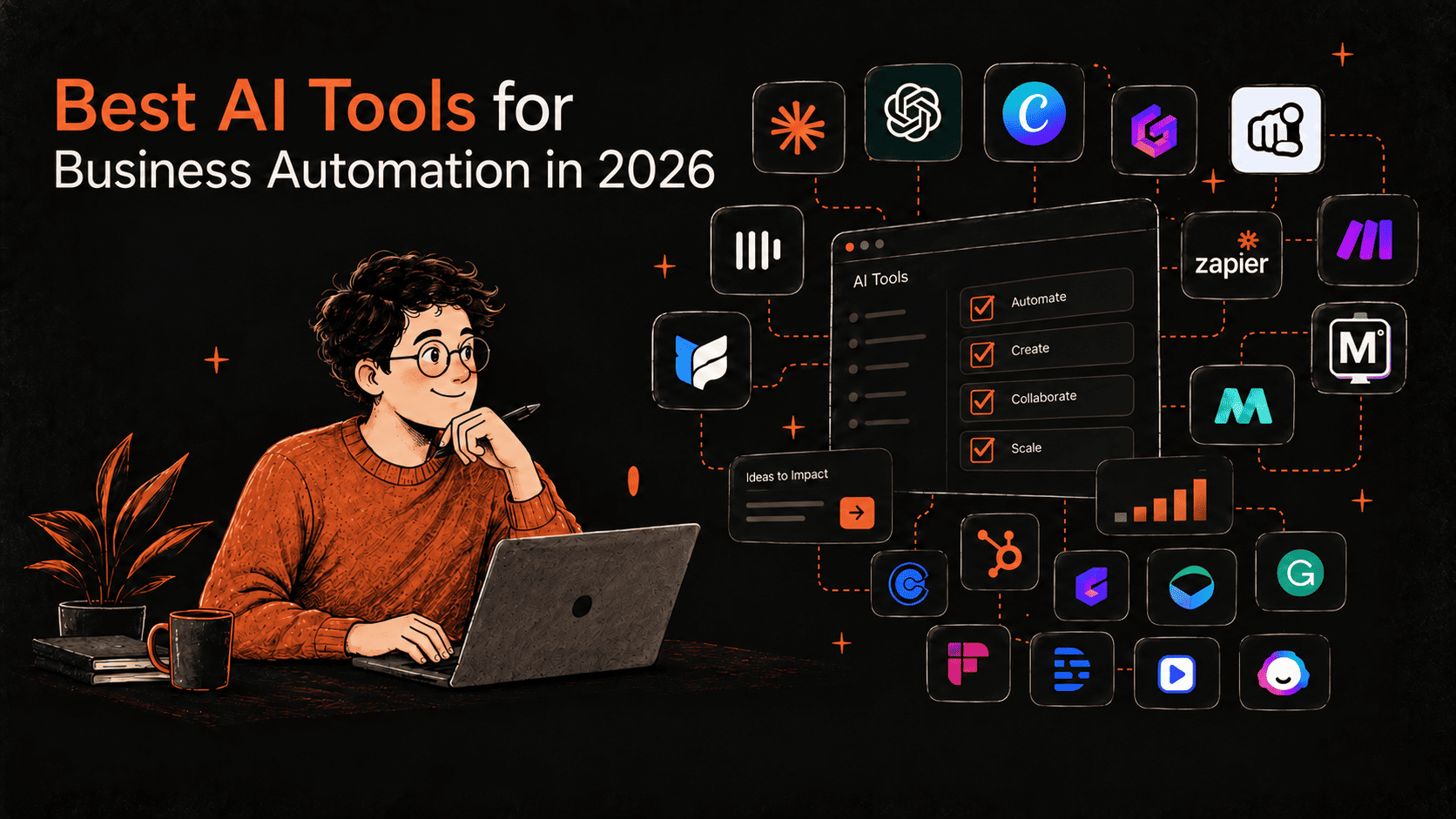
Running a small or growing business in 2026 usually means juggling ten or more tools before lunch, one for writing, one for design, one for scheduling, one for support, one for connecting them all together. This guide rounds up 18 AI tools businesses are actually adopting for automation this year, across content, communication, scheduling, and the systems that tie it together.
What Are AI Automation Tools?
AI automation tools are platforms that combine traditional workflow automation with actual intelligence, understanding context, learning from data, and making decisions in real time, rather than simply following a fixed set of if-this-then-that rules.
Traditional automation handles repetitive, structured tasks well, sending an invoice the moment an order comes in, for example. It breaks down once a process involves unstructured data, exceptions, or a decision that depends on context. That gap is exactly where AI automation earns its keep. Using natural language processing, machine learning, and predictive analytics, these tools manage workflows that shift as the business itself changes, rather than staying fixed to the exact steps someone wrote down on day one.
A few capabilities show up across nearly every tool in this category:
- AI-powered decision-making that recommends or triggers the next action instead of waiting for a human to decide
- Natural language processing that reads and understands emails, chats, and documents, not just structured form fields
- Predictive analytics that forecast demand, risk, or customer behavior ahead of time
- Multi-system integration that connects a CRM, ERP, HR platform, and other business tools without someone manually moving data between them
Several tools on this list are direct examples of each capability. Zapier and Make handle the multi-system integration piece. Claude and ChatGPT handle the decision-making and natural-language side. Notion AI and Fireflies.ai handle the data-processing side. Rising customer expectations and tighter competition mean most growing businesses now need several of these capabilities working together, not just one automated task running in isolation.
Core Features of AI Automation Tools

AI automation tools go beyond simply executing a task, the strongest ones share a few core capabilities that make end-to-end automation possible.
1. Workflow Orchestration
These tools design, run, and manage complex workflows across departments. Instead of a person moving data between systems by hand, the workflow runs from start to finish on its own, cutting out the manual handoffs in between. Zapier and Make are built almost entirely around this capability.
2. AI Integration
Natural language processing, machine learning, and computer vision get built directly into the platform, letting it read emails, analyze documents, process images, and improve its own output based on what happened last time. Claude and ChatGPT are the clearest examples of this on the list.
3. Data Processing
AI automation tools clean, transform, and enrich data automatically, so the systems downstream, an analytics dashboard or a CRM, always work with accurate, current information instead of whatever was typed in manually. Notion AI and Fireflies.ai both do this with meeting and workspace data specifically.
4. Chatbots and Virtual Assistants
Conversational AI is often built directly into these platforms, automating customer and employee interactions from answering a routine question to walking someone through onboarding. This is the core job YourGPT and HubSpot Breeze are built around.
Why Are Businesses Investing Heavily in AI Automation Tools in 2026?
- AI resolves routine work at a fraction of the human cost. Customer service AI agents now resolve a standard ticket for around $0.46, against $4.18 for a human-handled one, a roughly 9x cost difference, per 2026 enterprise data.
- Automation platforms have crossed into agentic territory. Tools like Zapier and Notion no longer just move data between apps, they now run AI agents that reason, browse, and take multi-step action on their own.
- Voice and video generation have become genuinely production-ready. ElevenLabs reached an $11 billion valuation in early 2026 on the strength of enterprise demand for AI voice, and tools like CoAnimator now let non-editors produce launch videos without touching a timeline.
- The tool landscape itself is consolidating fast. Several major AI-adjacent products merged into single suites in the past year, a sign the market is maturing from standalone point solutions toward integrated platforms.
18 Best AI Tools for Business Automation in 2026, At a Glance
| Tool | Starting Price | What It Automates |
|---|---|---|
| Claude | Free, $17-20/mo (Pro) | Writing, research, coding, and agentic tasks |
| ChatGPT | Free, ~$20/mo (Plus) | General-purpose AI assistant and content generation |
| Canva | Free, Pro from ~$13/mo | Design, image generation, and brand assets |
| CoAnimator | Free, $99 one-time (Lifetime) | Product demo, tutorial, and launch video creation |
| ElevenLabs | Free, $5-6/mo (Starter) | AI voice generation, cloning, and dubbing |
| YourGPT | Contact for pricing | Customer support, sales, and operational AI agents |
| MCP360 | Free tier available, paid plans not publicly listed | Connecting AI agents to 100+ business tools |
| Zapier | Free, $19.99/mo (Professional) | Cross-app workflow automation |
| Make | Free, $9/mo (Core) | Visual, operation-based workflow automation |
| Notion AI | Bundled with Business plan | Workspace notes, docs, and AI agents |
| Fireflies.ai | Free, $10/user/mo (Pro) | Meeting transcription and summaries |
| Calendly | Free, paid tiers add AI scheduling | Meeting scheduling and coordination |
| HubSpot Breeze | Requires Service Hub Pro (~$90/mo) | CRM-grounded customer and sales automation |
| Gamma | Free, paid tiers for more credits | AI-generated presentations and documents |
| Grammarly (Superhuman) | Free, $12/mo (Pro) | Writing, tone, and grammar assistance |
| Descript | Free, paid tiers for more transcription | AI-powered audio and video editing |
| Synthesia | Free, paid tiers for avatar minutes | AI avatar video for training and explainers |
| Jasper | Paid plans only | AI content generation for marketing teams |
Which of These AI Tools Are Actually Worth It in 2026?
The best AI tools in 2026 are not necessarily the ones with the longest feature lists. They are the ones that solve a clear problem, fit naturally into existing workflows, and save enough time or effort to justify the cost.
1. Claude
Anthropic’s Claude has grown from a chat assistant into a tool teams lean on for writing, research, coding, and increasingly, agentic tasks that complete multi-step work rather than just answering questions. Anthropic closed a $30 billion Series G funding round in February 2026 at a $380 billion valuation, one of the largest private financings in tech history, and its annualized revenue climbed to roughly $14 billion by early 2026, up from $3 billion in mid-2025. Claude Code alone has reached approximately $2.5 billion in annualized revenue, reflecting how much of that growth is coming from coding and technical automation rather than general chat use.
Key features:
- Claude Code has reached roughly $2.5 billion in annualized revenue, reflecting heavy adoption for coding and technical automation
- Long context windows support working across large documents and codebases in one session
- Business and Enterprise tiers add team management, higher usage limits, and admin controls
- API access is priced per token, separate from the consumer subscription tiers
In practice: A support team uses Claude to draft macro responses and summarize long customer threads before a human ever opens the ticket.
Best for: teams that want AI woven into writing, research, and technical work, not just a chat window.
2. ChatGPT
OpenAI’s ChatGPT remains the most widely adopted general-purpose AI assistant, used across content drafting, brainstorming, and everyday business writing. Its Custom GPTs feature lets teams build specialized assistants for repeated internal tasks without writing code, and built-in voice and image capabilities keep those workflows inside one interface instead of switching tools. Growing enterprise adoption has pushed OpenAI to expand admin controls and data handling guarantees specifically for business customers who need assurance about where their data goes.
Key features:
- Broad plugin and integration ecosystem across popular business apps
- Custom GPTs let teams build specialized assistants for repeated internal tasks
- Voice and image capabilities built into the same interface
- Enterprise tier adds admin controls, higher limits, and data handling guarantees
In practice: A marketing team runs first-draft ad copy and social captions through ChatGPT before a human edits for brand voice.
Best for: teams wanting one flexible assistant across a wide range of everyday tasks without picking a specialized tool for each one.
3. Canva
Canva has grown from a design tool into an AI-powered content platform covering images, presentations, video, and brand assets in one place. The company moved its Business tier to per-seat, pay-as-you-grow pricing in 2026, charging only for team members who accept an invite, and retired its older flat-rate Teams plan for new signups in the same shift. Heavier AI use now requires a separate AI Pass add-on, priced at $100 per person per month for Pro or Business subscribers, which unlocks meaningfully more generation credits than the base plan includes.
Key features:
- AI Pass add-on unlocks significantly more AI generation on top of Pro or Business plans
- Business plans moved to per-seat pricing in 2026, charging only for team members who accept an invite
- Brand kit and template systems keep output consistent across a growing team
- Third-party AI assistants (ChatGPT, Claude, Copilot) can trigger Canva designs directly through connectors
In practice: A two-person ecommerce brand designs its own product ads and social graphics instead of briefing a freelance designer for every campaign.
Best for: small teams and marketers who need fast, consistent visual content without a dedicated design hire.
4. CoAnimator
CoAnimator is an agentic animation studio where an AI agent, Claude Code, Codex, Gemini, OpenClaw, or another custom agent capable of reading files and running shell commands, becomes a co-animator. Describe the video you want, a product demo, launch video, tutorial, or explainer, and the agent researches the product, drafts the script, and builds it scene by scene while you watch and redirect in real time. Editing real footage works the same way, describe the look you want, and effects, captions, and overlays land on the recording.
Key features:
- Works with any AI agent capable of reading files and running shell commands, including Claude Code, Codex, Gemini, and OpenClaw
- Builds videos scene by scene on a live stage, with redirection possible at any moment instead of waiting for a full render
- Projects stay fully editable, come back weeks later, change one scene, and re-render, nothing is baked in, and project files are git-friendly
- Built-in templates give ready starting points for common video types
- Plugins add voice, music, screen capture, publishing to YouTube and social, and research through MCP360
- Fully local rendering with unlimited exports, no watermark on paid licenses, and no credit system to meter usage
- A headless CLI tool (Coa) enables rendering from scripts, cron jobs, or CI pipelines
- Cross-platform on macOS, Windows, and Linux
Worth knowing: output quality depends partly on which AI agent is connected and how much direction it’s given, and CoAnimator doesn’t include built-in analytics for tracking who watched a finished video, that requires a separate tool.
In practice: A founder describes a feature update to Claude Code inside CoAnimator and gets a rendered demo video the same afternoon, without opening a timeline editor.
Best for: product and marketing teams that need demo and launch videos regularly without hiring a video editor or paying a recurring subscription. For a wider look at how CoAnimator compares to other AI animation and video tools, see our best AI animation generators roundup.
5. ElevenLabs
Voice generation, cloning, dubbing, and conversational voice agents all live under one roof at ElevenLabs, drawing from a single shared credit pool. The company raised $500 million in February 2026 at an $11 billion valuation as it moves toward a possible IPO, a sign of how far voice AI has moved from novelty into enterprise infrastructure. In March 2026 it also pledged $1 billion in free voice-restoration technology to a million people living with permanent voice loss, a rare case of a commercial AI voice company committing resources at that scale to a non-commercial cause.
Key features:
- Seven pricing tiers from a permanent free plan up to custom Enterprise
- Voice cloning and dubbing support alongside standard text-to-speech
- Native integration with major voice AI stacks for building voice agents
- Enterprise tier adds HIPAA-ready BAAs, custom SSO, and priority support
In practice: An ecommerce brand generates multilingual product video narration instead of hiring voice talent for each language it sells into.
Best for: teams producing narrated content, training videos, or voice-driven products at meaningful volume.
6. YourGPT
Customer support, sales conversations, and operational tasks all run through the same no-code AI agents at YourGPT, built by connecting a business’s own data and rules rather than starting from a blank template. That connect-first approach is also why it shows up on both customer support and sales-automation shortlists rather than being boxed into a single category, teams use the same underlying agent framework for both.
Key features:
- Multi-agent orchestration lets specialized agents hand off to each other without the customer repeating themselves
- Choice of AI model per agent, including custom models
- Self-learning behavior closes knowledge gaps identified from unresolved conversations
- SOC 2 Type II, ISO 27001, and GDPR certified, with omnichannel deployment across web, WhatsApp, Instagram, and Messenger
In practice: A DTC brand’s support inbox routes order-status and return questions to a YourGPT agent, escalating only the cases that actually need a human.
Best for: businesses that want AI handling customer-facing conversations and real account actions, not just answering FAQs. For a deeper dive into building one of these agents from scratch, see our complete guide to building an AI agent for customer service.
7. Zapier
Few automation platforms match Zapier’s reach, over 9,000 connected apps without code, and it now layers AI-powered steps and standalone AI agents on top of that library. The company restructured its AI pricing in June 2026 to charge by model tier rather than a flat rate, letting teams trade reasoning depth for cost on a step-by-step basis. Zapier Agents, a separate AI-teammate product introduced the same year, bill by activity rather than the task-based system governing the rest of the platform, a distinction worth understanding before budgeting for both.
Key features:
- AI by Zapier steps are priced by model tier (Standard, Advanced, Premium), letting teams control cost against reasoning depth
- Zapier Agents let teams build AI teammates that browse the web and act across connected apps on a schedule
- Task-based billing means triggers and filters don’t count against the usage allowance, only actions that move data do
- The broadest app library of any automation platform, which matters most for teams using less common software
In practice: A recruiting agency automatically moves new applicants from a job board into its ATS and schedules a Calendly interview the moment a form is submitted.
Best for: teams that need to connect a wide range of apps and are willing to pay a premium for the largest integration library.
8. Make
Make (formerly Integromat) is a visual workflow automation platform that bills by operation rather than by task, making it considerably cheaper than Zapier at high volume. Its Core plan starts at $9 a month for 10,000 operations, and independent cost comparisons in 2026 put it 70 to 80% cheaper than Zapier for equivalent high-volume, branching workflows. The tradeoff is a smaller app library and a steeper visual-builder learning curve than Zapier’s more guided setup.
Key features:
- Visual scenario builder shows the entire workflow as a flowchart rather than a linear step list
- Operation-based billing typically runs 70-80% cheaper than Zapier for equivalent high-volume workloads
- Strong support for branching, complex logic, and error handling within a single scenario
- Smaller app library than Zapier, worth checking before committing if a specific niche tool is required
In practice: An agency managing several client accounts builds branching scenarios to route leads differently by source, at a fraction of what the same volume would cost on Zapier.
Best for: teams comfortable with a steeper learning curve in exchange for meaningfully lower costs at scale.
9. Notion AI
Notion AI brings AI directly into the Notion workspace, covering writing, meeting notes, and now custom AI agents inside the same tool teams already use for docs and project tracking. Custom Agents were free to use on Business and Enterprise plans through May 2026, after which they moved to a credit-based fee of $10 per 1,000 credits, a structure worth checking against current usage before assuming the feature stays free.
Key features:
- AI Meeting Notes transcribes and summarizes calls directly inside a Notion page
- Custom Agents can be built to automate repeated workspace tasks
- Bundled into Business and Enterprise plans rather than sold as a fully separate product
- Works across the same pages, databases, and wikis a team already maintains
In practice: A product team turns a messy meeting transcript into a structured spec page without leaving the workspace it already tracks sprints in.
Best for: teams already living inside Notion who want AI added to their existing workspace instead of a separate tool.
10. MCP360
MCP360 is a unified integration platform and marketplace that connects AI agents to more than 100 external tools and custom MCPs through a single integration, acting as a central access layer so agents can interact with third-party services without separate configuration for each one.
Key features:
- One integration unlocks 100+ tools across SEO and keyword research, web scraping and data extraction, email and lead verification, ecommerce and price tracking, domain and DNS lookup, maps, travel, and news
- Two meta-tools, search_tools and execute_tool, mean agents only load what a task actually needs, avoiding context bloat as the tool library grows
- New tools added to the marketplace become available immediately to existing integrations, without rebuilding or reconfiguring anything
- SOC 2 Type II certified, with automatic failover when an upstream API changes or breaks
- A Custom MCP Builder turns any internal API or third-party service into a custom MCP in minutes, without separate hosting
- Works with any AI agent through MCP (Claude Desktop, Cursor, Cline, VS Code, Windsurf, n8n, Flowise), direct API, or a ready-to-use skill file for agents that don’t support MCP natively
In practice: A growth team wires one YourGPT agent into MCP360 to pull SEO data, verify leads, and check domain records, without separately subscribing to each of those services.
Best for: teams building AI agents that need real-world capabilities, scraping, verification, research, tracking, without maintaining a separate subscription and integration for every tool involved.
11. Fireflies.ai
Meetings get recorded, transcribed, and summarized automatically inside Fireflies.ai, with conversation analytics layered on top for teams that want more than a transcript. The platform reports a 4.8 out of 5 rating on G2 and says roughly 75% of Fortune 500 companies use it for meeting intelligence, figures that reflect how mainstream automated meeting capture has become specifically in enterprise sales and customer success teams.
Key features:
- Permanent free plan offers unlimited transcription, limited by storage rather than usage
- Business tier adds sentiment analysis, talk-time tracking, and monologue detection for sales coaching
- Over 200 integrations including major CRMs, Slack, and project management tools
- AI credit packs cover heavier use of summaries and the AskFred assistant beyond the included allotment
In practice: A sales team has every discovery call automatically transcribed and pushed into its CRM, so reps stop taking manual notes mid-call.
Best for: sales and customer success teams that want every call automatically captured, searchable, and pushed into their CRM.
12. Calendly
Calendly remains the standard scheduling tool for businesses, and it added AI-based features including an AI note-taker in 2026, with an AI scheduling assistant in active development. Its core value has always been removing manual back-and-forth over email, and the AI note-taker marks its first real expansion beyond pure scheduling into meeting capture, a category it previously left entirely to dedicated tools like Fireflies.ai.
Key features:
- Removes back-and-forth email scheduling by letting others book directly against real-time availability
- Integrates with major calendar and video conferencing tools
- Automated reminders reduce no-shows without manual follow-up
- New AI note-taking features extend it beyond pure scheduling into meeting capture
In practice: A consultant embeds a scheduling link in every proposal so prospects book time directly against real availability instead of a back-and-forth email chain.
Best for: any business that wants to remove manual scheduling coordination from the calendar.
13. HubSpot Breeze
HubSpot’s Breeze Customer Agent grounds AI responses directly in a business’s existing CRM data, deal history, past tickets, and contact records included. HubSpot moved Breeze to outcome-based pricing in April 2026, billing $0.50 per resolved conversation rather than a flat fee regardless of result, and reports a 65% average resolution rate across more than 8,000 customers using the feature.
Key features:
- Bills per resolved conversation rather than a flat subscription
- Requires a Service Hub Professional seat to unlock
- Covers chat, email, WhatsApp, and several messaging channels
- No separate integration needed for businesses already running HubSpot as their system of record
In practice: A support team already running HubSpot lets Breeze answer account questions using the same deal and ticket history a human rep would see.
Best for: HubSpot-native teams that want support automation grounded in the CRM data they already have.
14. Gamma
Gamma generates presentations, documents, and web pages from a prompt or outline, aiming to replace manual slide design for most everyday business decks. Founded in 2020 by three former Optimizely colleagues as a self-described “anti-PowerPoint,” the company found limited traction until it integrated GPT-3.5 for slide generation in 2023, a shift that took it past $100 million in annual recurring revenue and to a $2.1 billion valuation by late 2025, on a lean team of roughly 50 people and just $23 million raised before that round.
Key features:
- Generates a full draft deck from a topic or outline in minutes
- AI-assisted editing lets teams refine tone, length, and layout without starting over
- Exports to standard formats for teams still required to submit a PowerPoint or PDF
- Credit-based system that scales with how many AI generations a team actually uses
In practice: A founder turns a rough outline into an investor-ready deck the night before a pitch instead of building slides from scratch.
Best for: teams that need to produce decks and one-pagers quickly without a dedicated designer.
15. Grammarly (Superhuman)
Grammarly is now part of a broader suite under its parent company, Superhuman, which also includes Superhuman Mail and the renamed Superhuman Docs. The company reports over 40 million daily users, more than $700 million in annual recurring revenue, and a $13 billion valuation backed by General Catalyst, built on a string of acquisitions, Coda in 2024, Superhuman’s email client in 2025, and the spreadsheet startup Rows in February 2026, that reshaped it from a single writing tool into a productivity suite. A 2026 AI feature called Expert Review was shut down within weeks of launch after a class-action lawsuit over impersonating writers without their consent, worth knowing given how aggressively the company has been shipping new AI agents.
Key features:
- Real-time grammar, tone, and clarity checking across more than a million apps and websites
- Free tier includes tone detection and a monthly allotment of AI prompts
- Pro tier adds full-sentence rewrites, brand tone controls, and a plagiarism checker
- The Business tier unlocks Superhuman Mail, the fast, AI-assisted email client, alongside Grammarly’s writing tools
In practice: A non-native English content team runs every client email and blog draft through the tool before it goes out, catching tone issues a spellchecker alone would miss.
Best for: teams that want consistent writing quality across every app, with the option to add a fast AI-assisted inbox later.
16. Descript
Editing audio and video by editing the transcript, not a timeline, is the core idea behind Descript. Descript Overdub voice-cloning feature lets a creator fix a misspoken line without re-recording, and automatic filler-word removal and studio-quality sound cleanup happen without manual editing, features aimed squarely at podcasters and video teams who’d otherwise spend hours scrubbing a waveform for small fixes.
Key features:
- Editing the text transcript automatically edits the corresponding audio or video
- AI voice cloning (“Overdub”) allows fixing spoken mistakes without re-recording
- Filler-word removal and studio sound cleanup happen automatically
- Useful for podcasts, webinars, and internal training content, not just marketing video
In practice: A podcast producer deletes a filler-word-heavy tangent by deleting it from the transcript, instead of scrubbing through the waveform to find the same moment.
Best for: teams producing regular audio or video content who want editing speed closer to editing a document.
17. Synthesia
Training content, internal communications, and multi-language explainer videos increasingly get made with Synthesia’s AI avatars reading a script, rather than booking an on-camera presenter. The London-based company has raised over $500 million to date, reached a valuation in the low billions, and grew revenue to roughly $100 million in annual recurring revenue in 2025, serving tens of thousands of customers who use it specifically to avoid re-shooting video every time a script or policy changes.
Key features:
- AI avatars can deliver a script in dozens of languages without hiring voice talent or actors per language
- Useful for content that needs frequent updates, since re-recording is just editing text
- Template library speeds up common formats like onboarding and training videos
- Distinct from tools like CoAnimator in that it centers on a talking avatar rather than scene-built product demos
In practice: An HR team updates a compliance training video every time policy changes by editing the script text, instead of re-booking an on-camera presenter.
Best for: HR, training, and internal comms teams producing frequently updated video content at scale.
18. Jasper
Marketing teams producing high volumes of on-brand copy tend to land on Jasper, an AI content platform built specifically for campaign work rather than general-purpose writing. The company raised $125 million at a $1.5 billion valuation in 2022, though it reset that valuation down roughly 20% in 2023 as free tools like ChatGPT and Gemini increased competitive pressure. It has since grown past 900 enterprise customers, including named accounts like Boeing and UPS, and a Forrester study commissioned by Jasper found a 342% three-year ROI among adopting teams.
Key features:
- Brand voice controls keep generated copy consistent across a marketing team
- Campaign-focused templates for ads, emails, and landing pages
- Collaboration features built for teams reviewing and approving AI-generated drafts together
- No free tier, positioned specifically at paying marketing teams rather than individual users
In practice: A marketing team keeps ad copy consistent across five simultaneous campaigns by setting one brand voice profile that every generated draft follows.
Best for: marketing teams producing high volumes of on-brand campaign copy across multiple channels.
Which AI Tool Is Best for Your Business?
| If you are… | Best fit | Why |
|---|---|---|
| Writing, researching, or coding daily | Claude or ChatGPT | Flexible, general-purpose AI woven into everyday work |
| Producing regular marketing visuals | Canva | Fast, consistent design without a dedicated hire |
| Making product demos or launch videos | CoAnimator | Scene-built videos rendered locally, no recurring fee |
| Producing voice content at volume | ElevenLabs | Broadest voice generation and cloning feature set |
| Automating customer support | YourGPT | Multi-agent orchestration with real account actions |
| Stitching many apps together | Zapier or Make | Zapier for the largest app library, Make for lower cost at scale |
| Connecting AI agents to your existing tools | MCP360 | One gateway to 100+ business tools instead of custom integrations |
| Capturing and searching every meeting | Fireflies.ai | Free unlimited transcription with strong CRM integrations |
| Removing scheduling back-and-forth | Calendly | The default standard for booking against real availability |
| Producing decks and one-pagers fast | Gamma | Full draft presentations generated from a prompt |
| Producing frequently updated training video | Synthesia | AI avatars avoid re-recording for every script change |