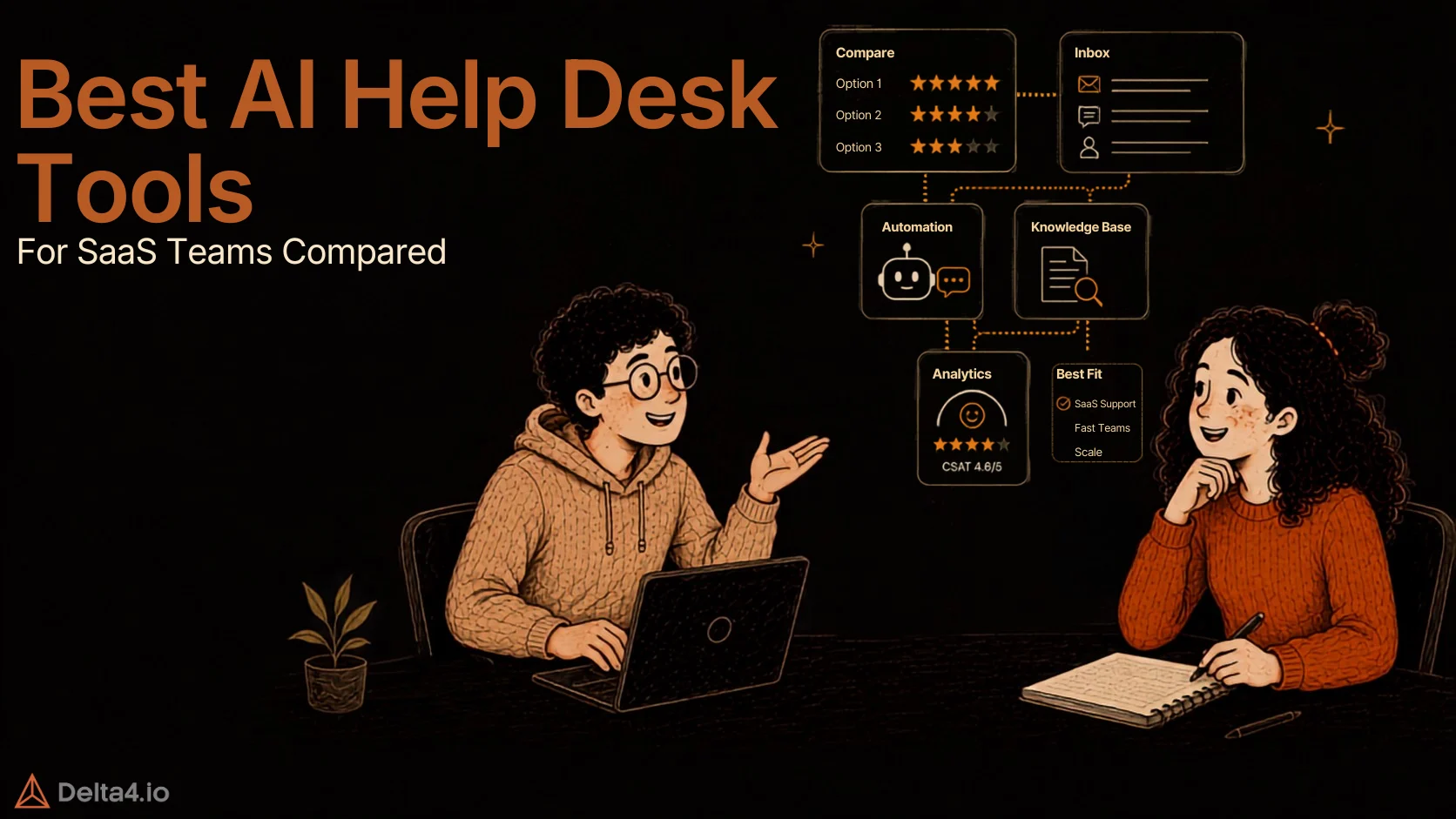
Best AI Help Desk Software for SaaS Teams in 2026

Written by
Rajni
Reviewed by
Himanshu
Published 10 August 2026
Expert Verified
Quick Answer
For SaaS teams, YourGPT is the best AI help desk software for no-code setup and omnichannel integration, with flat AI pricing. Teams with heavier routing needs, prefer Zendesk Suite or Intercom’s Fin, and teams already using HubSpot usually pick Service Hub instead.
TL;DR
- AI help desk software splits into two camps, tools that answer questions and tools that take action like refunds or CRM updates. For SaaS support, the second kind saves more hours.
- Pricing models vary more than features do. Some platforms charge a flat monthly rate for AI use, others meter every resolved conversation, so the bill grows as automation gets better.
- SOC 2 Type II and GDPR are close to table stakes now, but several vendors gate real compliance features behind their top plan. Confirm the tier before you commit, and check how each vendor defines a “resolution” before trusting a resolution-rate claim.
What Is AI Help Desk Software?
AI help desk software is a support platform that uses AI agents to answer customer questions, triage tickets, and hand off complex issues to human agents, rather than relying on manual ticket routing alone. Unlike a basic chatbot, it can read your knowledge base, take real actions like updating an order, and work across channels such as email, chat, and WhatsApp from one dashboard. SaaS teams specifically need it to handle technical questions, connect to product data, and meet security requirements like SOC 2. For a deeper look at how these agents actually work end to end, see our complete guide to building an AI agent for customer service.
Why Do SaaS Teams Need AI Help Desk Software?

SaaS support has a shape that generic customer service software wasn’t built for. Tickets spike after every release, often from users hitting a workflow that changed overnight. Questions skew technical fast, an integration breaks, a webhook stops firing, an API key won’t authenticate. And because SaaS revenue renews every month or year, a bad support experience doesn’t just cost a satisfaction score. It shows up at the next renewal conversation as churn.
Five things matter most for SaaS teams specifically:
- Scaling without headcount. Ticket volume grows with the user base, but support budgets rarely grow at the same rate. AI has to absorb that increase on its own, or every growth quarter turns into a hiring problem. See what AI agents actually are if you’re new to the category.
- Ticket triage. New tickets need to land with the right team automatically, whether that’s billing, onboarding, or a bug report headed to engineering.
- Agent handoff. When AI can’t resolve something, the handoff to a human needs to carry full conversation history. Nobody wants to repeat themselves to a new agent, especially mid-incident.
- Omnichannel deflection. SaaS buyers reach out from wherever they already are, in-app chat, email, or Slack Connect. Fragmented channels mean fragmented context, and a missed Slack message can look like a missed SLA to the customer.
- SOC 2 and data residency. SaaS buyers ask about your security posture before they sign a contract. Your own support stack has to pass the same test you put your vendors through.
Expectations need a reality check too. One industry analysis of 195 deployments found the median AI resolution rate sits at 70 percent, mostly between 56 and 80 percent. Treat anything well above that as a claim to verify, not a baseline to expect.
How We Picked the Best AI Help Desk Software
We compared each platform against the things that actually change your monthly bill and your day-to-day workflow rather than a feature checklist.
- AI billing model – Flat, per-seat, per-session, or per-resolution. This decides whether automation saves money or costs more as it improves.
- Setup speed – Can a support lead launch without a developer or an implementation partner.
- Omnichannel depth – Email and chat are standard everywhere. WhatsApp, Slack, and voice are not always included.
- Security and compliance – SOC 2, GDPR, and which plan tier actually includes them.
- Handoff quality – Whether a human agent gets full context when AI can’t finish the job.
Pricing below is pulled from each vendor’s pricing page or a source that cites it, cross checked against independent trackers published in the same window, as of August 2026. Confirm current numbers before budgeting, since AI pricing in this category changes often.
Quick Comparison Table
| Platform | Best For | Ease of Setup | Omnichannel Coverage | Agentic Capability |
|---|---|---|---|---|
| YourGPT | No-code ease of use with AI-driven self-service | No-code, live in hours | Web, WhatsApp, Instagram, Slack, Telegram, email, voice | Yes, built in via Chatbot Studio (API and webhook actions) |
| Zendesk Suite | Enterprise scale and deep customization | Slower, needs configuration | Web, chat, voice, messaging, social | Limited on the included tier (deflection only), full actions require the Advanced add-on |
| Intercom (Fin) | Polished AI-first chat for SaaS | Moderate | Chat, email, WhatsApp, SMS, phone, Slack | Yes, deep (multi-step Procedures with data connectors) |
| Freshdesk | Budget-friendly ticketing | Fast | Email, chat, phone, social (via Omni) | Yes, via Vertical Agents and AI Agent Studio (Omni required) |
| HubSpot Service Hub | Support tied to CRM and sales data | Moderate | Email, chat, forms | Limited, configurable actions that need setup |
| Kustomer | Unified customer view for growing teams | Moderate to slow | Chat, email, social, SMS, voice | Yes, connects to CRM and ERP systems via API |
| Help Scout | Small teams wanting a simple inbox | Fast | Email, chat | No, read only, answers from Docs only |
7 Best AI Help Desk Software for SaaS Teams in 2026
1. YourGPT

“Building and deploying chatbot is very easy. It can create support tickets and send email alerts automatically. It understands images instead of treating them as simple attachments.”
YourGPT is an AI-first, no-code platform for building and running autonomous AI agents across customer support, sales, and internal operations. The agents execute tasks and resolve requests directly inside the conversation, instead of deflecting to a help article or parking the request in a queue. YourGPT’s agents are built to resolve up to 90% of repeated queries on their own.
Key features
- No-code AI agent builder deployable across web, WhatsApp, Instagram, Slack, Telegram, and email, so a support lead can launch a new channel without filing an engineering ticket
- AI Helpdesk with self-service, live agent handoff, and full conversation history carried over automatically, so an escalated customer never has to repeat themselves
- Model choice across GPT-5.2, Gemini Flash, Claude Haiku, DeepSeek, and others, so routine questions can run on a cheaper model while harder ones get routed to a stronger one
- SOC 2 Type II and GDPR compliance included on every plan rather than gated behind an enterprise tier
- Chatbot Studio for building multi-step workflows with API and webhook calls, so an agent can trigger a refund or update a CRM record without a developer maintaining custom code
Pricing
- $39 to $349 a month, flat (Essential to Advanced, billed annually)
- Covers 3 to 20 seats and 10 to 100 million AI credits
- No per-resolution fee
- As support volume grows, teams can unlock full AI Helpdesk automation with the Professional plan
Source: YourGPT pricing
Best for: SaaS teams that want no-code AI agents across multiple channels, automatic resolution of repetitive requests, and a bill that doesn’t move as usage grows since there’s no per-resolution or per-outcome fee.
2. Zendesk Suite

“Zendesk is a great help desk software for IT as a service”
Zendesk is one of the most widely deployed customer service platforms, built for teams that need deep customization and enterprise-scale routing.
Key features
- AI Agents Essential included from Suite Team up, handling FAQ deflection and article suggestions, though the included allotment is thin, roughly 5 to 15 automated resolutions per agent per month before the per-resolution meter starts
- AI Agents Advanced, a separate autonomous tier billed per resolution
- Skills-based routing, IVR, and HIPAA-eligible support on Suite Professional
- Broad app marketplace and a large library of integrations
Pricing
- Suite Team: $55/agent/month
- Suite Professional: $115/agent/month
- Suite Enterprise: custom quoted
- Copilot add-on: +$50/agent/month
- AI Agents Advanced: billed per resolution, $1.50 to $2.00 once past your included allowance
- All annual billing
Source: Zendesk pricing. If Zendesk itself isn’t the right fit, see our Zendesk alternatives comparison for options built more specifically around flat AI pricing.
Best for: Larger SaaS teams that need heavy customization and are prepared to manage a multi-part AI bill.
3. Intercom (Fin)
“Intercom- Probably the most stable conversational quality I tested, unfortunately kinda blunt. Learns from agent edits, personalizes well, polished product.”
Intercom, now largely marketed under its AI agent’s name Fin, combines live chat, a shared inbox, and an AI agent built to resolve conversations end to end. Worth knowing before a multi-year contract: Salesforce signed an agreement to acquire Intercom and Fin in June 2026 for roughly $3.6 billion, and the deal had not closed as of this writing, so pricing and packaging could still shift.
Key features
- Fin AI Agent works across chat, email, WhatsApp, SMS, phone, and Slack
- Outcome-based billing charges only when Fin resolves, hands off, or disqualifies a conversation
- Workflow automation and round-robin routing from the Advanced tier up
- SSO and HIPAA support on the Expert tier
Pricing
- Seats: $29 to $132/month (Essential to Expert, annual billing)
- Fin AI outcome: $0.99 each, no included allowance
Source: Intercom pricing
Best for: SaaS teams that want the most polished AI chat experience and can absorb a premium per-resolution charge for it.
4. Freshdesk
Freshdesk is a familiar ticketing platform from Freshworks, built around a low entry price and AI features layered on as add-ons.
Key features
- Ticketing, a knowledge base, and pre-built reports from the entry tier
- Freddy AI Copilot for agent-assist drafting and ticket summarization
- Freddy AI Agent for customer-facing deflection, billed in session packs
- Freshdesk Omni adds live chat, WhatsApp, and social channels for teams that need more than email
Pricing
- Core ticketing: $19 to $89/agent/month (Growth to Enterprise, annual billing)
- Freddy AI Copilot: +$29/agent/month
- Freddy AI Agent: $49 per 100 sessions, after the first 500 free
Source: Freshdesk pricing. See our Freshchat alternatives comparison if live chat matters more to your team than ticketing.
Best for: Budget-conscious SaaS teams that want familiar ticketing software and are willing to add AI as a separate line item.
5. HubSpot Service Hub
“The ticketing system is easy to use and contains all the necessary client data, making it easier for users.”
Service Hub is HubSpot’s support layer, built to sit on top of the same CRM that runs marketing and sales, so support conversations carry full customer history automatically.
Key features
- Ticketing, live chat, a knowledge base, and conversational bots from the free tier
- Breeze AI for reply suggestions and case summarization, credit-based across all tiers
- Deep native connection to HubSpot’s Marketing and Sales Hubs
- SLA management and advanced automation from Professional up
Pricing
- Free tier available to start
- Starter: ~$15/seat/month, 500 Breeze AI credits
- Professional: ~$90/seat/month, 3,000 credits, plus a mandatory onboarding fee
- Enterprise: ~$150/seat/month, 5,000 credits, plus a mandatory onboarding fee
- Extra credits: $10 per 1,000
- Annual billing
Source: HubSpot Service Hub pricing
Best for: SaaS teams already running marketing or sales through HubSpot who want support data connected to the same customer record.
6. Kustomer
“Kustomer is easy to use, very customizable, and affordable in comparison to other providers. We use them for live chat, ticketing, and SMS messaging with our customers.”
Kustomer is a CRM-style support platform built around a single customer timeline, aimed at growing and enterprise teams managing high support volume across channels.
Key features
- Unified timeline pulling every past conversation and order into one view
- AI Agents for Customers to handle routine conversations, and a separate AI Agent for Reps to assist human agents
- Skills-based routing and workflow automation on the Ultimate plan
- HIPAA compliance option and SAML SSO available on Ultimate
Pricing
- Enterprise: $89/seat/month
- Ultimate: $139/seat/month
- Annual billing only, 8-seat minimum
- AI Agents for Customers: $0.60 per AI-engaged conversation
- AI Agent for Reps: +$40/user/month
Source: Kustomer pricing overview. Kustomer’s own pricing page is quote-only, so confirm exact numbers with sales before budgeting.
Best for: Growing or enterprise SaaS teams that want one unified customer view and can absorb an enterprise-style price floor.
7. Help Scout
“The most important feature about helpscout is the tags feature which allow you track tickets better. As well as saved replies and the super friendly user interface”
Help Scout is a shared inbox built to feel like email rather than a formal ticketing system, aimed at smaller support teams that want simplicity over deep customization.
Key features
- Shared inbox with saved replies, internal notes, and collision detection
- Docs, a built-in knowledge base, included on Plus and Pro plans
- AI Drafts and AI Summarize for agent-assist, included on Plus and above
- AI Answers, a customer-facing bot, billed separately per resolution
Pricing
- Standard: $25/user/month
- Plus: $45/user/month
- Pro: $75/user/month
- Free plan available for up to 5 users
- Annual billing
- AI Answers: $0.75 per resolution, after a 3-month free trial
Source: Help Scout pricing
Best for: Small SaaS support teams, especially under 25 agents, that want a simple inbox over a formal ticket queue.
Security and Compliance for SaaS Support Teams
Your help desk holds customer emails, account details, and sometimes payment or usage data. Before you commit to any platform on this list, check three things directly on the vendor’s own security or trust page, not just the pricing page.
- Which tier includes SOC 2. Several platforms gate real compliance features, like HIPAA support or SSO, behind their top plan. A cheap entry price can hide a compliance gap you only discover during a customer’s security review.
- Where your data lives. Data residency matters more for SaaS teams selling into regulated markets. Ask directly, since it rarely appears on a standard pricing page.
- What the AI is trained on. Confirm whether your support data is used to train the vendor’s models by default, and whether you can opt out.
This is not a box to check once. Re-verify it whenever you add a new channel or move up a plan tier, since compliance coverage often changes between tiers on the same platform.
How to Choose the Best AI Help Desk Software for Your SaaS Team
- Match the AI billing model to your ticket volume. Per-resolution pricing looks cheap at low volume and expensive once automation actually works. Flat pricing does the opposite.
- Test the handoff, not just the chatbot. Ask each vendor to show you what a human agent sees the moment AI escalates a conversation. Missing context here is the most common complaint in real reviews.
- Confirm the channels your customers actually use. In-app chat and email are standard. If your buyers reach out over Slack Connect or WhatsApp, check that it’s native, not a paid add-on.
- Ask how “resolution” is defined. A high resolution rate claim is only useful once you know whether it counts a customer who simply stopped replying.
- Check setup time against your own bandwidth. A no-code tool can go live in days. A platform built for deep customization can take weeks, and that gap matters if you’re switching mid-quarter.
- Price out your actual usage, not the sticker price. Run the numbers at your real monthly ticket volume before you sign, since seat price and AI usage cost move independently on most of these platforms.
Conclusion
AI help desk software for SaaS teams is increasingly about scaling support without scaling headcount at the same rate. The right platform automates repetitive requests, supports customers across their preferred channels, and hands complex issues to humans with full context.
The best AI help desk software fits your current support workflow while leaving room to scale. For teams that want no-code setup, omnichannel support, and AI-powered self-service, YourGPT stands out with flat pricing that doesn’t move as usage grows. Intercom fits product-led support, Zendesk fits enterprise-scale service, Freshdesk fits budget-conscious teams, Help Scout fits small teams that want simplicity, HubSpot Service Hub fits CRM-driven teams, and Kustomer fits teams that want one unified customer view.
Test any shortlist against your own ticket volume, your own channels, and your own security checklist before you sign. A tool that looks complete in a demo behaves differently once your real edge cases start running through it.
Frequently Asked Questions
What is the best AI help desk software for SaaS teams?
It depends on billing model and setup complexity more than features. Teams wanting no-code setup and flat AI pricing tend to prefer platforms like YourGPT, while larger teams with heavier routing needs often choose Zendesk Suite or Kustomer. There’s no single universal answer, matching the platform to your ticket volume and existing tools matters more than picking the highest-rated name.
What’s the cheapest AI help desk software for a small SaaS team?
Cost depends on how you count it. Help Scout starts at $25 a user a month plus $0.75 per AI resolution. Freshdesk starts at $19 an agent a month plus AI add-ons. YourGPT starts at $39 a month flat, covering the whole team with no per-resolution fee. At very low ticket volume, per-seat pricing is usually cheaper. Once AI resolves a lot of tickets, flat pricing tends to win.
Can AI help desk software actually resolve support tickets, or does it just assist agents?
Both exist, and the difference matters. Agent-assist tools draft replies or summarize tickets for a human to send. Agentic tools take real action, updating an order, processing a refund, or closing a ticket without a person touching it. Read the vendor’s own language carefully, “AI-powered” often means assist-only. Look for explicit mentions of API actions, webhooks, or task completion to confirm real resolution.
How much does AI help desk software cost for a SaaS team?
Costs vary by billing model, not just seat price. Some platforms charge a flat monthly rate for AI use. YourGPT runs $39 to $349 a month with no per-resolution fee, while others like Zendesk or Intercom add $0.99 to $2 per resolved conversation on top of seat costs. A metered plan can end up costing more than a flat-rate plan once automation actually starts working well.
Is AI help desk software worth it for a growing SaaS team?
For most growing SaaS teams, yes, since ticket volume typically grows faster than support budgets. AI absorbs repetitive requests like password resets or billing questions, freeing agents to focus on complex issues that need real judgment. It’s less worth it for very low ticket volume or highly technical, non-repetitive support, where AI has little repeated pattern to learn from and the automation cost isn’t justified yet.
Which AI help desk platform works best with WhatsApp and Slack?
Two platforms in this comparison, YourGPT and Intercom’s Fin, list WhatsApp and Slack as native channels alongside email and voice. Zendesk, Kustomer, and HubSpot Service Hub cover chat, email, and social channels, but WhatsApp support isn’t listed as a default in their standard plans. Help Scout covers only email and chat. If WhatsApp and Slack are core to how your customers reach you, confirm native support before comparing price.