AI Video Generator vs Production Agency: Cost and Quality

Himanshu

Written by

Himanshu
Rohit Joshi

Reviewed by

Rohit Joshi

Published 26 November 2026

Expert Verified
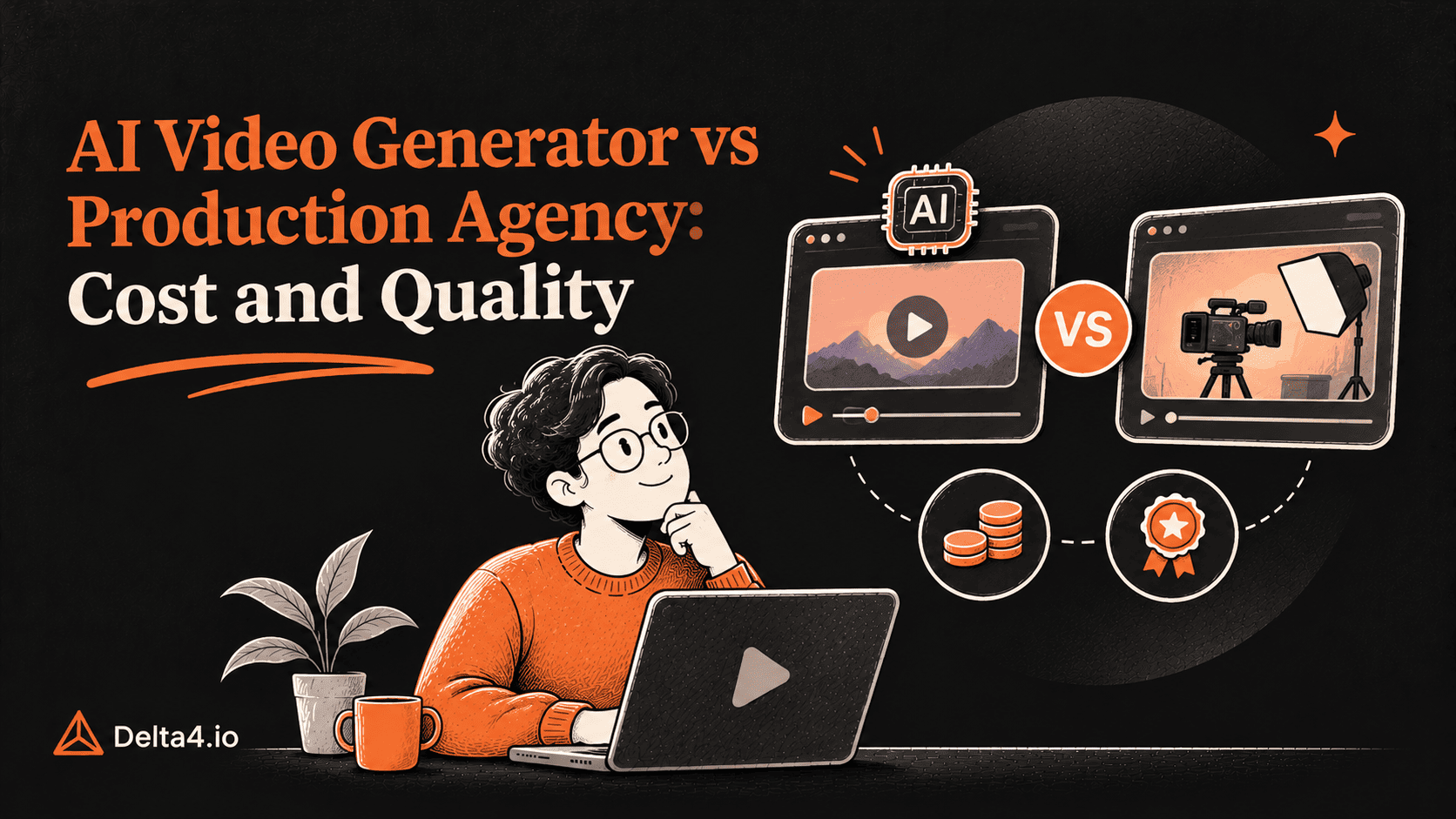
<p>Illustration comparing an AI video generator with a traditional production agency, highlighting differences in cost and quality while a user reviews both options on a laptop.</p>

Summarize this post with AI

Short answer

An AI video generator can cost less when you have an approved script and your team can review each cut quickly. It works well for training videos, product walkthroughs, and multilingual versions. A video production agency is a better fit when you need an original concept, direction for real people on camera, or documented usage rights. For a flagship campaign, you can have the agency produce the main video and use AI to adapt it for different channels and languages.

TL;DR

  • Cost: AIn our one-minute AI explainer estimate, staff time accounts for $400 of the $429 total. Compare that estimate with an agency quote for the same brief, including the same number of revisions.
  • Quality: Score two finished cuts on product accuracy, visual consistency, and whether viewers understand the message. We didn’t test finished videos for this comparison.

A one-minute video can take hours to script, edit, and approve. Who does that work shapes the budget.

An AI video subscription gives your team the tools to make the video. Your team still selects footage, edits the cut, and handles revisions. An agency quote can include those services.

This blog uses published rates and a one-minute explainer to show where the money goes. It also gives you a checklist for judging whether the finished video shows the product accurately, communicates the message clearly, and is easy to update after launch.


What Is an AI Video Generator?

An AI video generator uses generative AI to turn a prompt, script, or existing assets into video. The type of tool you choose determines what it produces and how much work your team needs to do before publishing.

  • Generative video models such as Runway Gen-4.5 and Google Veo 3.1 create short clips from prompts. Use them when you need new footage. For a longer video, your team selects the usable clips and edits them into a sequence.
  • Avatar platforms such as Synthesia and HeyGen turn a script into a video with a digital presenter. They suit training, onboarding, and multilingual updates. Review the delivery for pronunciation and accuracy before publishing.
  • Agentic video studios such as CoAnimator let you describe scenes and request edits through an AI coding agent such as Claude Code or Codex. CoAnimator creates an editable project and renders the video on your machine. This suits product demos and animations that need regular updates.

When comparing costs, count the work each tool leaves with your team. Generating clips adds time for selection and editing. Presenter videos need script and delivery checks. Editable demos still need someone to verify that the video matches the product.


What Is a Video Production Agency?

A video production agency turns your brief into a finished video. Depending on the project, it can develop the concept, write the script, cast talent, scout locations, and manage filming. Its team can also handle editing, sound design, animation, and motion graphics.

The agency takes responsibility for creative and production decisions, while your team sets the brief and approves the final cut. When reviewing a quote, check which stages it covers, how many revision rounds are included, and which usage rights come with the finished video.

Agencies can also use AI within their workflow. Vidico, for example, says its creative directors oversee the brief and final cuts while AI helps adapt videos for different languages, formats, and channels.


Key Video Production Cost Terms

AI video tools and production agencies price different units. A tool may charge for every second it generates, while an agency may quote by the minute of finished video. These terms help you compare the two.

TermWhat it means
Finished minuteOne minute of the final video, regardless of how much footage you shoot or generate.
CreditsUnits a tool deducts when you generate video. The number of credits used can depend on the model and clip length.
API pricingThe rate you pay when calling a video model directly through its API. It can differ from the rate included in an app subscription.
Usable yieldThe share of generated footage that makes it into the approved cut. At 25% yield, you need four minutes of generated footage for every minute you keep.

AI Video Generator vs Video Production Agency at a Glance

The upfront price tells you what you pay the tool or agency. The full cost also includes the work your team handles before the video is ready to publish.

What to compareAI video generatorVideo production agency
How you payA subscription, credits, or a rate per generated second. Add staff time for editing, review, and revisions.A quote for a defined scope. The published range for corporate and explainer videos is $1,000–$10,000 per finished minute.
What you receiveGenerated clips, presenter videos, or an editable project, depending on the tool.A finished video with the services and formats listed in the quote.
Where it fits bestTraining videos, product walkthroughs, and multiple versions of an approved video.Flagship brand films, live-action shoots, and projects that need original creative direction.
What to check before publishingProduct accuracy, visual consistency, and pronunciation across versions.Whether the final cut meets the brief and includes the agreed formats and usage rights.
How revisions workYour team edits the project or regenerates individual clips, depending on the tool.The agency handles the revision rounds included in the quote. Additional changes may cost extra.

For a fair comparison, give both options the same brief, source assets, and revision allowance. Include your team’s review time in both estimates.


What Does a Video Production Agency Cost in 2026?

The cost of video production at an agency is roughly $1,000 to $10,000 per finished minute for most corporate and explainer video. Vidico, a production agency, publishes that range in its pricing guide, which draws on Clutch data and published rate cards from production companies.

Clutch’s review data adds the buyer’s view. It reports an average project of about $42,000, with most projects under $10,000. That is a project-level figure across mixed scopes, so we use it as context and not as a benchmark for a one-minute video.

The quote is not the last bill. Vidico lists these as separate costs:

Clutch’s reviewed projects show a typical timeline of 5 months. The figure spans mixed scopes and is not a matched estimate for a short explainer, so ask any agency for its schedule on your brief.


What Does an AI Video Generator Cost?

AI video generator pricing runs from free to $0.40 per second of generated footage, a lower entry price than an agency project. Metered billing is the norm, and a finished video still needs your script, selection and edit.

ToolWhat you buyPrice as of 29 October 2026
Runway Gen-4.5, API12 credits per second, in 5 or 10 second generations$0.01 per credit, so $0.12 per second
HeyGen CreatorAvatar and generative video$29 a month
CoAnimatorAgentic studio, rendered on your machineFree, or $299 for a lifetime license
Synthesia StarterAvatar video$19 a month, or $14 a month billed yearly

We use Runway’s API rates for the per-second price because the API publishes a clean rate for each second. Runway’s subscription plans bundle credits instead, and app credits and API credits are separate balances.

Premium models cost more. Runway’s API lists Google’s Veo 3.1 with audio at $0.40 per second, more than three times the Gen-4.5 rate.

Avatar video prices depend on how much of the plan you use. Synthesia’s Pro plan lists 6,000 monthly credits for $89, and its calculator estimates 100 credits per video minute. At full use, about 60 minutes, that is about $1.48 per minute before labor. A team that generates 10 minutes pays the same $89, or $8.90 per minute.


Video Production Costs by Role

An agency quote can bundle several specialists into one fee. With AI, some of those costs shift to software, while others become staff time. Breaking the work down by role helps you see which expenses a project can avoid and which tasks your team still needs to cover.

Production roleIndicative cost from VidicoHow the work changes with AI
Scriptwriter$1,000–$5,000 per scriptAI can draft the script. Someone on your team still checks claims, tone, and timing.
Videographer and crew$600–$1,200 per day for a freelance videographer or $2,500–$8,000 for agency productionGenerated footage can replace a shoot when the brief allows synthetic scenes.
Equipment and location$1,000–$4,000 per day for equipment and $500–$3,000 for a studio or locationFully generated or avatar-led videos can avoid these expenses.
On-screen talent$500–$1,500 per dayAn avatar can present a scripted training video. A customer testimonial still needs the customer on camera or on mic.
Voiceover$300–$1,000 per sessionText-to-speech can produce narration. Budget time to check pacing and pronunciation.
Editor$60–$150 per hour for a freelancer or $100–$300 per hour through an agencySomeone still selects the footage, assembles the cut, and checks that scenes fit together.
Translated voiceover$300–$1,000 per languageAI dubbing can create language versions, with a fluent reviewer checking meaning and delivery.

These ranges are individual estimates from Vidico’s corporate video pricing guide. Use them to read an itemized quote. Adding every row would overstate the budget for projects that need only a few of these services.’


How Staff Time and Usable Yield Affect AI Video Costs

A low usable yield adds two costs. You pay to generate more footage, and someone on your team has to review more clips to find the ones worth keeping. Track both during a pilot so your estimate reflects the work it takes to finish the video.

The cost example below uses 25% yield as a planning assumption and tests what happens at 10% and 50%. Once you’ve run a pilot, substitute your own yield and staff hours.


AI Video vs Agency Costs by Video Type

The format determines what you’re paying for. A training video may need a clear script and consistent narration. A brand film may need original creative direction, casting, and a shoot. The agency figures below are indicative ranges from Vidico’s pricing guide. The AI column covers tool or generation costs before staff time.

Video typeAgency estimate per finished minuteAI option and direct cost
Short social video$500–$3,000Generate individual clips and edit them together. A 30-second cut costs $14.40 in generation at 25% usable yield.
Corporate training video$1,000–$10,000Use a digital presenter for scripted lessons. Synthesia Pro works out to $1.48 per minute when you use the full 60-minute allowance in our estimate.
Product demo$1,500–$5,000Use screen recordings or an editable video studio to show the actual interface. CoAnimator has a free option and a $299 lifetime license.
Live-action explainer$2,000–$8,000Use generated footage if the brief allows synthetic scenes. A 60-second cut costs $28.80 in generation at 25% usable yield.
Animated explainer$3,000–$15,000Test one representative scene to estimate what it takes to match your brand style, keep visuals consistent, and revise the animation.
Commercial or brand film$5,000–$20,000+Price the main film as an agency project. Estimate AI costs separately for shorter edits or translated versions.

The next example adds staff time to the $28.80 generation estimate to show what a one-minute explainer can cost to finish.


One-Minute Explainer Video Cost Comparison

One-Minute Explainer Video Cost Comparison

A one-minute AI explainer costs $428.80 in this example. Staff time accounts for $400 of that total. Use the estimate as a starting point when requesting an agency quote for the same work.

The brief. Produce a 60-second explainer from an approved script and supplied graphics. Include captions, one revision round, and a 1080p export. Price voiceover, licensed music, and rights review separately if the project needs them.

Cost itemCalculationEstimated cost
Video generation240 generated seconds at $0.12 per second, assuming 25% usable yield$28.80
Staff time8 hours at $50 per hour for prompting, selecting clips, editing, captioning, and reviewing the cut$400.00
TotalGeneration plus staff time$428.80

How revisions and discarded footage change the cost

Usable yield8 staff hours16 staff hours24 staff hours
50%$414.40$814.40$1,214.40
25%$428.80$828.80$1,228.80
10%$472.00$872.00$1,272.00

At 25% yield, eight extra staff hours add $400. At the same staff time, dropping from 25% to 10% yield adds $43.20 in generation costs. In practice, reviewing extra takes can also increase staff hours.

For a fair comparison, ask the agency to quote the brief above using the same assets and revision allowance. Add your team’s briefing and review time to the agency fee, then apply the same formula to both estimates.

Cost per approved minute = (tool or agency fees + internal staff time + other project costs) ÷ approved video minutes


AI Video Generator vs Video Production Agency on Quality

A training video needs clear narration and accurate instructions. A product demo needs to show what the interface actually does. A brand film depends more on performance, pacing, and how the story lands. Define what the video needs to achieve before judging either approach.

Video requirementWhat to look for
Presenter-led trainingCheck pronunciation, pacing, and whether viewers can follow the instructions. If you use AI dubbing, ask a fluent speaker to review each version for meaning and delivery. HeyGen’s video translation guide
Product walkthroughsUse screen recordings for steps viewers need to repeat. Check that labels are readable, clicks happen in the right order, and every screen matches the current product.
Multi-scene explainersReview generated clips in sequence. A shot can look good on its own while a change in lighting, character appearance, or object placement breaks continuity in the final cut. Runway’s Gen-4.5 guide
Brand films and customer storiesAn agency can direct real performances and adjust shots on set. Judge whether those choices make the story more believable and the message easier to recall.

We didn’t test finished videos for this comparison. If you have two cuts from the same brief, show them to viewers without saying how they were made. Ask them to explain the main point or show what they’d do next. Their answers tell you whether the video did its job.


AI Video Quality Evaluation Checklist

Use this checklist to compare finished videos made from the same brief. Score each item from 1 (needs major revisions) to 5 (ready to publish). Decide upfront which issues block approval, such as an incorrect product claim or a missing step in a tutorial.

What to evaluateHow to check it
AccuracyVerify product screens, claims, instructions, and pronunciation against the approved script and source material.
Visual continuityWatch adjacent scenes together. Look for unexpected changes in a person’s appearance, object placement, lighting, or branding.
Message clarityAfter one viewing, ask someone from the target audience to explain the main point or describe what they would do next.
Editing and soundPlay the video on the device your audience uses. Check that the dialogue is clear, captions are readable, and viewers have time to follow each step.
Ease of revisionRequest a realistic change, such as updating a price or replacing a product screen. Record how long it takes and whether it affects other scenes.

Give the most weight to the checks that matter for your video. For a product walkthrough, viewers should be able to repeat the steps. For a campaign with frequent offer changes, time how quickly each version can be updated and approved.


AI Video Risks, Rights and Compliance

The main risks are rights, disclosure, tool continuity and consent for likenesses. None of them appears on a price page.

Four separate questions get blurred here.

Hiring an agency does not settle these questions on its own, because the contract, releases and production methods decide. Ask any vendor or agency in writing:

  1. Which tools and models will be used, and under what terms?
  2. Who owns or licenses the output, for which uses and regions?
  3. Which elements are human-authored, and how is that documented?
  4. Is there indemnification, and does it cover video and not only images?

The Copyright Office analysis covers the United States only, and we are not lawyers, so ask counsel in your own jurisdiction.

AI Video Disclosure Requirements

The AI Act’s transparency rules have applied since 2 August 2026. In the EU, publishers of AI-generated or manipulated video that resembles real people, places or events and would falsely appear authentic must disclose it, with a lighter duty for evidently artistic or fictional work. Video platforms have their own labeling rules, so check the current policy on each channel you use.

AI Video Tool Continuity Risks

Any AI tool can disappear, so keep your work portable. OpenAI’s help center says the Sora web and app experiences were discontinued on 26 April 2026 and the Sora API on 24 September 2026. Export finished files, and keep your scripts and brand assets outside any single tool.

Get written consent before cloning anyone’s face or voice. HeyGen and Synthesia both offer custom avatars built from your own likeness and voice, and the consent record should live with the project files.


How to Choose Between an AI Video Generator and a Video Production Agency

Start with the work your team can handle. An AI video generator makes sense when you have an approved script or concept and someone who can edit and review the result. A video production agency fits projects that need original creative direction, a live shoot, or someone to manage production from brief to final cut.

  • Multilingual training videos. Use an AI avatar or dubbing tool to create each version. Have a subject expert check the instructions and a fluent speaker review the translation.
  • Product walkthroughs. Record the actual interface and use an editable video tool so you can replace a scene when the product changes.
  • Social clips from an approved campaign. Use AI-assisted editing to adapt the footage for different lengths and formats. Check that every version keeps the offer and key message clear.
  • Flagship brand films and customer stories. Hire an agency when the project depends on an original concept, directed interviews, or a live shoot. Confirm who handles usage rights for footage, music, and performances.
  • Custom animated explainers. Test the hardest scene with an AI tool and request an agency quote for the same brief. Check how well the scene matches your brand and how much work a typical revision takes.

For a campaign that needs a main film and several versions, you can have an agency produce the main film and use AI for shorter edits, captions, or dubbing. Ask for the editable project files and confirm which assets you can reuse.


Test AI Video Against an Agency Quote

Decide what you want to measure before running the test. If you already have a concept, script, and assets, give both routes those materials to compare production costs. If you also need creative direction, start both routes with the same audience, goal, and brief, and include concept development in the estimate.

  1. Define what counts as finished. Specify the runtime, formats, captions, and revision allowance. Set the quality criteria before work begins.
  2. Run the AI pilot and request a matched quote. Track tool fees and staff hours from the first draft through approval. Add your team’s briefing and review time to the agency quote so both totals include internal labor.
  3. Use two finished cuts to compare quality. If quality will decide the purchase, commission a paid agency sample and create an AI sample from the same brief. Show both to target viewers without identifying how they were made, then use the checklist above to score them.
  4. Test one realistic revision. Ask both teams to make the same change, such as updating a product screen. Record the cost and time from request to approval.

Compare cost per approved minute once each cut meets your publishing criteria. If you only have an agency quote, report the cost estimate and leave the agency’s quality score open.


Frequently Asked Questions

How much does an AI video generator cost compared with a video production agency?

As of October 29, 2026, the avatar plans in this comparison cost $19 to $29 per month, and the generative models reviewed cost up to $0.40 per generated second. Published agency estimates range from $1,000 to $10,000 per finished minute for corporate and explainer work. Our one-minute AI explainer estimate comes to about $429, including eight hours of staff time. The agency range covers a broader production scope.

Is AI video cheaper than hiring a video production company?

AI video can cost less when your team starts with an approved script and can finish the edit in a few hours. Repeated generations, revisions, and approvals can raise the total. Compare the AI estimate, including staff time, with an agency quote for the same brief and revision allowance.

How much does explainer video production cost per minute?

Vidico estimates $2,000 to $8,000 per finished minute for live-action explainers and $3,000 to $15,000 for animated explainers. Use those ranges for initial budgeting. Ask for a project quote based on the script, visual style, and revisions you need.

Will AI replace video production agencies?

AI can handle parts of production, such as generating footage, dubbing narration, or adapting an approved video for different channels. Agencies still manage work such as concept development, casting, and directing a shoot. A campaign can use an agency for the main film and AI tools for shorter edits or translated versions.

Can you use AI-generated video commercially, and who owns the copyright?

Check the tool’s terms or your production agreement for permission to use the video in paid ads, on your website, or in other commercial settings. In the United States, copyright protection depends on the creative contributions a human author made to the finished work. See the U.S. Copyright Office guidance on AI and copyright.


Conclusion

A product demo can go out of date when a single button moves. If the video has an editable project file and your team can replace that scene, the fix may be small. If you need to book another shoot or pay for a new edit, that update belongs in the production budget.

Before choosing an AI tool or signing an agency agreement, ask who can make the next change, which files they’ll need, and what the update will cost. For videos you publish regularly, track the time and cost of that first update. It gives you a better basis for budgeting the next video.

Share

Tags

AI Video GeneratorsAI Video QualityExplainer VideosVideo Production AgenciesVideo Production Costs
Himanshu

Article by

Himanshu

Head of Growth & Engineering

Himanshu is Head of Growth & Engineering at Delta4 Infotech, writing about AI agents, MCP, and no-code automation from a go-to-market view. He covers how teams evaluate, adopt, and get real value from AI tools, translating what the tech does into what it means for a business.

Related posts

AI Customer Support Automation: How It Works and Where to Start
AI

AI Customer Support Automation: How It Works and Where to Start

Quick Answer: AI customer support automation uses customer requests, company documentation, and connected systems to answer questions, route tickets, or carry out approved actions. Start with one frequent, low-risk task, such as answering FAQs or checking order status. Set a clear handoff rule for exceptions and track how many of those requests the AI resolves [&hellip;] Share this: Share on X (Opens in new window) X Share on Facebook (Opens in new window) Facebook

RajniRajni·25 Nov 2026
Open-Weight Models for Business: Costs, Security, and Self-Hosting
AI

Open-Weight Models for Business: Costs, Security, and Self-Hosting

Quick Answer Start with a hosted API if its data terms meet your requirements. Test answer quality, response times, and token costs before renting GPUs. Self-host if the model must run in your environment or if serving the same workload costs less after GPU rental, idle time, and engineering. Check the model’s license before deploying [&hellip;] Share this: Share on X (Opens in new window) X Share on Facebook (Opens in new window) Facebook

RajniRajni·24 Nov 2026
Best HyperFrames Alternatives in 2026
AI

Best HyperFrames Alternatives in 2026

Quick Answer CoAnimator, Remotion, Motion Canvas, Revideo, Shotstack, and Creatomate are the best HyperFrames alternatives in 2026. Choose CoAnimator for editable product demos built with an AI agent, Remotion if your team already uses React, or Motion Canvas for narrated explainers. Revideo fits teams adding video rendering to their own apps, while Shotstack handles batch [&hellip;] Share this: Share on X (Opens in new window) X Share on Facebook (Opens in new window) Facebook

HimanshuHimanshu·24 Nov 2026